remind the Bluetooth was connectedl After connected, the indicator light is always on.
7. It will be D_INPUT mode after the Bluetooth is connected successfully and can support the games running in
simulator way.
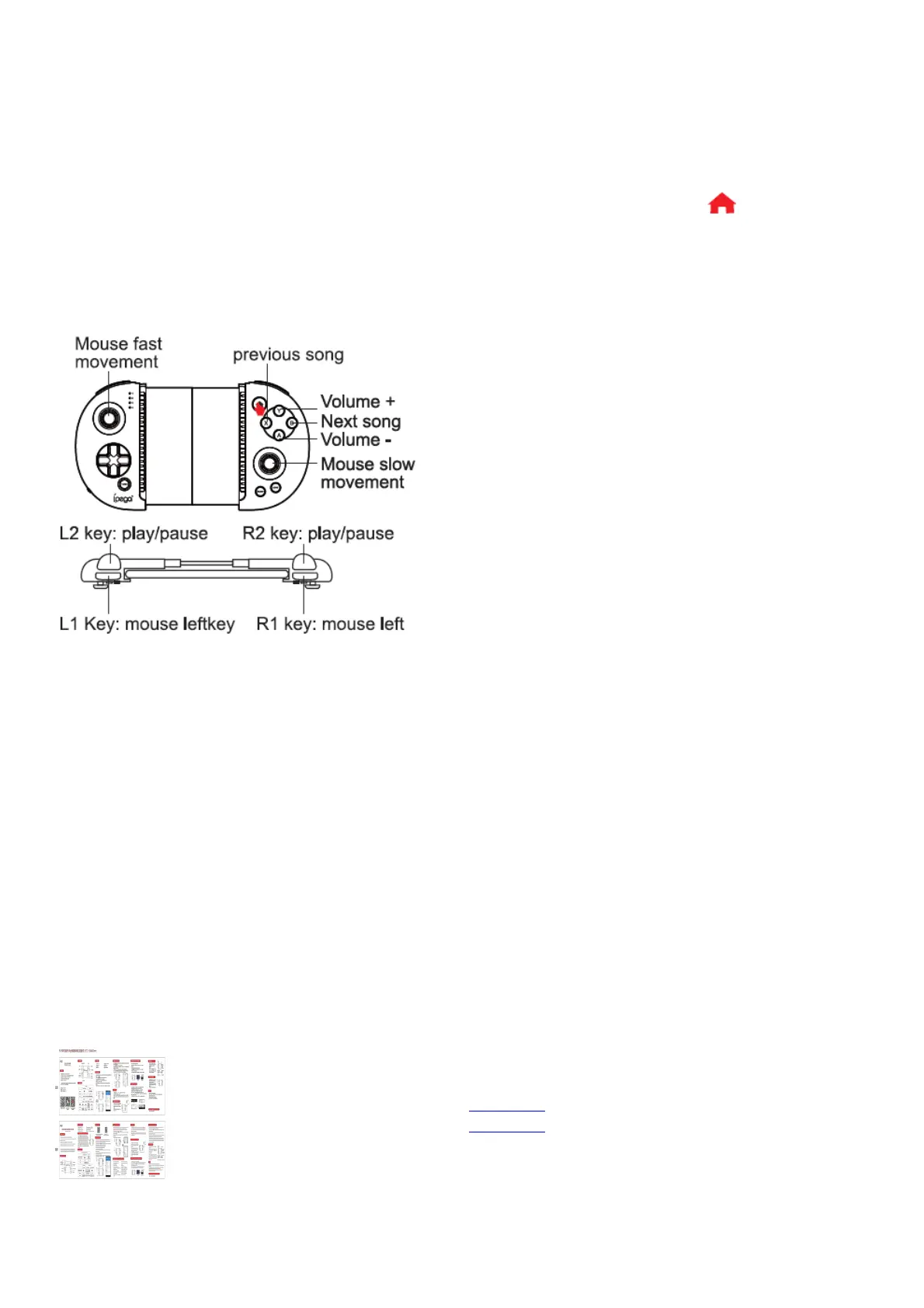
Mouse mode function:
1. Multimedia player function, need to operate in mouse mode;
2. After successful connected in HID mode, you can switch to mouse mode by short press key; LED2 lights
up at this time;
3. In mouse mode: Y key: volume +; A key: volume -; X key: previous song; B key: next song; L2 key: play/pause;
L1 key: left mouse button; R2 key: play/pause; R1 key: Right mouse button; left 3D: mouse fast moving; right
3D: mouse slow moving.
Notes:
1. Please do not store this product in wet or high-temperature areas.
2. Don’t knap, beat, drub, pierce, or try to decompose this product, to avoid unnecessary damage to the product.
3. The product has built-in batteries, and please don’t discard them together with the garbages.
4. Don’t charge the controller in a place near the fire or other heat source.
5. Non professional personnel should not disassemble the product, otherwise it will not be covered in the after-
sales warranty service.
iPega and ePega trademarks all belong to PEGA LIMITED.
Patent NO. : ZL201530022389.5
File Downloads
User Manual
Red Knight Bluetooth Controller, PG-9087
Download [optimized]
Download
Related Manuals



 To Next Page