004
Quick Installation
1-3 Install PoV driver
Step 1.
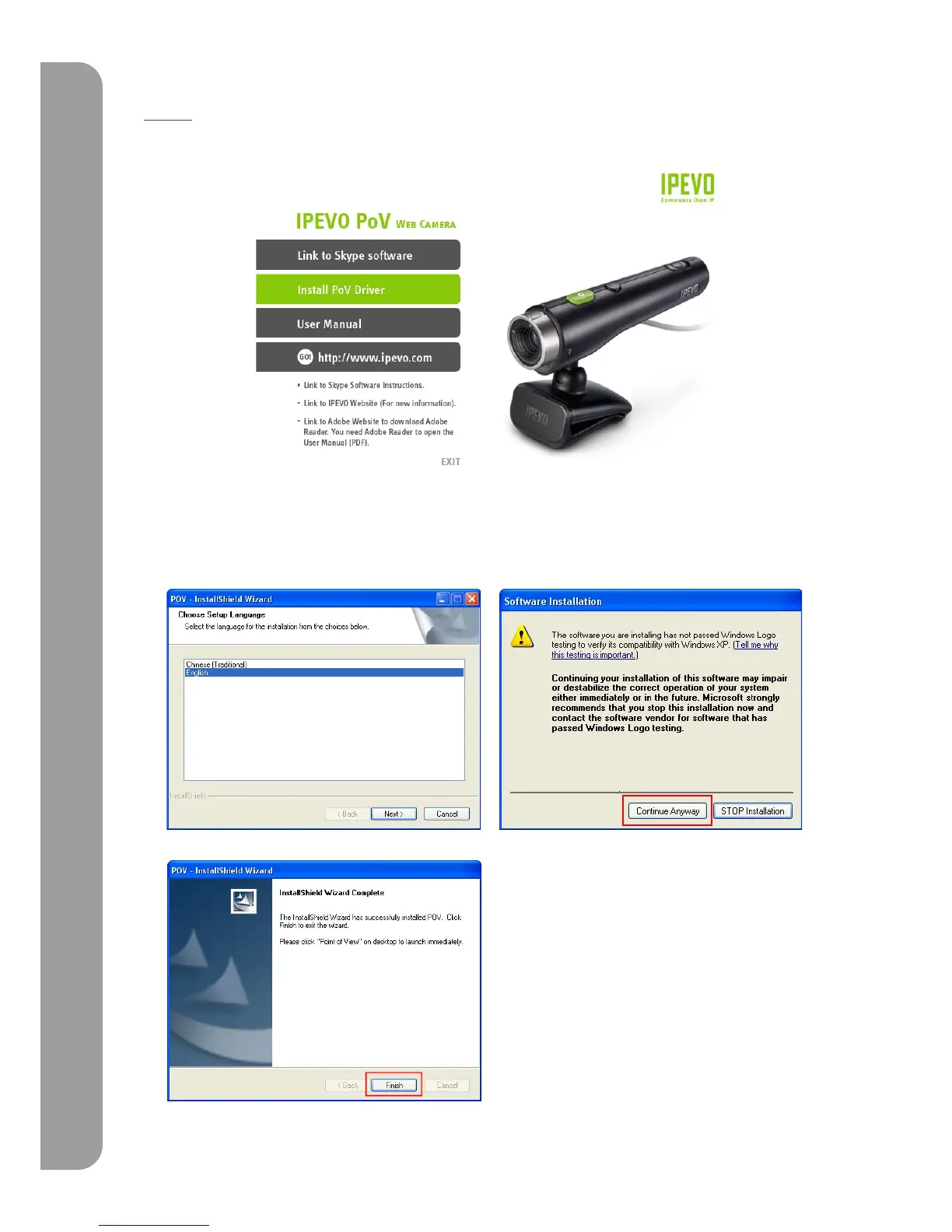
After installing Skype, please select “Install PoV driver” from the main menu.
The PoV driver will also automatically install Point of View software which works with Skype to
enable image sharing and remote control features.
In some cases, you may receive a warning [the
software you are installing has not passed
Window Logo testing to verify it’s compatibility
with Windows XP]. If you see this warning
screen, please click “continue anyway” to
proceed with the installation



 To Next Page