

EasyManua.ls Logo

Ipevo Point 2 View - User Manual

Ipevo Point 2 View
28 pages
Print Icon
To Next Page IconTo Next Page
Loading...
www.ipevo.com
Point 2 View User Manual

Table of Contents

Other manuals for Ipevo Point 2 View

Question and Answer IconNeed help?

Do you have a question about the Ipevo Point 2 View and is the answer not in the manual?

Summary

1 Getting Started

Installing and Connecting the Device

Guide to install P2V software and connect the Point 2 View hardware.

2 Using Basic Features

Autofocus and Focusing Features

Explains Continuous and Single Autofocus modes and how to bring the camera into focus.

Taking and Managing Snapshots

Instructions for taking snapshots, navigating photos in Review mode, and disabling sounds.

3 Working with Video Images

4 Working with Photos

6 Advanced Features

Adjusting Video Image Properties

Fine-tunes video image quality using brightness, contrast, gamma, hue, saturation, and sharpness.

7 Using Point 2 View in Other Applications

Using as a Webcam in Other Apps

Using Point 2 View for video calls, streaming, and chat software like Skype.

Preparing and Selecting Point 2 View

Steps to prepare Point 2 View and select it as the webcam in other applications.
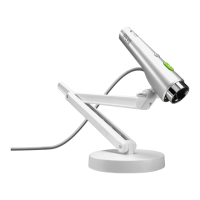
Ipevo Point 2 View Specifications

General IconGeneral
BrandIpevo
ModelPoint 2 View
CategoryWebcam
LanguageEnglish

Related product manuals
