Need help?
Do you have a question about the Ipevo PoV and is the answer not in the manual?
After inserting the CD, the set-up guide will begin and guide you through the installation.
Instructions to install the Skype program, either from the provided CD or by downloading the latest version.
Steps to install the PoV driver from the main installation menu after Skype is set up.
Procedure to uninstall the PoV driver and software from your computer.
Details the purpose of each function key (A-I) and LED indicator on the PoV camera.
Explains how to use the 6cm~infinity focus ring for clear image adjustment in Normal and Macro modes.
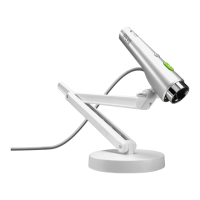
Provides instructions for setting up the PoV on LCD or Notebook monitors, and on flat surfaces.
Describes how to hold and use the PoV like a pen for dynamic, handheld video capture.
Guides users through setting up the PoV for use with Skype, including video and audio configurations.
Explains how to configure the PoV for use with MSN Messenger, covering audio and video setup.
Allows users to capture images and send them instantly to Skype contacts via the software.
Captures images, saves them to the computer, and lists them in a history window.
Guides users on setting up the PoV for remote monitoring via Skype with password protection.
Provides a guide to the main interface elements and controls of the Point of View software.
Explains how to select devices, set photo modes, file naming, location, resolution, and frame rate.
Details how to adjust image parameters like brightness, contrast, gamma, and exposure.
Allows users to select and apply various visual effects and frames to images and videos.
Describes using the macro lens for close-up capture and sharing of documents or objects.
Suggests alternative ways to use the PoV, such as for handheld shots and enhancing IM experiences.
Troubleshoots problems encountered during the PoV installation process, like driver conflicts.
Addresses issues where images are not visible in the preview window, checking device connection and software.
Provides guidance on how to increase the speed of sending images by adjusting capture settings.
Explains why certain PoV functions might not work with specific instant messenger programs.
Helps resolve issues preventing images from being sent using the Point of View software.
Offers solutions for visual distortions like ripples appearing in the preview window.
Explains how to fix blinking preview windows by adjusting screen frequency settings.
Provides solutions for the 'USB Controller Bandwidth Exceeded' message during simultaneous USB device use.
Outlines the terms, conditions, and duration of the product's limited warranty.
Lists all items included in the IPEVO PoV Webcam package.
Provides detailed technical specifications of the IPEVO PoV Webcam.
Offers customer service email and hotline for inquiries and support.


 To Next Page

 General