006
What is PoV?
2. What’s PoV?
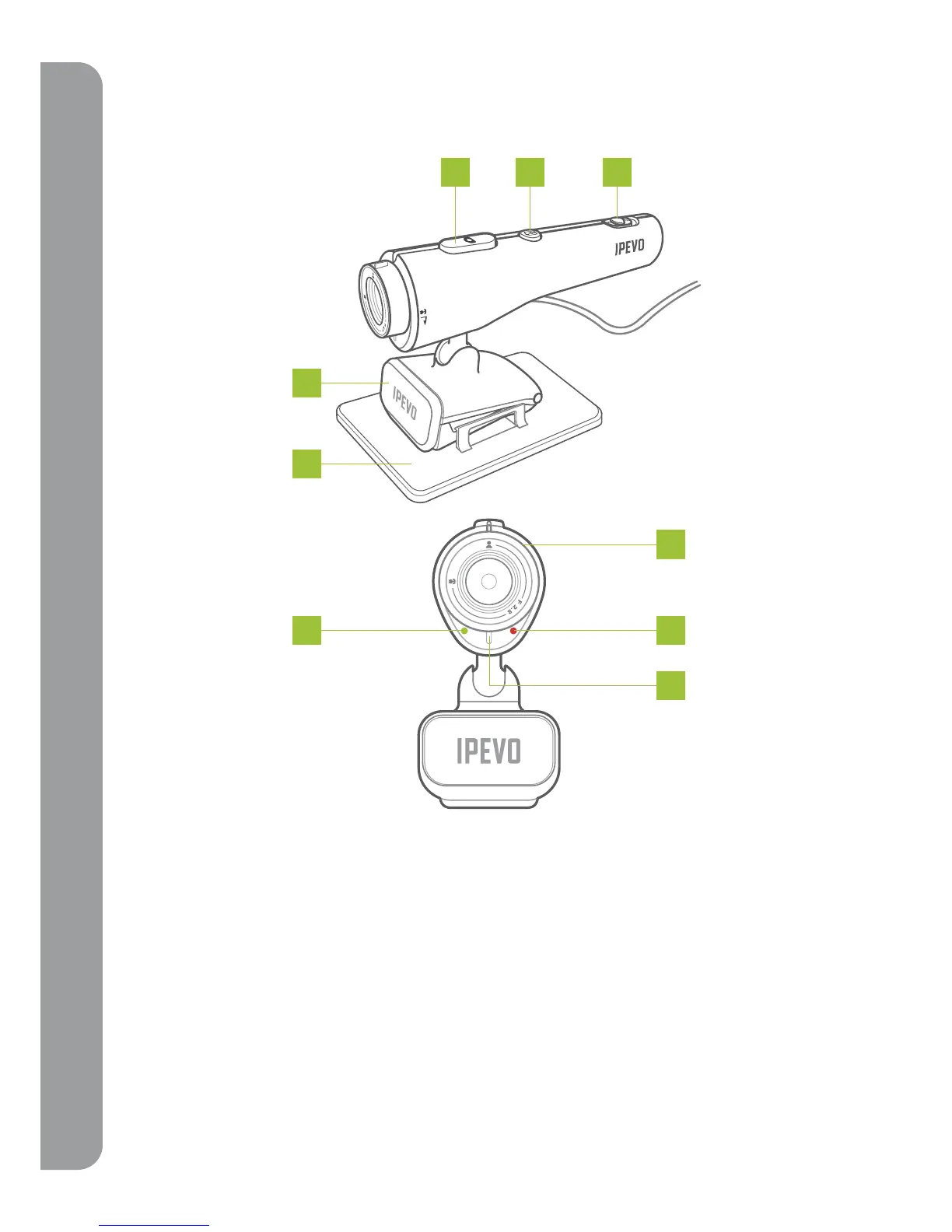
2-1 PoV – function keys and led indicators
A. Snapshot button: Captures a still image. Please see the User Guide located on the CD for more
information.
B. Send-Out button: Please see the User Guide located on the CD for more information.
C. USB power switch: Turn your PoV on and off with this switch.
D. Adjustable focus ring: Get a clear image by adjusting the focus ring -or- get up close by using
Macro mode. Please see “2-2 how to adjust focus on PoV”
E. Microphone: Built in microphone can capture sound for video conferencing or video capture.
Please see instruction “3. Use PoV as a Webcam“ inside the CD.
F. Power indicator (green): Indicates that the camera is on. The PoV is ready for use.
G. Shooting indicator (red): Indicates that the PoV is actively recording or transmitting live video.
H. Stand
I. Base
A
B
C
H
I
F
D
G
E



 To Next Page