010
Use PoV as a general purpose webcam
Step 3.
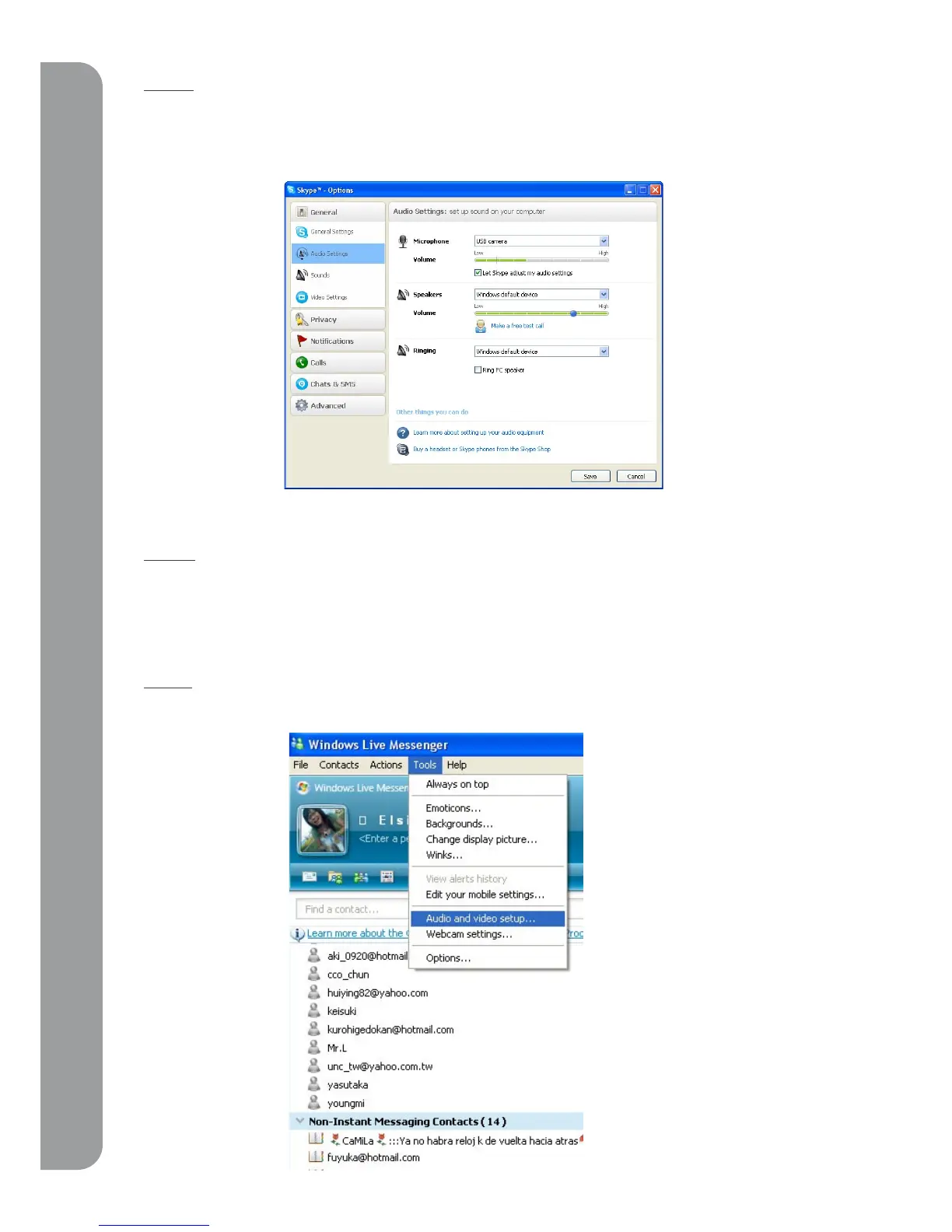
Please go to “Audio setting” on the screen below. Select “USB camera” for Microphone. If you
chose not to use the PoV as a microphone, please choose the appropriate device you would like
to use for audio input.
Step 4.
After you click “Save”, PoV will function as your webcam for Skype.
3-2 PoV with MSN
Step 1.
Please open MSN, click “tools” and choose “audio and video set up”



 To Next Page