011
Use PoV as a general purpose webcam
Step 2.
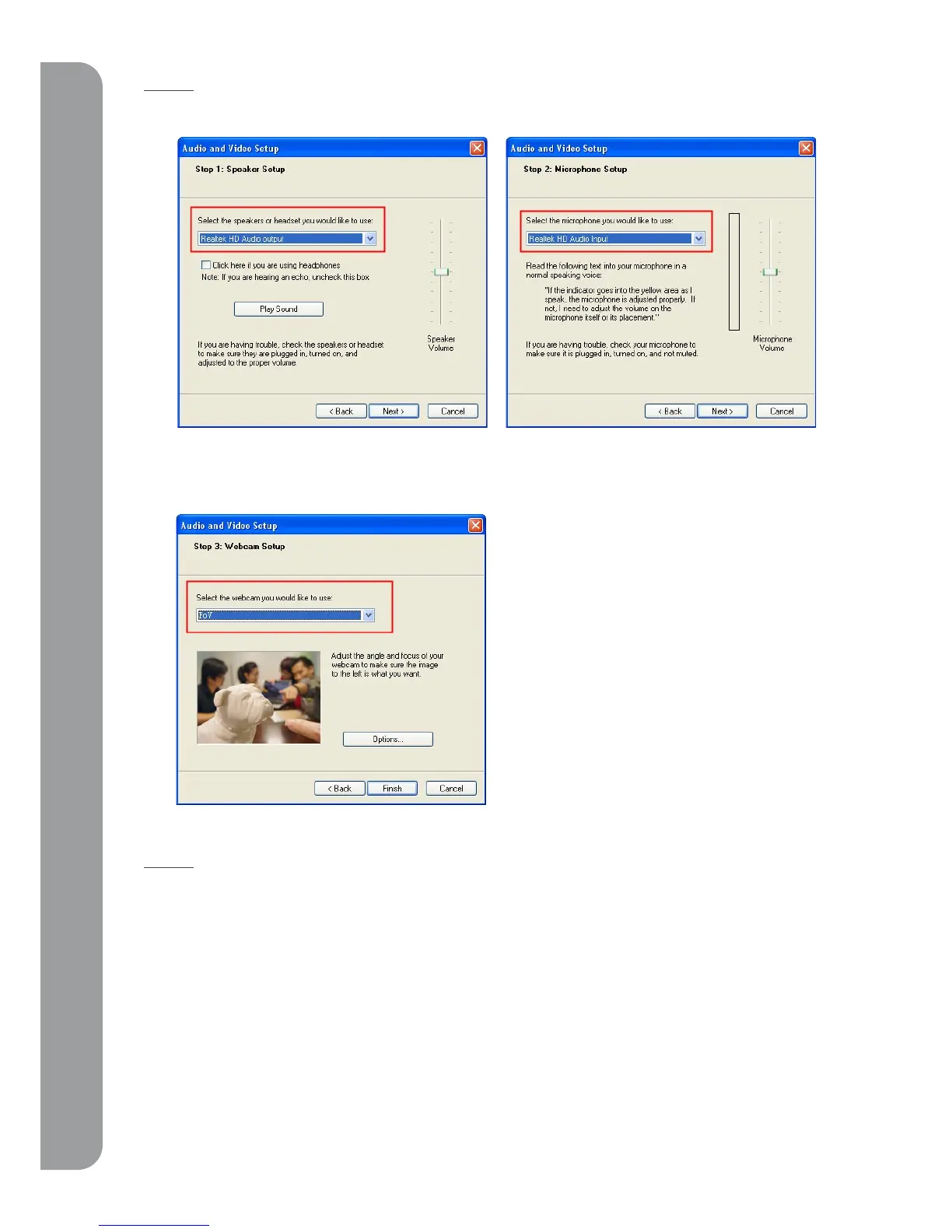
Please follow the screen to choose the device you want to use for speaker and microphone.
In the step 3, please choose PoV as the default camera. The PoV is ready to use when you can see
the image displayed in the preview window.
Step 3.
Once you’ve completed these settings, you’ll be able to enjoy the PoV to capture still images and
video.



 To Next Page