013
Point of View software
4-2 Snapshot Function
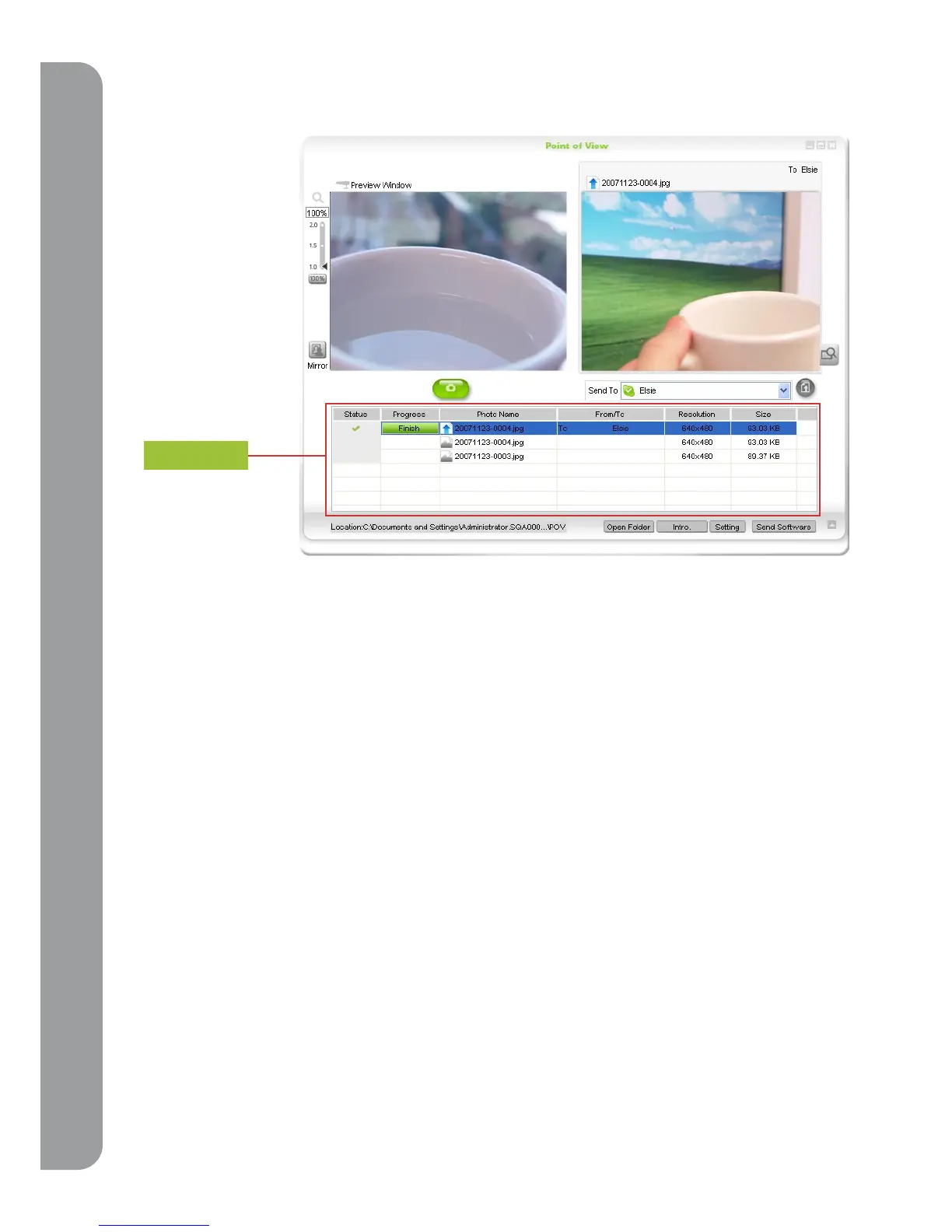
Pressing the snapshot button on the PoV will capture an image and save it directly to your
computer. The history window will display file names, resolution information, and size. All photos
will be saved in the “PoV” folder located in “My Documents/My Pictures” (“My document/ My
Pictures/ PoV”)
4-3 Remote-Monitor Function
PoV is more than just a basic webcam, it can also function as a password protected remote
monitoring device. For example, if you want to check on your home while you are at the office or
on vacation, just set up the PoV remote monitor function. Once activated, you can dial in through
Skype. Enter your password and the PoV will give you viewing access from anywhere on the
internet when you are using the “Point of View” software.
history



 To Next Page