014
Point of View software
How to set up remote monitor function:
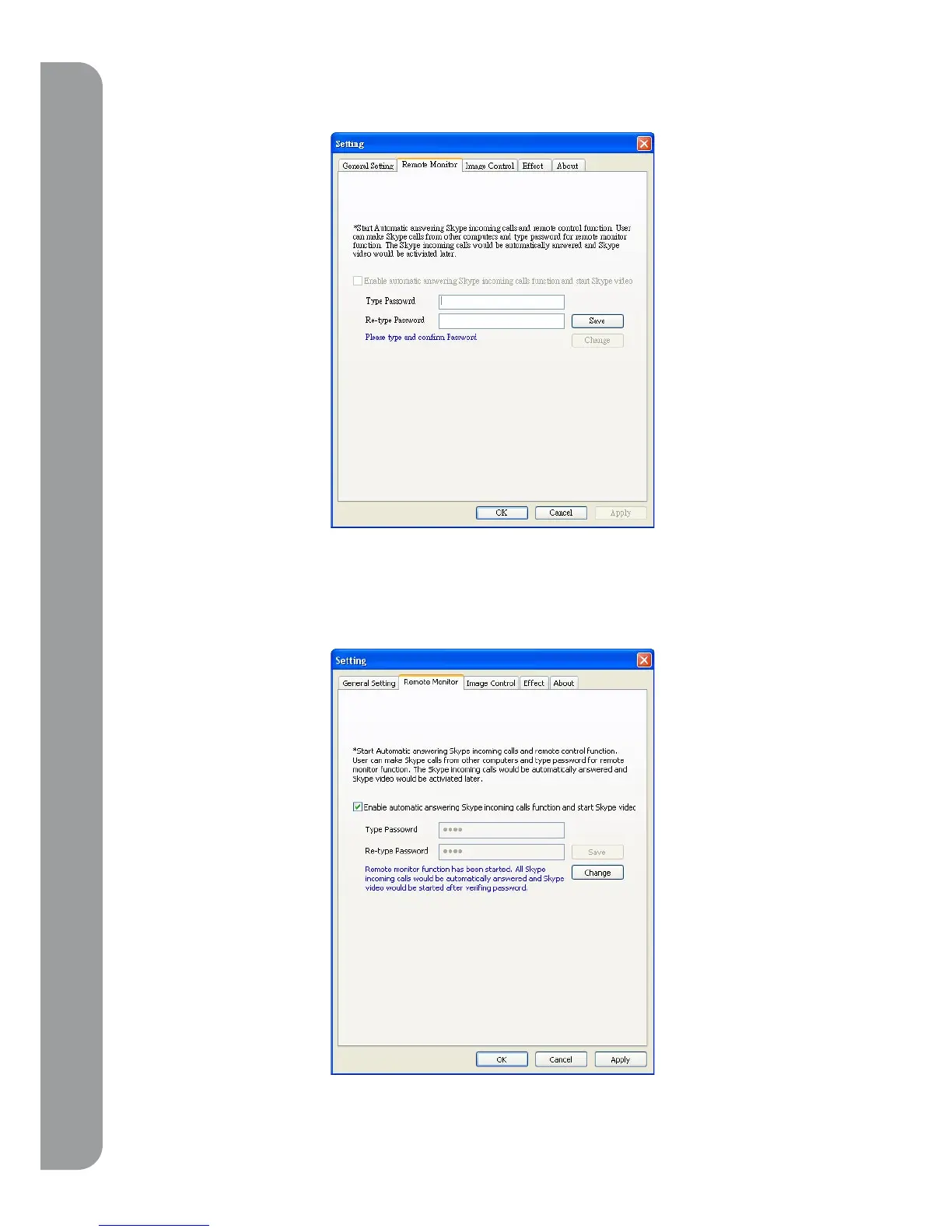
1. From the Point of View application window, select “setting” and go to “remote monitor” tab.
2. Enter a new password which will be used when you log-on remotely. Press “ok” to confirm
your entry.
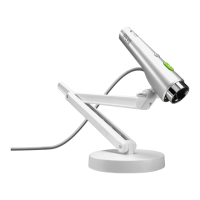
(you can press “ change” to change your password anytime.)
3. Check “Enable automatic answering Skype incoming calls function and start Skype video”
4. The Set-up is confirmed once you press `Ok”. All Skype incoming calls will be answered
automatically.



 To Next Page