8 Useful Tips
25
Accessing the Help information
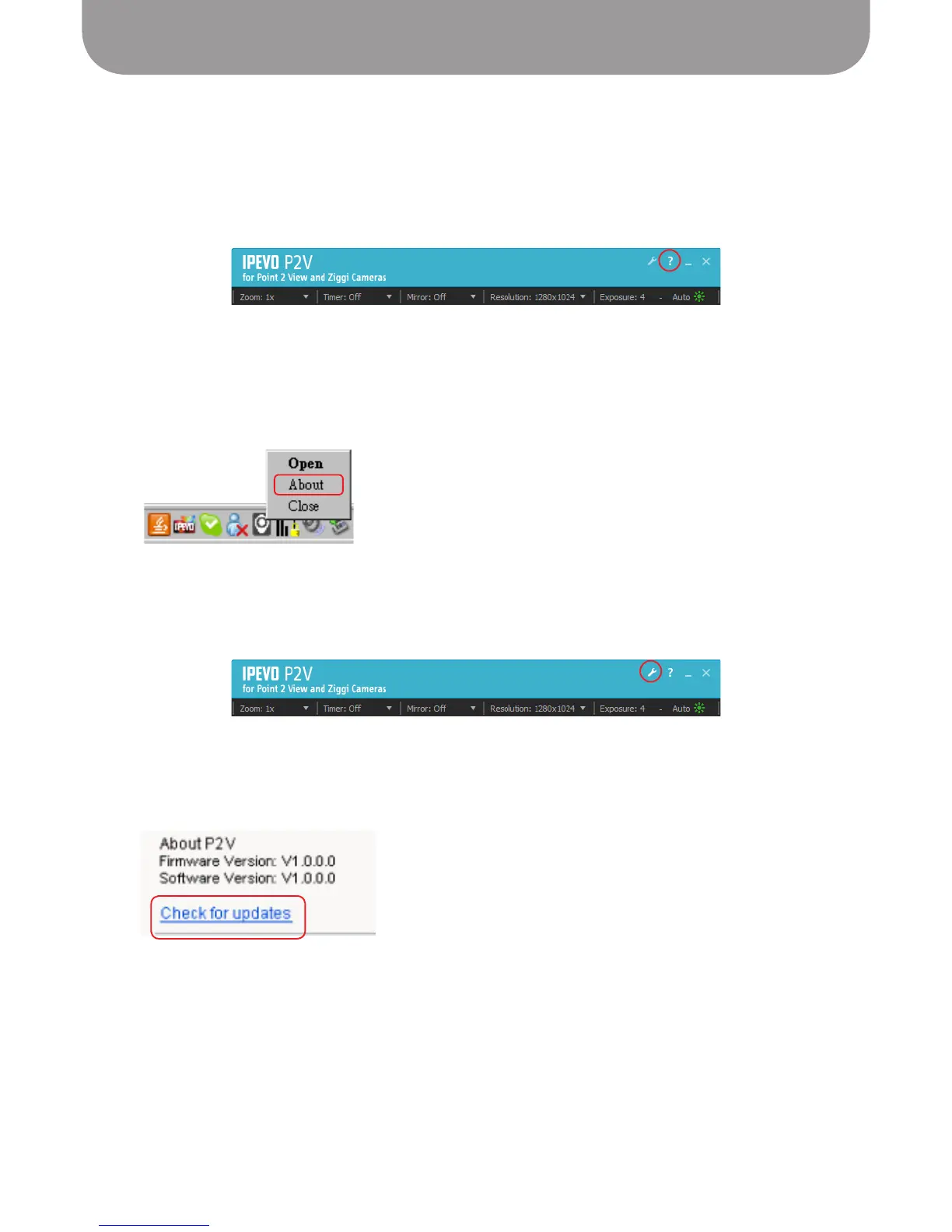
Clicking the Help link opens the IPEVO Support website, where you can check your version and update
your P2V Software if needed. You can also download the most recent version of the User Manual.
• (Windows) Click the Help icon in the menu bar.
• (Macintosh) Select
Help > P2V Help
.
Viewing version information
To view the software and firmware of Point 2 View, use the “About P2V” menu.
• (Windows) Right-click the bottom task bar icon and select About.
• (Macintosh) Select
P2V > About P2V
menu.
You can also view the version information from the Settings window.
• (Windows) Click the Settings icon in the menu bar and select the System tab.
• (Macintosh) Select
P2V > Preferences...
menu and select the System tab.
Clicking the “Check for updates” link opens the IPEVO Support website in a browser where you can
download the latest version of P2V Software.


 To Next Page