3D Touch. )7'>$6';0&,,'-'.!**.&'C&&;&0'-,'>$6'C0-3Q'*#&';&%/!.'-%C'9-02&0'.&-A&'-
C-02&0'.!%&Q'-%C'*#&';&%'*$$.'.&-A&,'-'3!C&0'.!%&G'"0&,,'-'.!**.&'C&&;&0'-,'>$6'&0-,&'*$
!%/0&-,&'*#&'-0&-'>$6'&0-,&G':&&' G
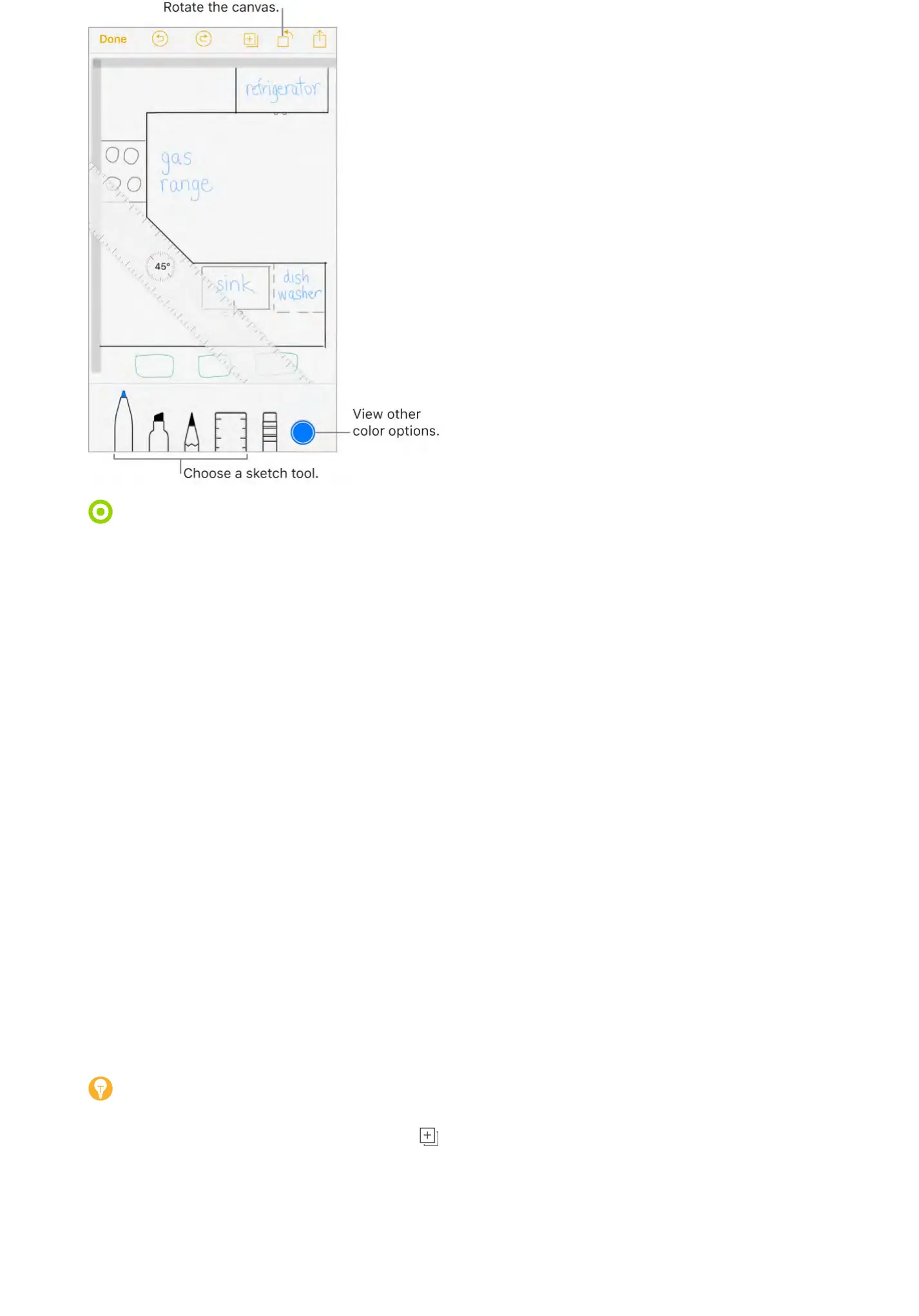
View more color choices. ?-;'*#&'/600&%*'/$.$0'*$'A!&3'*#&'/$.$0';-.&**&G':3!;&'*#&
;-.&**&'.&7*'$0'0!4#*'*$',&&'9$0&'/$.$0,G'N0Q'#$.C'!"#$%&'!%'.-%C,/-;&'$0!&%*-*!$%G
Draw straight lines. ?-;'*#&'06.&0'*$$.'*$'9-2&'!*'-;;&-0'$%'>$60'/-%A-,G'<0-3'-'.!%&
-.$%4'*#&'&C4&'$7'*#&'06.&0G'?-;'*#&'06.&0'*$$.'-4-!%'*$'9-2&'!*'C!,-;;&-0G
Move the ruler without changing its angle. <0-4'*#&'06.&0'3!*#'$%&'7!%4&0G
Adjust the angle of the ruler. ?$6/#'-%C'#$.C'*#&'06.&0'3!*#'*3$'7!%4&0,Q'*#&%'0$*-*&'>$60
7!%4&0,G
Mask a part of your sketch. ".-/&'*#&'06.&0'-.$%4'*#&'&C4&'$7'*#&'-0&-'>$6'3-%*'*$
/$A&0Q'*#&%',*-0*'>$60',2&*/#G'<0-3'.!%&,'*#-*',*-0*'-3->'70$9'*#&'06.&0+,'&C4&Q'*#&%'/$9&
*$3-0C'!*G
Hide the toolbar. :3!;&'*#&'*$$.F-0'C$3%'*$'#!C&'!*'-%C',&&'_6,*'*#&'*$$.'>$6+0&'6,!%4G
?-;'*#&'*$$.'>$6+0&'6,!%4'*$',&&'*#&'*$$.F-0'-4-!%G
Zoom in. "!%/#'$;&%',$'>$6'/-%',2&*/#'*#&'C&*-!.,G'?$'@$$9'F-/2'$6*Q';!%/#'/.$,&CG
Tip: ?$'%-A!4-*&'3#&%'>$6+0&'@$$9&C'!%Q'C0-4'3!*#'*3$'7!%4&0,G
Add another sketch to your note. ?-;' G'N0'$%'>$60'.-,*',2&*/#Q',3!;&'.&7*'3!*#'*3$
7!%4&0,G
Scroll through all your sketches in a note. :3!;&'-',2&*/#'.&7*'$0'0!4#*'3!*#'*3$'7!%4&0,G
Start over. ?$6/#'-%C'#$.C'*#&'&0-,&0'*$$.Q'*#&%'*-;'X0-,&'B..G
Edit a sketch. N;&%'*#&'%$*&'*#-*'/$%*-!%,'*#&',2&*/#Q'*#&%'*-;'*#&',2&*/#G
f<'?$6/#



 To Next Page