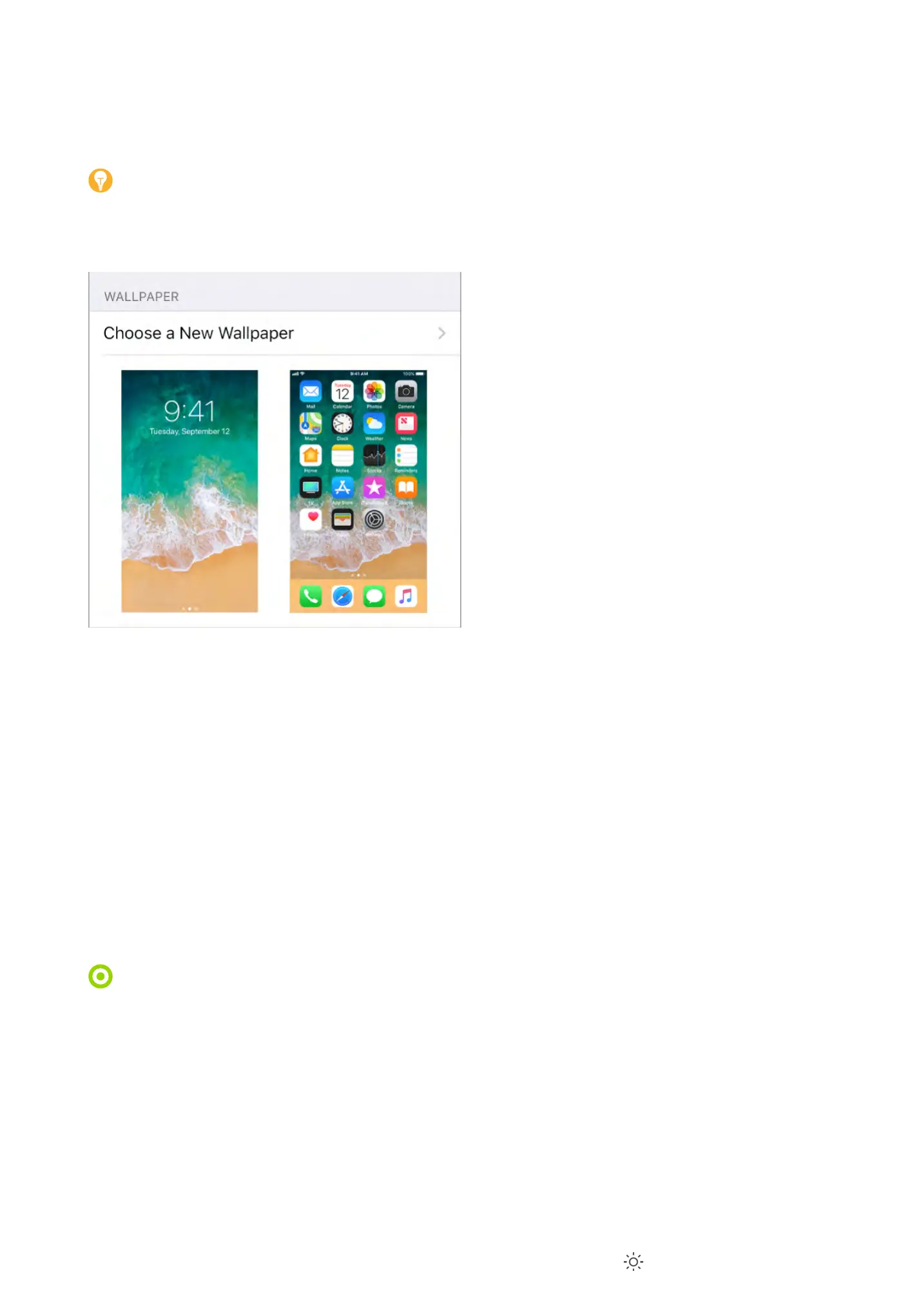
Change the wallpaper
L-..;-;&0',&**!%4,'.&*'>$6',&*'-%'!9-4&'$0';#$*$'-,'3-..;-;&0'7$0'*#&'D$/2',/0&&%'$0
`$9&',/0&&%G'S$6'/-%'/#$$,&'70$9'C>%-9!/'-%C',*!..'!9-4&,G
Change the wallpaper. M$'*$':&**!%4,'e'L-..;-;&0'e'T#$$,&'-'E&3'L-..;-;&0G
Tip: )7'>$6'/#$$,&'>$60'$3%'!9-4&'-,'3-..;-;&0Q'>$6'/-%';!%/#'$;&%'*$'@$$9'!%'$%
>$60',&.&/*&C'!9-4&Q'*#&%'C0-4'>$60'7!%4&0'*$'9$A&'*#&'!9-4&G'"!%/#'/.$,&C'*$'@$$9
F-/2'$6*G
L#&%'/#$$,!%4'-%'!9-4&'7$0'%&3'3-..;-;&0Q'>$6'9->'F&'-F.&'*$'*-;'"&0,;&/*!A&'*$'9-2&
>$60'3-..;-;&0'9$A&'3#&%'>$6'/#-%4&'*#&'-%4.&'>$6'A!&3'*#&',/0&&%G'?$'*60%'$%'*#&
"&0,;&/*!A&'$;*!$%'7$0'3-..;-;&0'>$6+A&'-.0&-C>',&*Q'4$'*$':&**!%4,'e'L-..;-;&0Q'*#&%'*-;
*#&'!9-4&'$7'*#&'D$/2',/0&&%'$0'`$9&',/0&&%G
Note: ?#&'"&0,;&/*!A&'$;*!$%'C$&,%+*'-;;&-0'!7'I&C6/&'H$*!$%'\!%'B//&,,!F!.!*>',&**!%4,]
!,'*60%&C'$%G':&&' G
Set a Live Photo as wallpaper for the Lock screen. N%'C&A!/&,'3!*#'f<'?$6/#Q'4$'*$
:&**!%4,'e'L-..;-;&0'e'T#$$,&'-'E&3'L-..;-;&0G'?-;'D!A&Q'*#&%'/#$$,&'-'D!A&'"#$*$G'?$
,&*'$%&'$7'>$60'$3%'D!A&'"#$*$,'-,'*#&'3-..;-;&0Q'/#$$,&'$%&'70$9'$%&'$7'>$60'7$.C&0,
\F&.$3'"#$*$,]G
3D Touch. L#&%'>$6+0&'$%'*#&'D$/2',/0&&%Q';0&,,'*$';.->'*#&'D!A&'"#$*$G':&&
G
Adjust the screen brightness and color balance
<!9'*#&',/0&&%'*$'&^*&%C'F-**&0>'.!7&G'1,&'E!4#*':#!7*'*$',#!7*'*#&'/$.$0,'!%'>$60'C!,;.->'*$
*#&'3-09&0'&%C'$7'*#&',;&/*069'-*'%!4#*'-%C'9-2&'A!&3!%4'*#&',/0&&%'&-,!&0'$%'>$60
&>&,G'N%',6;;$0*&C'9$C&.,Q'6,&'?06&'?$%&'*$'-6*$9-*!/-..>'-C-;*'*#&'/$.$0'-%C'!%*&%,!*>
$7'*#&'C!,;.->'*$'9-*/#'*#&'.!4#*'!%'>$60'&%A!0$%9&%*G
Adjust the screen brightness. N;&%'T$%*0$.'T&%*&0Q'*#&%'C0-4' G'N0'4$'*$':&**!%4,'e
<!,;.->'j'P0!4#*%&,,Q'*#&%'C0-4'*#&',.!C&0G
I&C6/&'9$*!$%
f<'?$6/#


 To Next Page