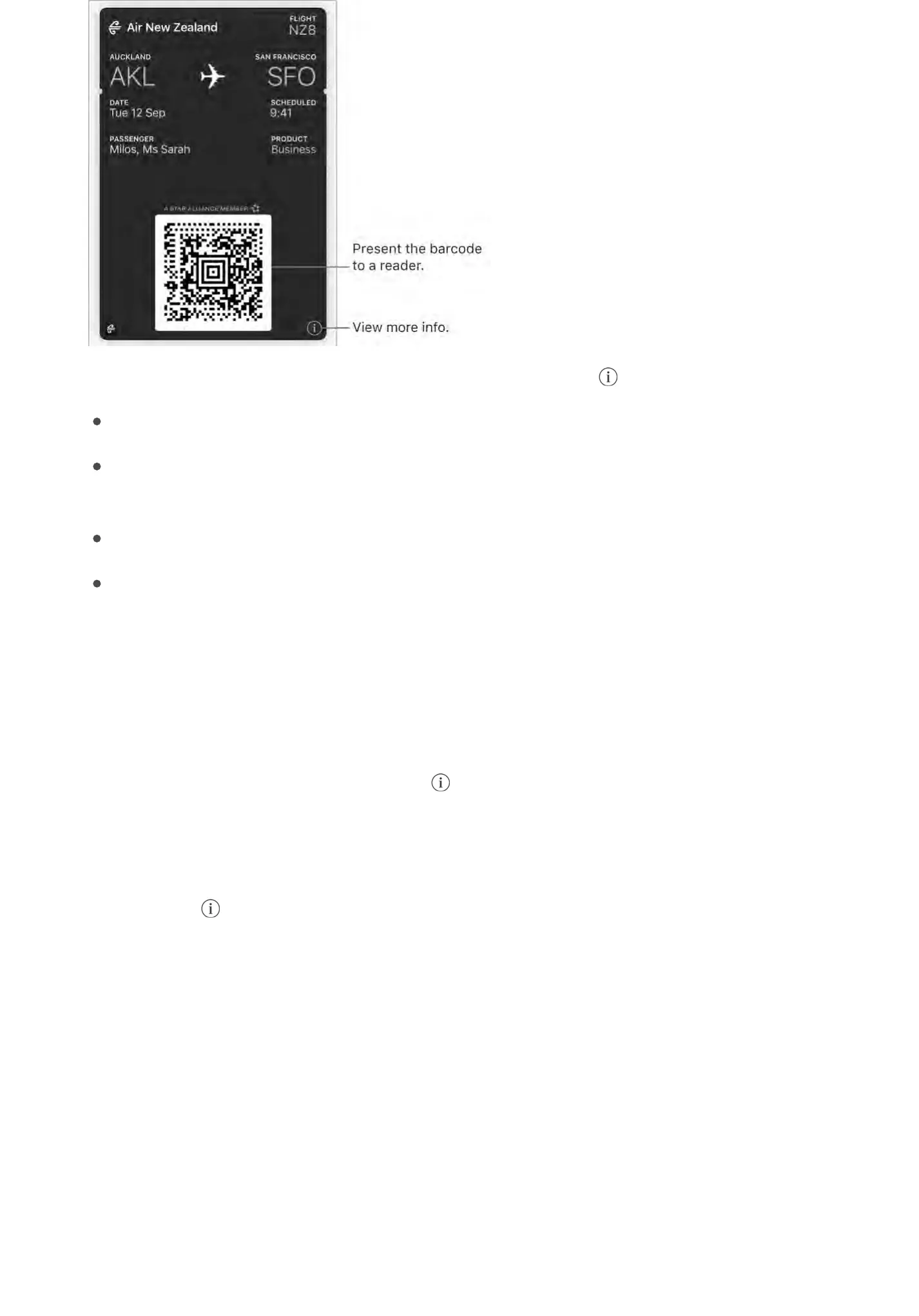
View and manage pass information. ?-;'*#&';-,,Q'*#&%'*-;' G'S$6'/-%R
?60%'$77'-6*$9-*!/'6;C-*&,G
"0&A&%*'*#&';-,,'70$9'-6*$9-*!/-..>'-;;&-0!%4'$%'*#&'D$/2',/0&&%'F-,&C'$%'*!9&'$0
.$/-*!$%G
:#-0&'*#&';-,,'6,!%4'H-!.Q'H&,,-4&,Q'$0'B!0<0$;G
I&9$A&'*#&';-,,G
?#&';-,,';0$A!C&0'9->'-.,$',#$3'!%7$09-*!$%',6/#'-,'*#&'-,,$/!-*&C'-;;Q'6,-4&'C&*-!.,Q
-%C'*&09,'-%C'/$%C!*!$%,G
Display a pass based on location. B';-,,'/-%'-;;&-0'$%'*#&'D$/2',/0&&%'3#&%'>$6
3-2&'!"#$%&'-*'*#&'0!4#*'*!9&'-%C';.-/&g7$0'&^-9;.&Q'3#&%'>$6'0&-/#'*#&'-!0;$0*'7$0'-
7.!4#*'>$6+0&'*-2!%4G'H-2&',60&'D$/-*!$%':&0A!/&,'!,'*60%&C'$%'!%':&**!%4,'e'"0!A-/>'e
D$/-*!$%':&0A!/&,G'?#&%'$%'*#&';-,,Q'*-;' Q'-%C'*60%'$%':644&,*'$%'D$/2':/0&&%G
Prevent passes from appearing on the Lock screen. M$'*$':&**!%4,'e'L-..&*'j
B;;.&'"->Q'*#&%'*60%'$77'<$6F.&8T.!/2':!C&'P6**$%'\!"#$%&'(]'$0'<$6F.&8T.!/2'`$9&
P6**$%'\$*#&0'9$C&.,]G'?$';0&A&%*'-',;&/!7!/';-,,'70$9'-;;&-0!%4'$%'*#&'D$/2',/0&&%Q'*-;
*#&';-,,Q'*-;' Q'*#&%'*60%'$77':644&,*'$%'D$/2':/0&&%G
Rearrange passes. <0-4'-';-,,'!%'*#&',*-/2'*$'9$A&'!*'*$'-'%&3'.$/-*!$%G'?#&';-,,'$0C&0
!,'6;C-*&C'$%'-..'>$60'C&A!/&,'\!N:'V'$0'.-*&0]G
Set notification options. M$'*$':&**!%4,'e'E$*!7!/-*!$%,'e'L-..&*G
Sync your passes on your other iOS devices. M$'*$':&**!%4,Q'*#&%',!4%'!%'*$'!T.$6C'3!*#
*#&',-9&'B;;.&')<'$%'-..'>$60'C&A!/&,G
Note: ?#!,',&**!%4'-;;.!&,'$%.>'*$';-,,&,'!%'L-..&*Q'%$*'*$'B;;.&'"->'/0&C!*'-%C'C&F!*
/-0C,G


 To Next Page