www.iprosecu.com
“Http & Https” mode first, and then switch to “Https” mode. Vise versa.
Https protocol has certificate verifying mechanism. When the user access a
website via Https, the browser will check the certificate of that domain and verify
its trustiness and secure.
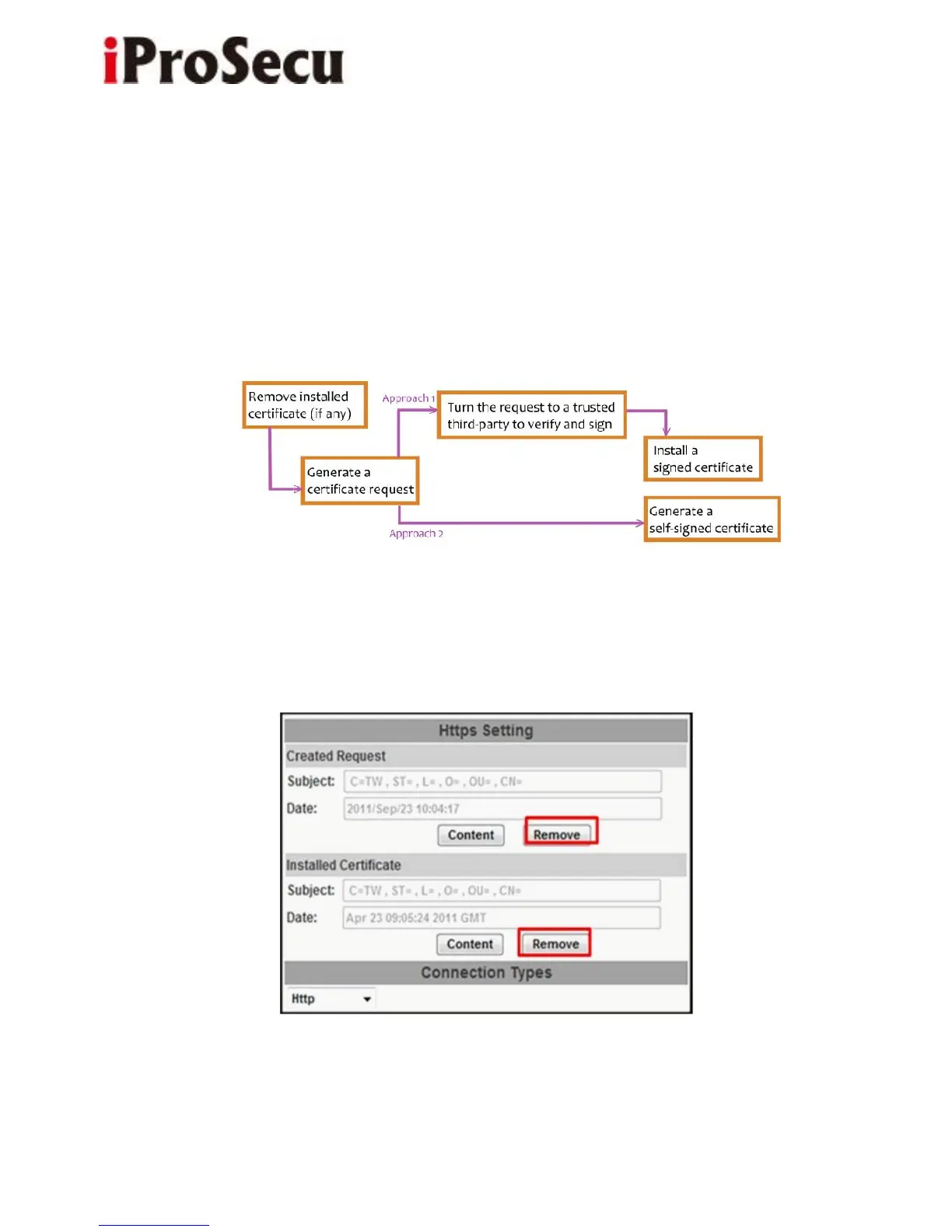
Certificate generation process:
(i) Remove the existing certificate: Before you generate a new certificate, please
remove installed one. Select "Http" connection type and click "Remove". If a
dialog box pops up to ask you to confirm, click “Yes”.



 To Next Page