www.iprosecu.com
b. Snapshot: After enable the snapshot function, user can select the storage
position of snapshot file, the interval time of snapshot and the reserved file name
of snapshot.
c. Interval: The interval between two snapshots.
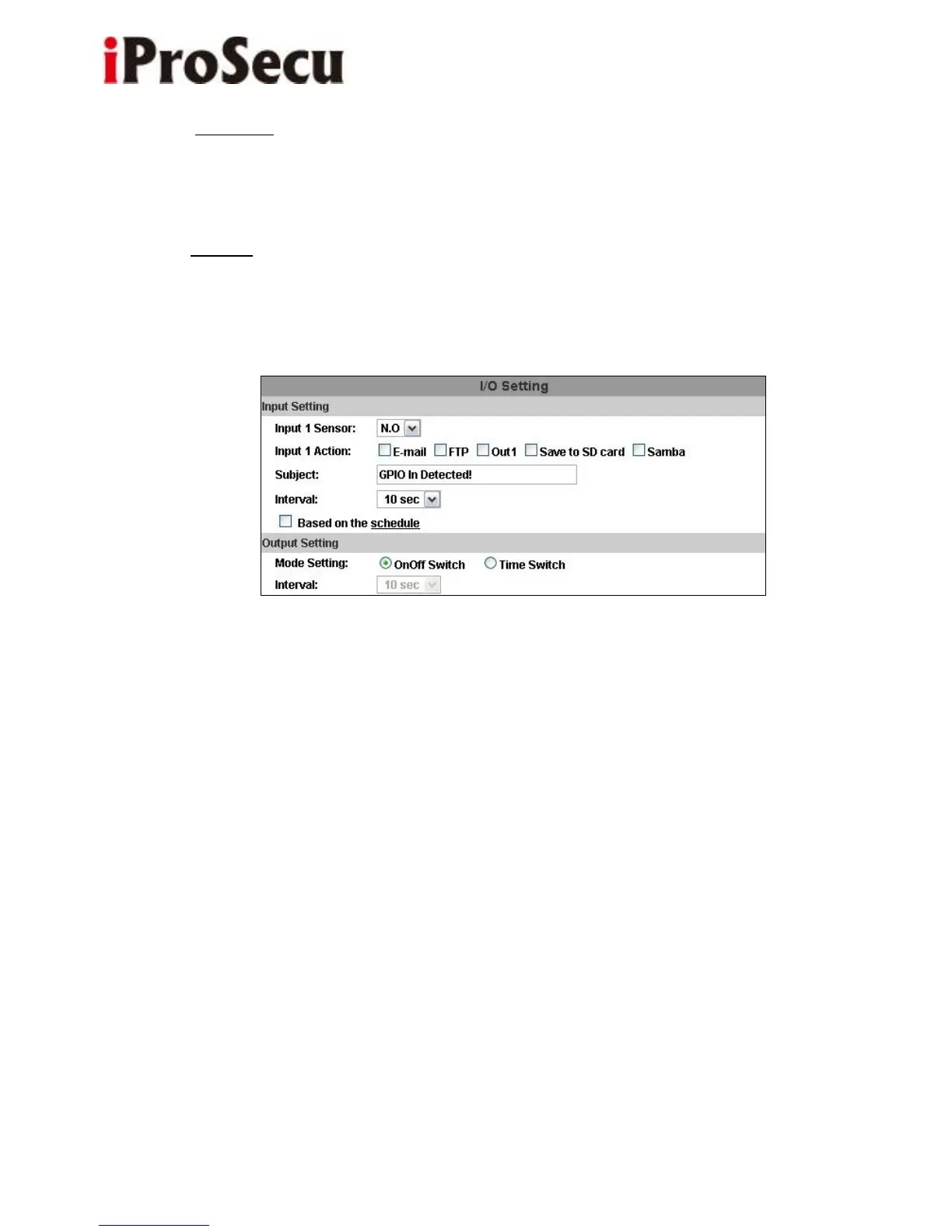
3. I/O Setting
a. Input Setting:
IP Camera supports input and output. When the input condition is triggered, it
can trigger the relay, send the video to mail addresses /FTP server / SAMBA.
• Interval:
For example, if you select "10 sec" here, once the external alarm is triggered and
action is triggered, it cannot be triggered again within 10 seconds.
• Based on the schedule:
When the option box is ticked, only during the selected schedule time the I/O is
enabled. That is, for example, the 11th hour of Monday has not been colored in
the schedule table, then no action will be triggered even the camera detects



 To Next Page