www.iprosecu.com
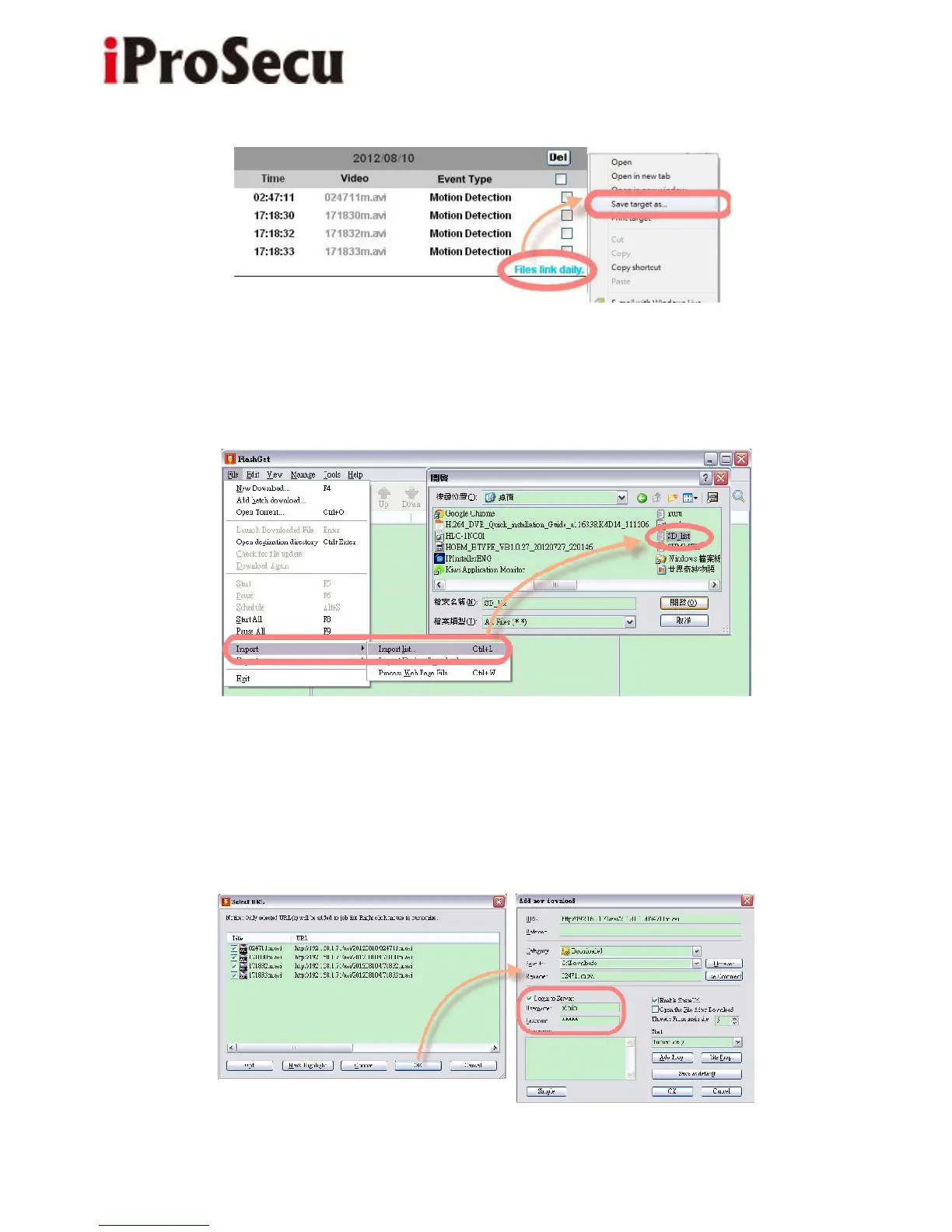
(ii) Open FlashGet, select "File" → "Import" → "Import list", and find the link list
file you just saved. The file name may be called "SD_list".
(iii) FlashGet will show you the link list, and you can tick the files you
want to copy to your PC. Give the directory path in the new download window,
and remember to enable "Login to Server": key-in the IP Camera username and
password.



 To Next Page