your arm still.
• Do not move or talk while taking a measurement.
• Wait at least 3 minutes before taking another measurement. This will allow
your blood circulation to recover.
• When you take 3 measurements within 30 minutes, the device will display the
average of the 3 last measurements.
• When you take a reading, you don't have to transfer the data into the app
right away. Synchronizing once a day or once a week is enough.
• You can easily synchronize your readings by opening the app on your
smartphone. Enter the memory by pressing the button. Synchronizing will
start automatically.
Understanding the Results
Upon completing your measurement, the display will show your higher blood
pressure and lower blood pressure , your pulse rate , and the WHO blood
pressure indication . You will also see the date and time of your reading.
The will display If you have an irregular pulse rate (see Irregular pulse rate
section for more info).
Basic Info About Blood Pressure
Systolic pressure means that the ventricles contract and pump out blood,
increasing the blood pressure. This is sometimes referred to as the “higher
number.” Diastolic pressure means that the ventricles relax, causing the blood
pressure to decrease. This is sometimes referred to as the “lower number.”
What is the standard blood
pressure classification?
The blood pressure classification
published by the World Health Organiza-
tion (WHO) and the International Society
of Hypertension (ISH) in 1999 is as
follows:
Taking a Measurement
1. Breathe slowly 5 times, then press the button to begin the
measurement. Keep your arm still.
2. A flashing indicates that the cuff is detected. If it is correctly secured, it
changes to during the measurement.
3. The measured air pressure will calibrate to zero, and then the cuff will
inflate.
4. The actual measurement will start when the top blood pressure has been
reached.
5. The cuff will deflate slowly and finish when the lowest blood pressure has
been determined.
6. Now, the display will show the reading and save it in the memory.
7. If you use the app, the will blink to indicate that your reading is being
transferred into the app.
8. The will stop blinking after having successfully transmitted your reading.
9. If not all of your measurements have been transmitted into the app, the
will display.
10. After data transmission, the will disappear.
11. The device will switch off automatically after 60 seconds.
Please note
• You can stop the device from taking a measurement at any time by
pressing the button.
• If the flashes, there has been too much movement, and you must hold
Introduction
Thank you for choosing iProven. Please read the instructions carefully to use this
device accurately and safely.
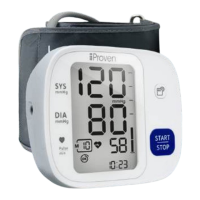
The BPM-35 measures and records your blood pressure and pulse rate using the
Oscillometric method, which relies on pressure sensors for greater accuracy.
Unlike other devices that measure during cuff inflation, the BPM-35 uses a
descending algorithm to measure as the cuff deflates, closely mimicking the
auscultatory method used in medical settings.
This method may feel slightly different, enhancing your readings' accuracy, and
ensuring that you receive the most reliable health information.
The device can store up to 99 readings. If you use the device with the MedM app
on your smartphone, you can store unlimited measurements. It calculates an
average of the last three readings taken within 30 minutes, helping you monitor
your health and detect hypertension trends. It will display the last stored reading if
you didn't take 3 consecutive measurements.
The device is FDA-approved and includes a World Health Organization (WHO)
blood pressure indicator and a five-year warranty.
It is important to perform measurements in the way described in this manual.
Results may be invalid or inaccurate if performed in another way. Keep this
manual within reach for future reference, or visit www.iproven.com for the digital
version.
Professional Care Brought Home
Intended Use of the Blood Pressure Monitor
This Blood Pressure Monitor is a digital monitor intended for use in measuring blood
pressure and pulse rate with arm circumference ranging from 22cm to 32cm (about
8¾˝-12½˝) or 22cm to 42cm (about 8¾˝-16½˝). It is intended for adult indoor use
only.
Installing and Replacing the Batteries
The device operates with 4 AAA batteries. Please follow the instructions below for
proper installation or replacement.
To install the batteries:
1. Open the battery cover.
2. Insert four AAA batteries as per
the symbols in the battery compartment.
3. Close the battery cover.
You can replace the batteries when the
bAt Lo
+ displays.
Setting Date and Time
It is important to set the clock before using your blood pressure monitor. This
enables you to assign a timestamp to each record stored in the memory (setting
range of the year: 2023—2053; time format: 12H/24H).
1. When powering on the device for the first time, it will enter the setting
mode directly. Alternatively, when the monitor is off, long press both the
‘START/STOP’ and MEM to enter setting mode.
2. Initially, the Bluetooth symbol will appear. Press the button to enter
the [Year] setting, where [Year] will flash. Use the button to advance the
years and the button to confirm the selected year.
3. Next, [Month] will flash. Repeat the steps above to set the month, day, hour,
and minute. Once [Minute] is set, the LCD will display “OK” and then turn off
automatically.
Using the App
Our device functions seamlessly with or without an app. If you choose to use
the app, please follow these steps:
1. Download the 'Health Diary by MedM' app on your smartphone.
2. Enable Bluetooth on your phone and open the MedM app.
3. Press the and buttons simultaneously on the monitor. The
Bluetooth symbol will start flashing, indicating it is in pairing mode.
4. Follow the cues on the app to pair the device.
5. Once the device pairs successfully, the Bluetooth symbol will stop
flashing, and the monitor will display 'OK.'*
6. After a few seconds, the monitor will automatically shut down. Once
pairing is successful, the date and time will be set automatically.
Discover everything about the app on iproven.com/bpm-35
*If pairing fails, the monitor will shut down after 60 seconds.
Before Using Your Device
Always use the same arm for measurements to get accurate results and the
best insight into your blood pressure pattern. The left arm is recommended due
to its better blood flow.
• Try to measure your blood pressure at the same time(s) each day.
• Do not operate the device in cold environments.
• Avoid consuming hot drinks, caffeine, tobacco, food, and alcohol, and refrain
from strenuous exercises at least 30 minutes before taking your measure-
ment.
• Empty your bladder before starting the
measurement.
Preparing the Measurement
Before taking a measurement, sit down and
relax for 3 minutes. This allows your blood
pressure to stabilize.
• Remove all accessories from your wrist
and arm (bracelets, watches, etc.)
before strapping the cuff to your arm.
• Roll up your sleeve to reveal the skin of
your upper arm, ensuring that the
sleeve isn’t too tight.
• Hold your arm with your palm facing up,
and slide the cuff onto your upper arm
approximately one inch above the bend
in your elbow.
• Position the tube off-center toward the
inner side of the arm in line with the
little finger. Or position the artery mark
on the cuff over the main artery.
• Fasten the cuff to your arm tightly but
not painfully. There should be a
one-finger space between the cuff and
your skin.
• Ensure that your arm is resting on a flat
surface, with your palm facing up.
• Sit comfortably with your back straight
and supported.
• Keep your feet flat on the floor, and do
not cross your legs.
• The cuff on your arm should be placed at heart level.
Irregular Pulse Rate Detection
This device is equipped with irregular pulse rate detection. The algorithm of the
device compares the longest and shortest intervals of registered pulse waves
(the time interval) and calculates the standard deviation. If the differences in the
time intervals are more than 25%, you have an irregular pulse rate, and the
will appear on the display. If the device detects irregular pulse rate during
consecutive measurements and you are following the correct procedure, please
consult your doctor.
Changes in Blood Pressure
Many factors cause fluctuations in blood pressure, including weather, emotions,
stress, food, and physical activities. Bear in mind that measuring in clinical
settings tends to increase blood pressure, which is called the “white coat effect.”
Recalling Your Readings
Press the button to scroll your readings when the device is off. Press the
button again to go to your next record. This can help you to see if your levels
are improving.
Note: The most recent record is shown first. All other records are pushed back
one digit (e.g. 2 becomes 3, and so on), and the last record (99) is dropped
from the list.
If you measure three times in 30 minutes, the device will first display the
average of the three readings and then display each reading separately.
Alternatively, you can use the app to keep track of your results.
Deleting the Records
You can delete all results by following the steps below:
1. Enter the memory recall mode by pressing the button as described in
section [Recalling your readings].
2. Press and hold the button and button for 3 seconds, and the
display will show a blinking “dEL ALL”.
3. Use the button to switch between “dEL ALL” and “dEL no.” Press
and simultaneously to confirm the selection.
If “dEL ALL” is selected, it will delete all the current user's records. Several
seconds later, it will display “---.” If “dEL no” is selected, it will stop the deletion.
Components of the BPM
Caution
• This Blood Pressure Monitor is intended to be operated by adults,
including medical staff.
• This device is intended for indoor home use and is not intended for
self-use in public areas.
• This device is portable but not intended for use during patient transport.
• This device is not suitable for continuous monitoring during medical
emergencies or operations.
• This device is intended for non-invasive measuring and monitoring of
arterial blood pressure. It is not intended for use on extremities other than
the arm or for any purpose other than obtaining a blood pressure
measurement.
• This device is intended for adults only. Do not use it on neonates, infants,
or children.
• Consult with your physician before using this monitor if you suffer from the
following conditions: common arrhythmias such as premature ventricular
beats or atrial fibrillation; peripheral arterial disease; pregnancy;
preeclampsia; implantation with electrical devices; undergoing intravascu-
lar therapy; arteriovenous shunt or mastectomy. Please note that any of
these conditions may affect measurement readings in addition to patient
motion, trembling, or shivering.
• If you are taking medication, consult your physician to determine the
proper time to measure your blood pressure.
• This device may be used only for the intended use described in this
manual, iProven shall have no liability for any incidental, consequential, or
special damages caused by misuse or abuse.
• Please bear in mind:
▪ Only a physician can tell your normal BP range.
▪ Please contact a physician if your measuring result falls out of the
range. Please note that only a physician can tell whether your blood
pressure value has reached a dangerous point.
• If the displays, this indicates that a pulse irregularity consistent with an
irregular pulse rate was detected during measurement. Usually, this is NOT a
cause for concern. However, if the symbol appears often, we recommend you
seek medical advice. Please note that the irregular pulse rate detector results
cannot be used directly for clinical judgment. Please seek medical advice
from professionals before making any medical decisions.
• Please use the device under the environment provided in the user manual.
Otherwise, the device's performance and lifetime will be impacted and
reduced.
• If this device’s storage temperature differs from the room temperature, please
allow 30 minutes for it to adjust before using it.
• The blood pressure monitor and the cuff are suitable for use within the user’s
environment.
• Do not wash the cuff in a washing machine or dishwasher.
• The device contains sensitive electronic components. To avoid measurement
errors, avoid taking blood pressure measurements near a strong electromag-
netic field radiated interference signal or electrical fast transient/burst signal.
• Wireless communication equipment, such as wireless home network devices,
mobile phones, cordless telephones and their base stations, and
walkie-talkies, may cause interference that may affect the accuracy of
measurements. A minimum distance of 1 foot (30 cm) should be kept from
such devices during a measurement.
• DO NOT attempt to repair the device yourself if it malfunctions. Only have
repairs carried out by authorized service centers.
• It is recommended that the performance should be checked after repair,
maintenance, and every two years of use by retesting the requirements within
limits of the error of the cuff pressure indication and air leakage (testing at
least at 50 mmHg and 200 mmHg). Please contact the manufacturer or
distributor for authorized service personnel.
• Store your device and cuff clean and dry, and protect it against extreme
moisture, heat, lint, dust, and direct sunlight. Never place any heavy objects
on it.
• Make sure the rubber tube of the cuff is not squeezed, stretched, or kinked
during storage.
• Dispose of accessories, detachable parts, and the device according to the
local guidelines.
• Do not use new and used batteries or different types of batteries together.
• Remove batteries if the device is not likely to be used for some time.
• Do not heat or deform the batteries or dispose of them in fire.
• Batteries should not be disposed of with household waste. Please check with
your local authority for battery recycling advice.
• To get the best effect and protect your monitor, please use the right
batteries that comply with local safety standards.
• The necessary Quality of Service (QoS) is fully considered here for
wirelessly enabled functions.
• Interference may occur in the vicinity of equipment marked with the
following symbol: . The BPM-35 may also interfere with the vicinal
electrical equipment.
• Keep the monitor at least 20 centimeters away from the human body
(especially the head) when data transmission is proceeding after
measurement.
• This device shall be paired to an appropriate BT mobile terminal to enable
the data transmission function.
• Wireless communication interference: The monitor operates in the
unlicensed ISM band at 2.4 GHz. If it is used around other wireless
devices, including microwaves and wireless LANs, which operate at the
same frequency band as the monitor, interference may occur between the
monitor and such other devices. If such interference occurs, please stop
the operation of other devices, relocate the monitor before using it, or do
not use it around the other wireless devices.
• Please be aware that if Bluetooth is switched on, there may be a risk of
cybersecurity issues. Please consider the following:
▪ DO NOT casually use the blood pressure monitor for others, as it
may lead to leakage of personal measurement data.
▪ DO NOT allow others to log into the app, as it may lead to leakage
of measurement data.
▪ DO NOT casually use the app account for others, as this may lead
to the leakage of personal measurement data.
▪ DO NOT connect the blood pressure at places with poor network or
wireless connectivity, as it may interrupt data upload and lead to
deficient data.
▪ The password of the app account should be set as possibly
complicated and well-kept for the sake of account security.
▪ Be aware of environmental security when setting a password.
▪ Updating the app account password at least once every 3 months is
recommended.
▪ DO NOT use apps that are not authorized by the manufacturer.
Warnings
• DO NOT self-diagnose the measurement results and start treatment by
yourself. The measurement results given by this device are not a diagnosis.
ALWAYS consult your doctor for evaluation of the results and treatment.
• DO NOT adjust medication based on readings from this blood pressure
monitor. Take medication as prescribed by your physician. ONLY a physician
is qualified to diagnose and treat high blood pressure.
• DO NOT apply the cuff on an arm that has an intravenous drip or a blood
transfusion attached.
• DO NOT kink, fold, stretch, compress, or otherwise deform the tube during
measuring, as the cuff pressure might continuously increase, which could
prevent blood flow and result in injury.
• Taking blood pressure measurements too frequently could disrupt blood
circulation and cause injuries.
• DO NOT apply the cuff to areas on the patient where the skin is delicate or
damaged. Check the cuff site frequently for irritation.
• DO NOT place the cuff on the arm of a person whose arteries or veins are
undergoing medical treatment, such as intra-vascular access, intra-vascular
therapy, or an arteriovenous (A-V) shunt, as this could disrupt blood
circulation and cause injuries.
• DO NOT place the cuff on the arm on the same side of a mastectomy
(especially when lymph nodes have been removed). It is recommended to
take measurements on the unaffected side.
• DO NOT wrap the cuff on the same arm to which another monitoring device
is applied. One or both devices could temporarily stop functioning if you try to
use them at the same time.
• Please check (for example, by observing the limb concerned) that the
device's operation does not result in prolonged impairment of patient blood
circulation.
• On the rare occasion of a fault causing the cuff to remain fully inflated during
measurement, loosen and remove the cuff immediately. Prolonged high
pressure applied to the arm (cuff pressure >300 mmHg or constant pressure
>15 mmHg for more than 3 minutes) might lead to bruising and discolored
skin.
• DO NOT use this device with high-frequency (HF) surgical equipment at the
same time.
• This device is not intended for use in conjunction with oxygen-rich environ-
ments, flammable anesthetics, or flammable agents.
• DO NOT touch the output of the batteries and the user simultaneously.
• DO NOT position the equipment so that it is difficult to reach or disconnect.
• DO NOT use this device if you are allergic to polyester, nylon, or plastic.
• Only use accessories approved by the manufacturer. Using unapproved
accessories might cause damage to the unit and injure users.
• If you experience discomfort during measurement, such as pain in the arm
or other complaints, press the Power button immediately to release the air
from the cuff.
• DO NOT use the device while under maintenance or being serviced.
• The air tube poses a risk of strangulation. Furthermore, the small parts of
the product and batteries present a choking hazard if swallowed. They
should, therefore, always be kept away from infants/children.
• Sensor degradation or looseness may reduce the performance of the
device or cause other problems.
Please note
• You can use this device to take your own measurements; no third-party
operator is required.
• The manufacturer or distributor will provide circuit diagrams, component
part lists, descriptions, and calibration procedures upon request by
authorized service personnel.
• The expected lifetime of the cuff may vary by the frequency of washing,
skin condition, and storage state.
• Please report to the manufacturer and the competent authority of the
Member State / the FDA in which you are established about any serious
incident concerning this device.
Safety Information
The signs below might be in the user manual, labeling, or other component. They
are the requirement of standard and use.
Maintenance
Place the device away from the sun and store it in a dry place. When you want to
clean the device, use a dry cloth. Do not place it in water or clean it with wet cloths.
Also, be careful not to shake or throw the device. For better performance, keep it in
a room with a stable temperature and away from dust. The cuff should not be
cleaned as it may affect the accuracy of the reading.
EMC Guidance
The ME EQUIPMENT or ME SYSTEM is suitable for home healthcare
environments.
Essential performance
Accuracy of measuring blood pressure and pulse rate
Measurement Range
Systolic pressure: 55-255 mmHg
Diastolic pressure: 25-200 mmHg
Pulse: 40-199 beats/minute
Rated Cuff Pressure
0-299 mmHg (0-39.9 kPa)
Accuracy
Pressure: ±3 mmHg / 0.4 kPa
Pulse: ±5%
The basic safety of the Blood Pressure Monitor (BPM-35) is as follows:
Deviation from normal operation that poses an unacceptable risk to the patient
or operator.
Warning: Don’t be near the active HF surgical equipment and the
RF-shielded room of an ME system for magnetic resonance imaging, where the
intensity of EM disturbances is high. Warning: Use of this equipment adjacent to
or stacked with other equipment should be avoided because it could result in
improper operation. If such use is necessary, this equipment and the other
equipment should be observed to verify that they are operating normally.
Warning: Use of accessories, transducers, and cables other than those
specified or provided by the manufacturer of this equipment could result in
increased electromagnetic emissions or decreased electromagnetic immunity of
this equipment and result in improper operation. Warning: Portable RF
communications equipment (including peripherals such as antenna cables and
external antennas) should be used no closer than 30 cm (12 inches) to any part
of the equipment, including cables specified by the manufacturer. Otherwise,
degradation of the performance of this equipment could result.
Technical description
1. All necessary instructions for maintaining BASIC SAFETY and ESSENTIAL
PERFORMANCE with regard to electromagnetic disturbances for the expected
lifetime.
2. Guidance and manufacturer’s declaration-electromagnetic emissions and
immunity.
CAUTION
12
13
CAUTION
Specifications for Bluetooth Transmission
Bluetooth
Throughput
2.5K-5K
Latency
50ms
PER
<10%
Operating Frequency 2402-2480MHz
Transmission Power
0±2dBm
Transmission Distance
10m


 To Next Page
 Loading...