For installers and professionals
- 22 -
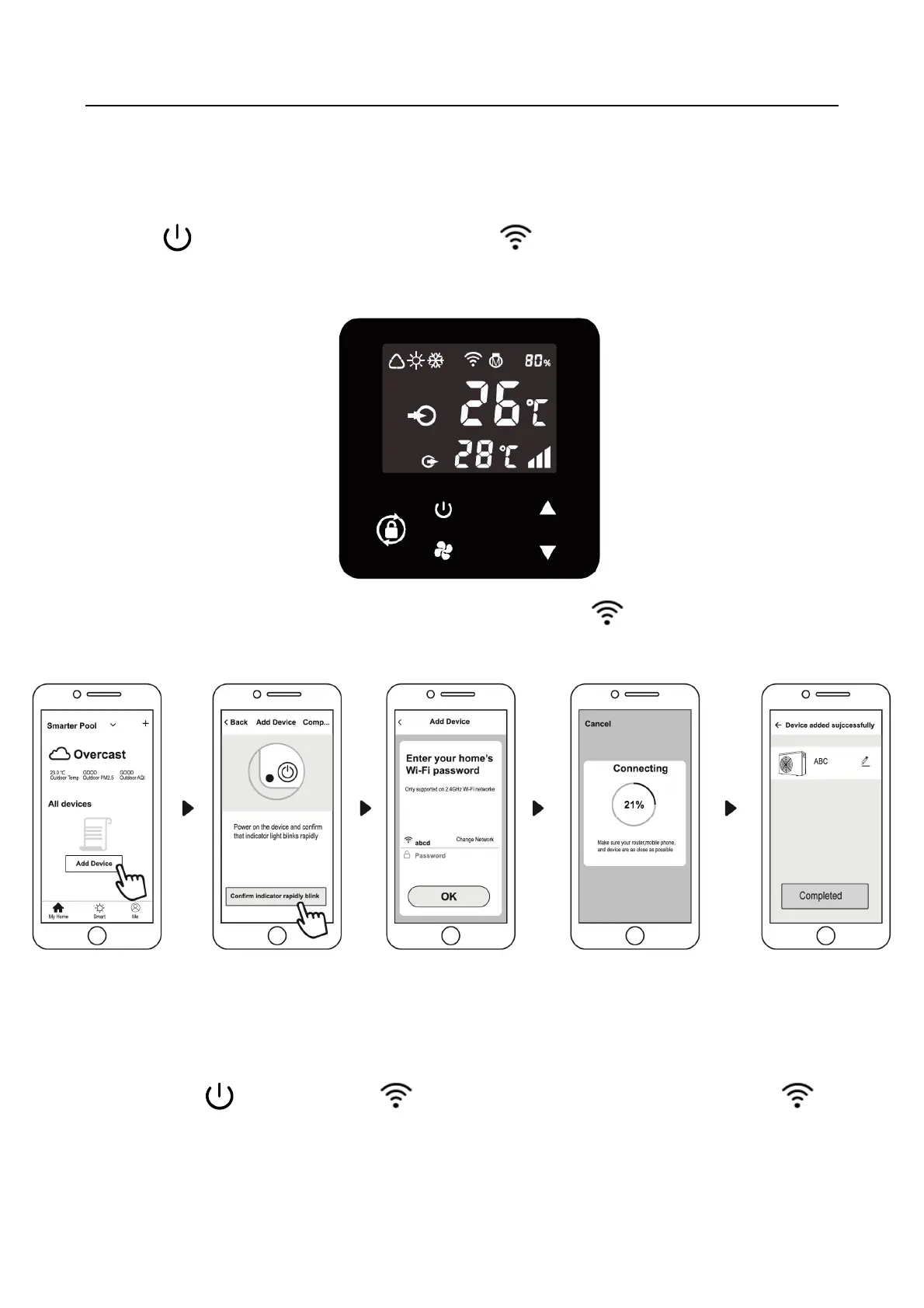
4) APP Binding
Please make sure your cell phone has connected the Wifi
a) Wifi connection:
Press for 3 seconds after screen unlock, will be flashing to enter Wifi binding
program.
b) Click "Add device", follow indication to finish binding. display on the screen
once Wifi connection success.
c) If connect fails, please make sure your network name and password is correct. And
your router, mobile phone and device are as close as possible.
d) Wifi rebinding (When Wifi password changes or network configuration changes):
Press for 10 seconds, will be flashing slowly for 60 seconds. Then
will be off. The original binding will be removed. Follow step above for rebinding.
Remarks: Please make sure the router is configured at 2.4G.



 To Next Page