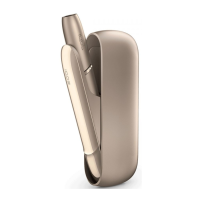
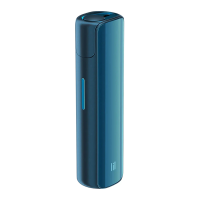
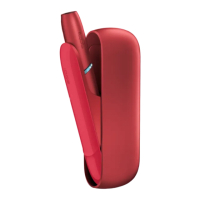
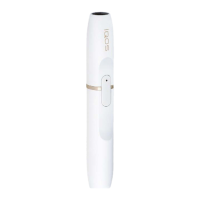
Need help?
Do you have a question about the iQOS ILUMA ONE M0004 and is the answer not in the manual?
Device functionality controlled via IQOS app. Registration required for access.
Press and hold Button for 4s; Status Lights will illuminate.
Before first use, fully charge your IQOS ILUMA ONE™ with Power Adaptor and Charging Cable.
Slide to open.
Insert the SMARTCORE STICK™ to the line on filter with filter facing out.
Press Button for 1s; device vibrates and Status Lights pulse to indicate heating.
Status Lights indicate remaining session time.
Last 30s or 2 puffs signaled by one pulsing white light.
Remove used SMARTCORE STICK™ and dispose according to safety instructions.
Slide to close the device.
Short press Button; Status Lights show battery level.
Battery depleted, requires charging. Indicated by blinking yellow light.
Session stops if SMARTCORE STICK™ is moved or removed.
Indicates an issue. Reset device; contact Customer Care if persists.
Press Button for 10s, release; lights turn OFF then ON to confirm reset.
For adult use only. Not for minors or those with reduced capabilities. Exercise caution.
Nicotine is addictive. Quitting is best. Note side effects and risks for specific health groups.
Keep away from children/pets. SMARTCORE STICKS™ have sharp metal parts. Do not disassemble.
Risk of fire, explosion, shock. Use approved accessories and charge indoors.
Charge with low voltage. Avoid heat, flammable materials, liquids. Clean ports carefully.
Handle with care, avoid dropping. Do not open or repair the device.
Avoid extreme temperatures/moisture. Do not insert objects other than SMARTCORE STICKS™.
If battery leaks, seek immediate medical attention for ingestion, inhalation, skin, or eye contact.
Store properly, avoid humidity. Allergic reactions possible; seek medical attention.
Use specific STICKS™. No cigarettes. Do not modify. Store clean, dry, cool.
Consult healthcare professional for effects. Report incidents to Customer Care.
Model M0004, Li-ion battery, Bluetooth 5.0, 5V/2A input. Use approved power adaptors.
For authorized recyclers only. Dispose of product/batteries at designated points.
Declaration of Conformity for Directive 2014/53/EU. Bluetooth trademarks and specs.
 General
| Brand | iQOS |
|---|---|
| Model | ILUMA ONE M0004 |
| Category | Electronic Cigarettes |
| Language | English |

 To Next Page