Need help?
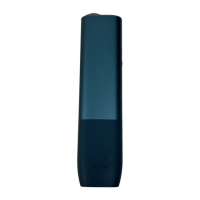
Do you have a question about the iQOS ILUMA ONE and is the answer not in the manual?
Press and hold the button for 4 seconds to turn on the device.
Fully charge the device before first use using the power adapter and cable.
Slide the cap to open the device for inserting a tobacco stick.
Insert the stick to the line on filter, with the filter facing outwards.
Press the button for at least 1 second until the device vibrates.
Start using when the device vibrates and status lights are fixed.
Status lights indicate the remaining time or puffs during use.
Device vibrates with a white pulsing light for the last 30 seconds or 2 puffs.
Remove and dispose of the used stick as per safety instructions.
Slide the cap to close the device after use.
Short press the button to check the battery level via status lights.
Indicates the battery is depleted and requires charging.
The experience stops if the tobacco stick is moved or removed from the device.
Indicates the device is outside the operating temperature range (0°C-40°C).
Reset the device; contact Customer Care if red light blinking persists.
Press and hold the button for 10 seconds to reset the device.
 General
| Heating Technology | Smartcore Induction System |
|---|---|
| Charging Time | 90 minutes |
| Usage | Designed for adult smokers |
| Charging Port | USB-C |
| Brand | IQOS |
| Model | ILUMA ONE |
| Compatible Consumables | TEREA sticks |
| Usage Time | Up to 20 uses |
| Dimensions | 121.6 mm x 30.5 mm x 16.4 mm |
| Weight | 68.5 grams |
| Compatibility | TEREA sticks |
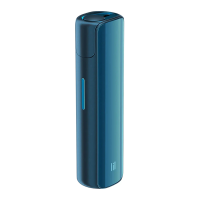
| Color Options | Various (specific colors may vary by market) |

 To Next Page