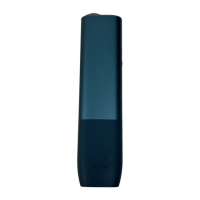
How to use your IQOS ILUMA™
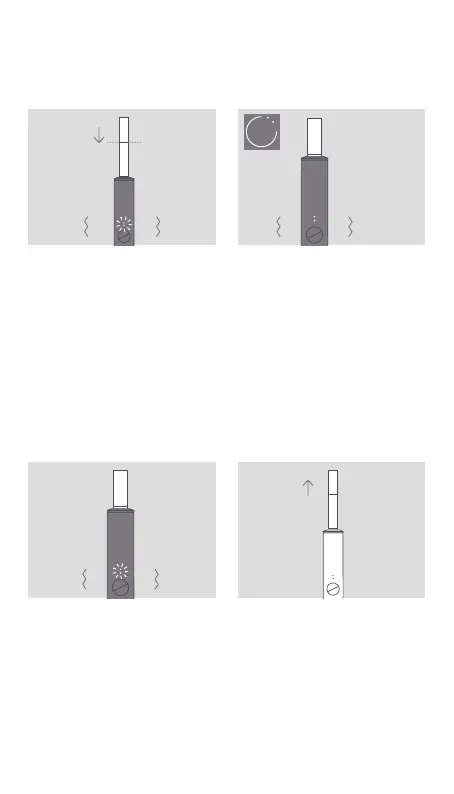
1. INSERT SMARTCORE
STICK™
Insert the SMARTCORE
STICK™ to the line on filter
until Holder vibrates and
Light(s) pulse(s).
Heating starts automatically,
or by pressing Button for
1 second.
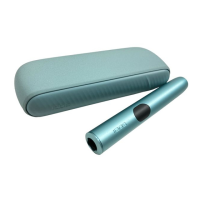
2. BEGIN USE
Start using once Holder
vibrates and Lights stay fixed.
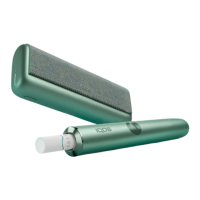
3. NEARLY COMPLETE
To signal the last 30 seconds
or last 2 puffs, Holder will
vibrate with Light(s) pulsing
white.
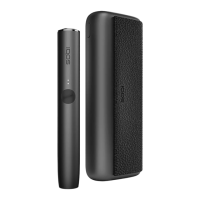
4. REMOVE SMARTCORE
STICK™
Remove used SMARTCORE
STICK™ and dispose as
per Safety Warnings and
Instructions.
20
"
Philip Morris International


 To Next Page