EasyManua.ls Logo

iRay Technology InfiRay Jerry-F - User Manual

iRay Technology InfiRay Jerry-F
19 pages
Print Icon
To Next Page IconTo Next Page
Loading...
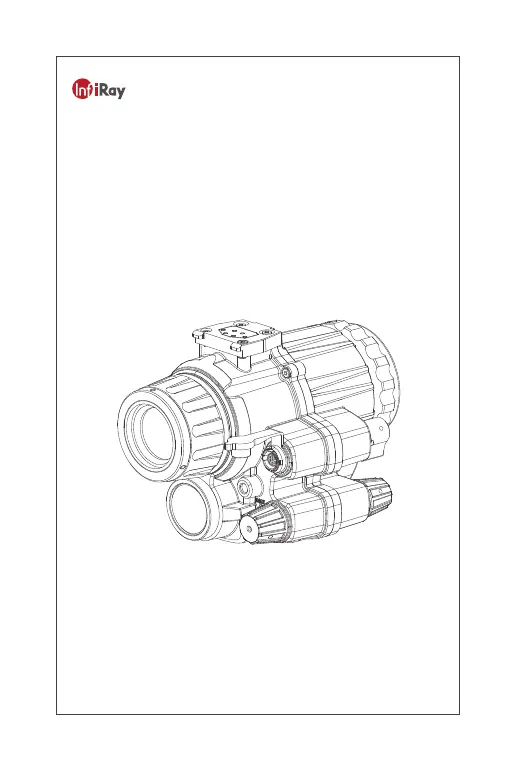
Jerry-F Enhanced Night Vision Goggle
IRay Technology Co., Ltd.
User Manual V1.3

Questions and Answers

  • T
    tamara68Aug 6, 2025
    Why is my iRay Technology Thermal camera not powering on?
    • M
      Marcus YoungAug 6, 2025
      If your iRay Technology Thermal camera isn't powering on, try replacing the battery with a new one, ensuring it's correctly installed as per the instructions in Chapter 2. Also, make sure the main power switch on the battery holder is turned on.
  • B
    Brian LeeAug 14, 2025
    What to do if the infrared image fails to be displayed on my iRay Technology Thermal camera?
    • M
      Michael FarmerAug 14, 2025
      If the infrared image isn't displaying on your iRay Technology Thermal camera, try the following: Ensure that the objective lens hood is correctly opened or covered, verify that the main power switch of the battery holder is on, adjust the brightness of the infrared image, and make sure there are no obstructions blocking the lens.
  • S
    scampbellAug 21, 2025
    What to do if the I2 image fails to be displayed on my iRay Technology InfiRay Jerry-F?
    • I
      Ian BuckleyAug 21, 2025
      If the I2 image fails to display on your iRay Technology Thermal camera, try these steps: Turn on the fill-in light when using the I2 image in completely dark conditions. Open or cover the objective lens hood as needed. Ensure the main power to the battery holder is switched on. Finally, adjust the brightness of the I2 image.
  • S
    Selena SimsAug 29, 2025
    How to fix the battery holder cover if it cannot be screwed on iRay Technology InfiRay Jerry-F Thermal cameras?
    • G
      Gwendolyn HintonAug 29, 2025
      If the battery holder cover cannot be screwed on or keeps locked on your iRay Technology Thermal camera, try reinstalling the 18650 battery. Also, clean the threads of both the battery cover and the battery holder. Perform the high level maintenance. Perform the higher level maintenance.

Summary

Chapter 1 Equipment Information and Description

Equipment Information

Details the model name, intended use, and a list of components for the Jerry-F goggle.

Equipment Specifications

Lists detailed technical specifications, including visual amplification, operating temperature, and infrared capabilities.

Chapter 2 Assembly and Power-up for Use

Assembly and Disassembly Procedures

Explains the procedures for assembling and disassembling the Jerry-F goggle for handheld and helmet-mounted configurations.

Power-up and Initial Use Guide

Guides the user on powering up the equipment and the initial steps for operating the night vision functions.

Chapter 3 Operation Guide

I² Night Vision Operation

Covers enabling I² night vision, managing high-light protection, and automatic power-off features.

Infrared Night Vision Operation

Details how to enable, adjust brightness, and use zoom for infrared thermal imaging.

Shutter Correction for Infrared Images

Describes the manual shutter correction process to resolve image noise or display issues.

Enhanced Night Vision Modes

Explains operating in enhanced mode, switching display modes, and adjusting thermal polarity.

On-Screen Interface Information

Explains the on-screen interface elements and icons during operation, including display modes and brightness.

Menu and Settings Configuration

Guides users on accessing and navigating the device's menu for settings like PAL video, compass calibration, and language.

Wi-Fi and Video Connectivity

Details the process of matching and connecting the goggle to a thermal scope via Wi-Fi for video transmission.

Chapter 4 Faults and Troubleshooting

Jerry-F Common Faults and Solutions

Provides a table of common faults, tests, and troubleshooting steps for resolving issues with the Jerry-F goggle.

iRay Technology InfiRay Jerry-F Specifications

General IconGeneral
BrandiRay Technology
ModelInfiRay Jerry-F
CategoryThermal cameras
LanguageEnglish

Related product manuals