InfiRay Outdoor • MATE Series • User Manual www.infirayouordoor.com
All rights reserved and shall not be copied and distributed in any form without written permission
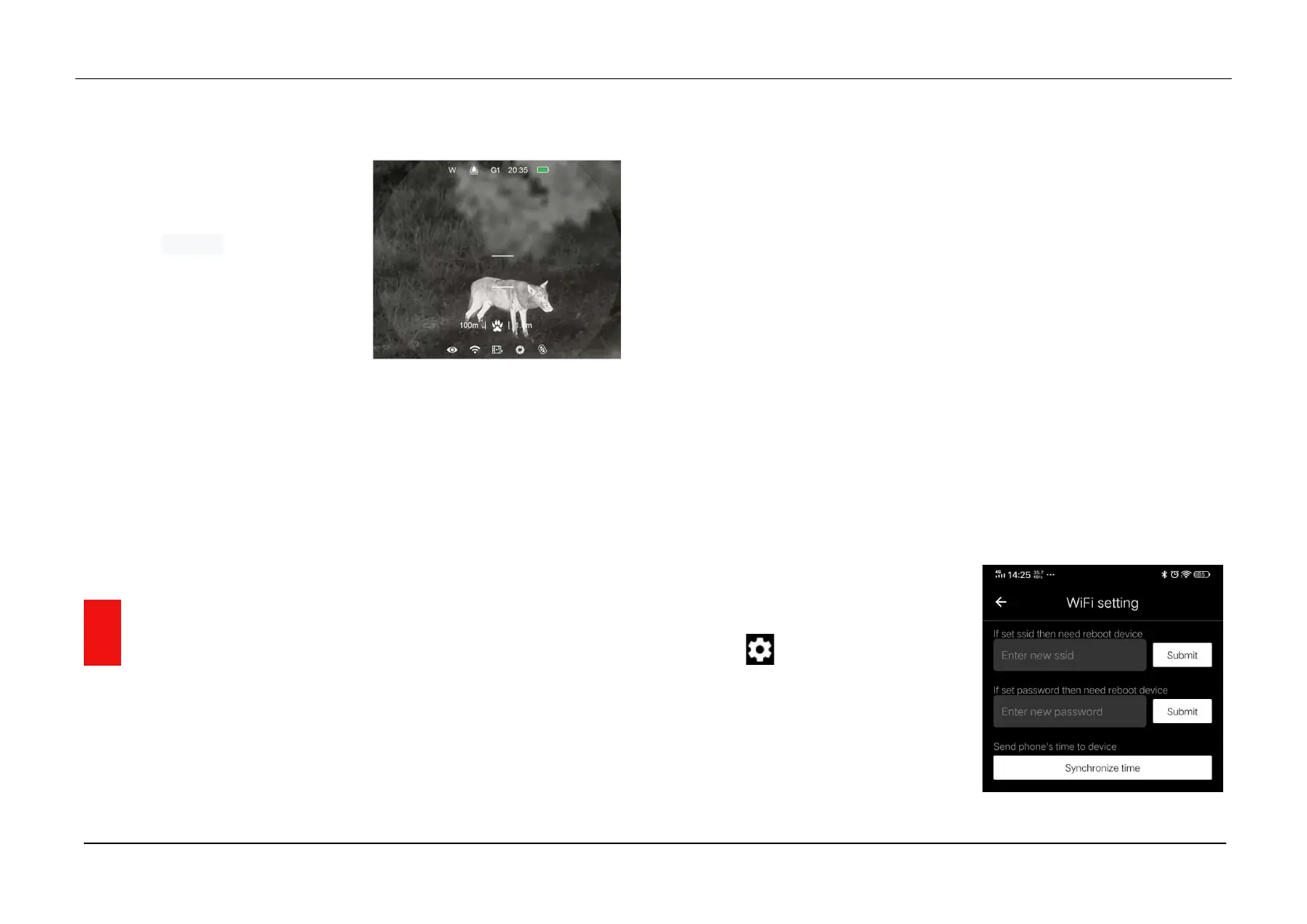
- Custom - distance 100m, height 1.0m
Aiming at the target, if the target
animal is within the measurement
bars, it indicates the animal is
within the range you set.
At shooting range notification
interface, press Down (3) button
to change the target type.
You can change the default setting (including the animal distance or
animal height) in the main menu.
Exit the range notification interface with a long press of the Up (6)
button.
15 WIFI function
MATE series has a built-in Wi-Fi module, which enables the device to
connect wirelessly to external devices such as smart phones.
Press and hold down the Menu (4) button to enter the Main Menu.
Turn Wi-Fi function on /off with a short press of Menu (4) button.
Retrieve the Wi-Fi signal named "XXXXX_xxxxxxx" with an external
device such as smart phone, whch XXXXX represents the model and
xxxxxxx represents the SN code of the device.
Select the Wi-Fi, and enter the password on the mobile device to set up
the connection. The initial password is 12345678.
When Wi-Fi is successfully connected, you can control the device via
InfiRay Outdoor APP.
Set the Wi-Fi name and password
The MATE series allows users to change the name and password of device
Wi-Fi in the InfiRay Outdoor APP
After connected with the mobile
device, find and click the "Setting"
icon in the InfiRay Outdoor to
enter the setting interface.
In the text box, enter and submit
the new name (SSID) and
password of the Wi-Fi.



 To Next Page