
 Need help?
Do you have a question about the IRC powerPLAY and is the answer not in the manual?
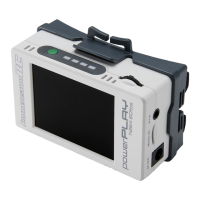
Details the dual 18500 Li-ion cell power section, offering up to 3 hours of operation, and recommends larger capacity cells.
Explains charging via USB-C (limited to 0.8A) and recommends external chargers for rapid charging of removed cells.
Informs that stock firmware doesn't support SD card downloads via USB, directing users to a website for updated firmware.
Details the three functions of the power switch: showing battery level, powering on/off the DVR, and entering the menu.
Describes the rocker switch's use for starting DVR recording and navigating menus for setup and playback.
 General
| Category | DVR |
|---|---|
| Channels | 4 |
| Remote Viewing | Yes |
| Motion Detection | Yes |
| Operating System | Embedded Linux |
| Power Supply | 12V DC |

 To Next Page