14
15
Method of usageMethod of usage
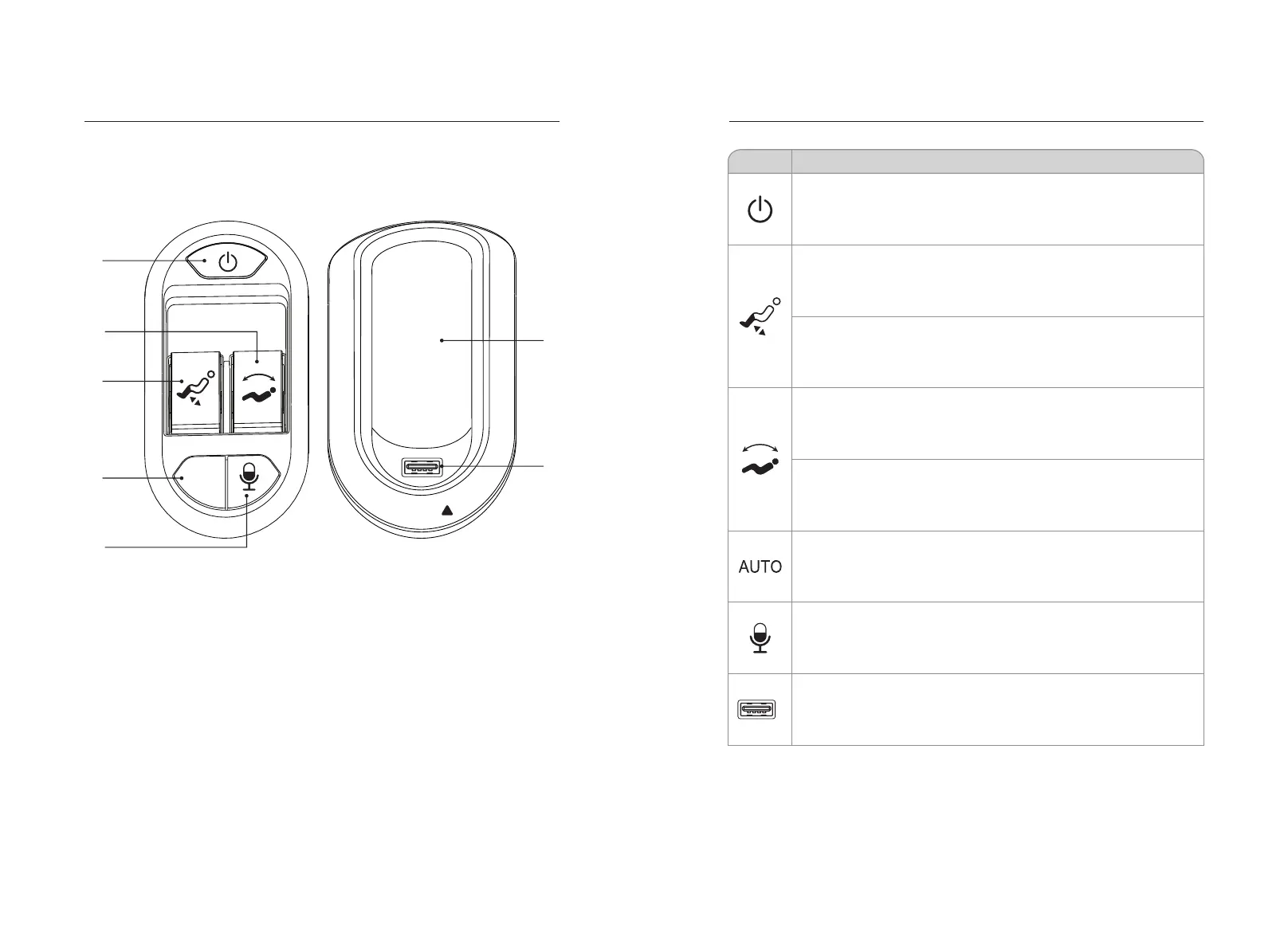
3.Introduction of handrail shortcut keys
The left arm
Function
Description
Right arm
USB
AUTO
1
2
3
4
5
6
7
Left armrest shortcut:
1.Power button: Turn the massage chair on or off.
2.linkage adjustment button: linkage adjustment of the backrest lifting adjustment.
3.calf frame lifting button: adjust the calf frame to rise or fall.
4.automatic button: turn on the automatic massage function.
5.voice control wake-up button: wake up voice control function.
Right armrest shortcut:
6.Place the slot: the hand controller and the mobile phone can placed in the slot.
7.USB charging port: smart device charging.
Power button: Press this button to turn the massage function on or off.
The calf riser button: pushes the button up and raises the calf frame
slowly, and releases it to stop the calf frame from rising.
Lower leg lowering button: Press the button down slowly to lower the
calf frame, and release to stop the lower leg frame.
Link up button: push the button up the back frame slowly, while the calf
frame slowly descends, release the backrest frame and the calf frame
are stopped.
Linking lying button: Press the button down slowly to lower the backrest
frame, while the calf frame rises slowly, releasing then the backrest
frame and the calf frame are stopped.
Auto mode button: Each time you press it, the auto massage function
switches.
USB jack: USB charging port, you can charge smart devices (such as
mobile phones).
Voice control wake-up button: press this button to wake up the voice
control function.


 To Next Page