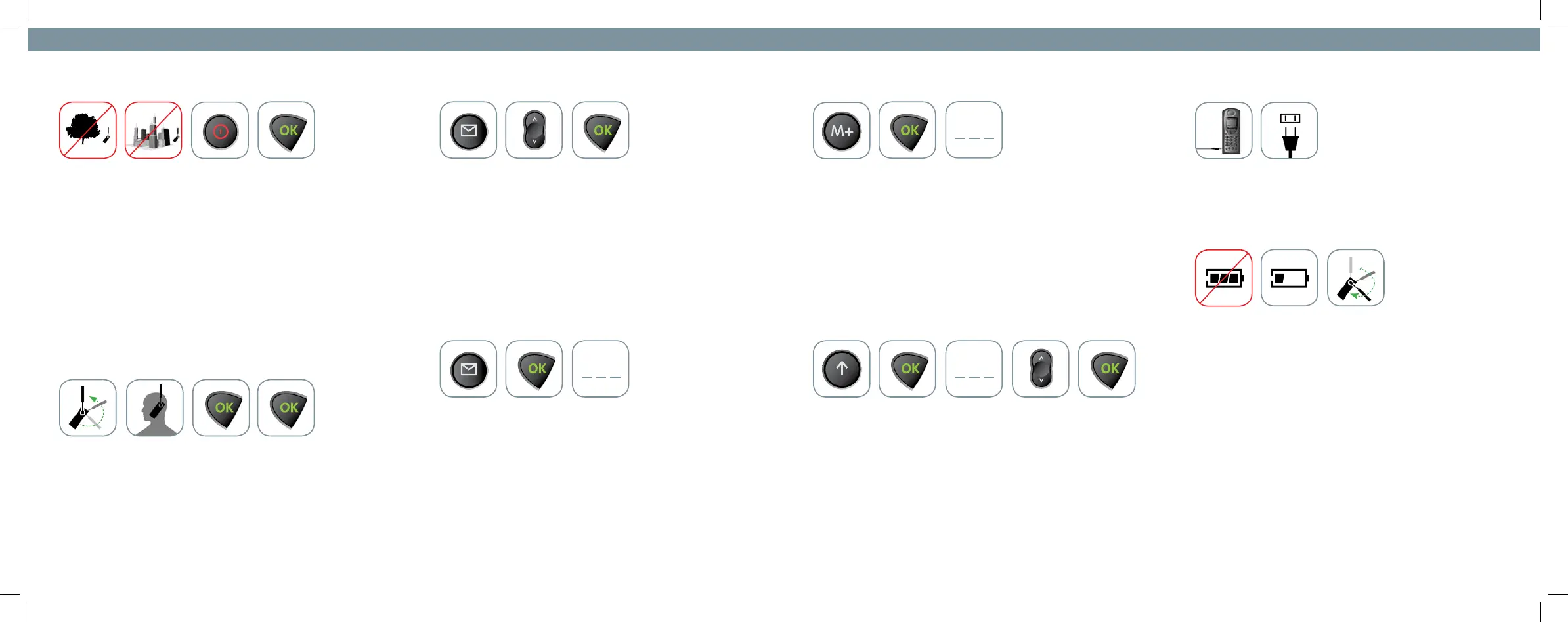
1. Make a Call:
• Phone must be used outside, away from trees and tall buildings
• Rotate antenna and extend it upwards
• Power-on phone by pressing red Power key
• Phone will display “Registered” then “Iridium” when it is ready
to place a call
• Dialing Sequence: 00 + Country Code + Telephone Number
• Enter phone number then press OK key to initiate call.
• Press and hold OK key to end the call.
2. Answer a Call:
• Rotate and extend antenna
• Press OK key to answer call
• Press OK key again to end the call
3. Retrieve Text Messages:
• Press the Message key
• Scroll to Received Messages and press OK to select
• Text messages can be sent to your phone through email, via
http://messaging.iridium.com website and as an SMS from
certain phones. Consult with your local dealer for
more information.
4. Retrieve Voicemail Messages:
• Press the Message key
• Press the OK button to select Call Voicemail
• When prompted, enter your Iridium phone number and
voicemail password
• If the phone displays No Number Available,
dial 00-8816-62990000 and follow the prompts
5. Add a Phone Number to Memory:
• Press M+ key
• Press OK to select Add to Phone Memory
• Enter phone number (00 + Country Code + Phone number)
• Enter a name to be associated with the phone number
• Enter a number between 1 and 99 to assign the phone number
to a location in the phone book
6. Dial a Phone Number Stored in Memory:
• Press Quick Access key
• Press OK to select Find Name
• Enter one or more letters of the entry and press OK
• Scroll to the entry you are looking for and press OK to dial
7. Charge the Phone:
• Power adapter plugs into port on lower left side of phone.
8. Troubleshooting, etc.
• Keeping the phone’s battery charged ensures that the
phone is ready for use when needed. For maximum battery
performance, try to allow the phone’s battery to discharge
completely before fully re-charging.
• If the phone’s display shows ‘Insert Card’, check to make
sure that the phone’s SIM card is locked in place. This can be
checked by removing the battery and ensuring that the SIM
card tray is securely positioned.
• Protect the antenna by stowing it in the ‘down position’
when not in use. (antenna not extended and rotated back
behind phone)
*** ***
***





 To Previous Page