EasyManua.ls Logo

Iridium 9555 - User Manual

Iridium 9555
193 pages
Print Icon
To Next Page IconTo Next Page
Loading...
User Manual
User Manual
Iridium 9555
Satellite Phone
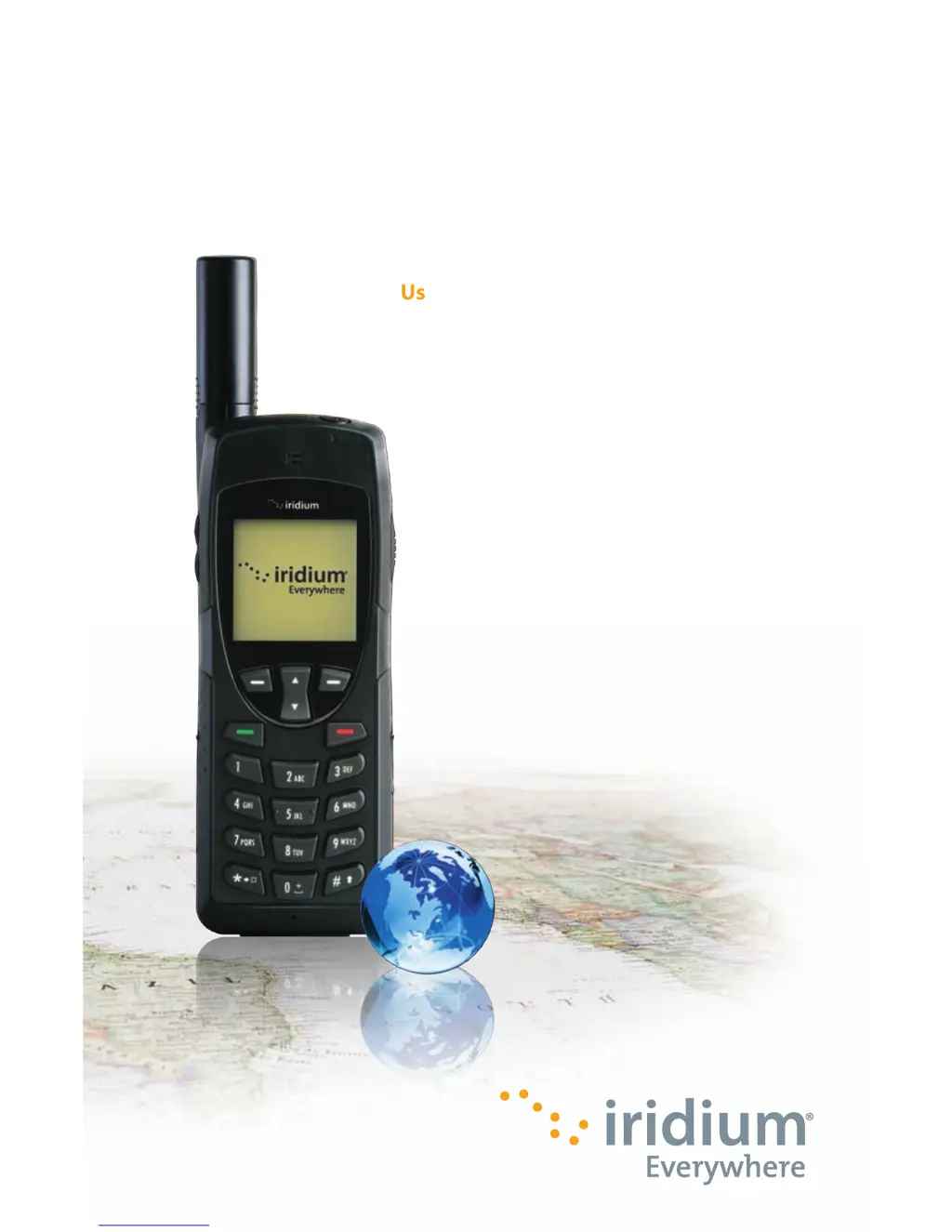
Iridium 9555 Satellite Phone
web: www.iridium.com
email: info@iridium.com
toll free: 1.866.947.4348
phone: +1.480.752.5155
H2UG1001

Table of Contents

Other manuals for Iridium 9555

Questions and Answers

  • C
    Carolyn RiveraSep 23, 2025
    Why can't I cancel Call Forwarding or Call Barring on my Iridium Telephone?
    • S
      stephanie61Sep 23, 2025
      If you're unable to cancel Call Forwarding or Call Barring on your Iridium Telephone, wait until you are in an area with good network coverage and try again.
  • C
    Carmen CurtisAug 25, 2025
    Why does my Iridium Telephone say 'Check Card' or 'Insert Card'?
    • C
      cbowenAug 25, 2025
      If your Iridium Telephone displays 'Check Card', 'Insert Card', or 'Blocked': * Ensure the SIM card is correctly inserted. * Clean the SIM card contacts with a clean cloth. * If 'Blocked' is displayed, enter the PIN unblocking key or contact your service provider.
  • T
    Tammy SkinnerAug 25, 2025
    How to make international calls with Iridium Telephone?
    • S
      sperezAug 26, 2025
      To make international calls with your Iridium Telephone, ensure you include the relevant codes. Enter '00' or '+' followed by the appropriate country code and the phone number.
  • B
    brooksashleyAug 26, 2025
    Why I can't make calls on my Iridium Telephone?
    • G
      gabriellerobinsonAug 27, 2025
      If you're unable to make calls on your Iridium Telephone, consider the following: * Ensure the antenna is fully extended and correctly angled, with a clear view of the sky. * Verify that you've entered the number in international format. * Check the signal strength indicator; a weak signal requires a clear line of sight to the sky, free from obstructions. * If 'Restricted' is displayed, check the Call Barring setting. * If a new SIM card has been inserted, ensure no new restrictions have been imposed. * Check if your fixed dialing list is enabled, as this limits calls to numbers on the list.
  • A
    Amanda HallAug 27, 2025
    What to do if the battery won’t charge on my Iridium Telephone?
    • J
      James WellsAug 27, 2025
      If the battery won’t charge on your Iridium Telephone, check if the charger is properly connected and its contacts are clean and dry. Also, inspect the battery contacts to ensure they are clean and dry. If the battery is warm, let it cool before charging. If it is an old battery, consider replacing it. Ensure you have an Iridium approved battery installed; an 'Invalid Batt' display indicates it won't charge.
  • N
    nicholsjamesSep 13, 2025
    How to restore the original language setting on my Iridium Telephone?
    • J
      Jeremy DunnSep 13, 2025
      To restore the original language setting on your Iridium Telephone: 1. Power on the phone. 2. Press the left soft key for menu. 3. Press down 6 times for Setup, then the left soft key for Select. 4. Press down 3 times for Languages, then the left soft key for Select. 5. Press the left soft key for Select.
  • O
    ortegatamaraSep 12, 2025
    What to do if my Iridium Telephone PIN2 is blocked?
    • E
      elizabeth18Sep 12, 2025
      If your Iridium Telephone PIN2 is blocked, enter the PIN2 unblocking code or contact your service provider.
  • R
    Ryan MathewsSep 12, 2025
    What to do if my Iridium Telephone PIN is blocked?
    • R
      Robin MedinaSep 12, 2025
      If your Iridium Telephone PIN is blocked, enter the PIN unblocking code or contact your service provider.
  • C
    Crystal SimonSep 4, 2025
    Why I can’t make international calls with my Iridium Telephone?
    • A
      Andrew DavisSep 4, 2025
      If you can’t make international calls with your Iridium Telephone, ensure you include the relevant codes. Enter 00 or + followed by the appropriate country code and the phone number.
  • K
    kariwebbSep 2, 2025
    What to do if I can’t receive calls on my Iridium Telephone?
    • B
      Brian JenkinsSep 2, 2025
      If you are unable to receive calls on your Iridium Telephone, make sure that your phone is powered on. Also, check the following: * Ensure the antenna is fully extended and correctly angled with a clear unobstructed view of the sky. * Check the signal strength indicator. If the signal is weak, ensure that you have a clear line of sight to the sky without any obstructions. * Check the Call Forwarding and Call Barring settings. * Verify the Ringer setting is not off. * Check to see if your fixed dialing list is enabled.

Summary

Important Safety Information

Safety and Warning Icons

Defines the conventions and icons used for safety warnings in the manual.

Radio Frequency Exposure and SAR

Explains exposure to RF signals and Specific Absorption Rate (SAR) data.

Battery Safety, Charging, and Disposal

Provides guidelines for safe battery handling, charging, and disposal.

Emergency Calling Procedures

Details how to make emergency calls in different regions.

9555 Satellite Phone Overview

Phone Components Overview

Details the front, side, and back views of the satellite phone.

Getting Started

SIM Card Installation and Management

Guides on inserting, removing, and caring for the SIM card.

Battery Installation, Charging, and Disposal

Instructions for battery handling, charging, disposal, and replacement.

Basic Phone Operation and Startup

Covers startup procedures, normal operation, and efficiency tips.

Making and Receiving Calls

Details on dialing, connecting, answering, muting, and using speakerphone.

Using Menus and Keys

Keypad Navigation and Functions

Explains the use of soft keys, Navi-key, and the keypad.

Predictive Text Entry

Using the Phonebooks

Managing Contacts: Adding and Editing

Guides on adding new contacts and editing existing entries.

Using the Messages Menu

Using the Voicemail Menu

Using the Call History Menu

Using the Setup Menu

Using the Security Menu

Phone and SIM Lock Management

Covers locking the phone and enabling/disabling SIM lock.

PIN Code Management

Guides on changing phone PIN, SIM PIN, and SIM PIN2 codes.

Troubleshooting

Phone Power and Call Issues

Resolves problems related to powering on, making, and receiving calls.

Unlock and SIM Card Problems

Addresses issues with phone unlocking and SIM card functionality.

Battery and Responsiveness Issues

Troubleshoots battery charging, draining, and phone responsiveness.

Iridium 9555 Specifications

General IconGeneral
BrandIridium
Model9555
CategoryMarine GPS System
LanguageEnglish

Related product manuals