Iridium 9555 Satellite Phone User Manual 19
3: Overview
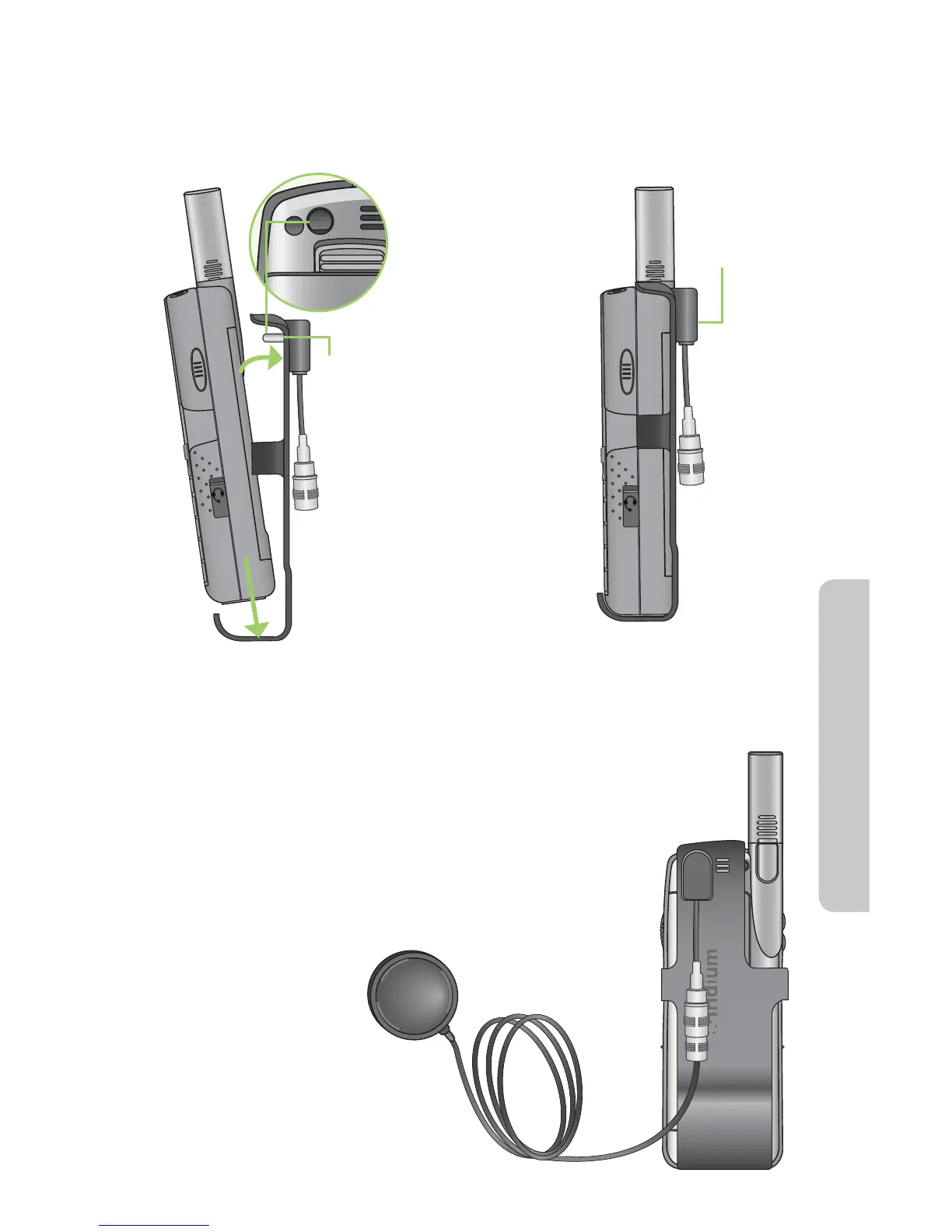
To install the Antenna Adaptor
Note: Your phone was shipped with a plug protector for the antenna
connector. You must remove this prior to using the Antenna Adaptor.
Auxiliary Antenna Adaptor
The Antenna Adapter allows you to connect your Iridium 9555
Satellite Phone to an external antenna. The adapter uses a
TNC female connector to attach to an antenna cable with
a TNC male connector. For a list of available accessory
options, visit www.iridium.com.
1. Slide the phone into the
antenna adaptor.
2. Rotate until the back of the
phone meets the adaptor.
Align
prong with
antenna
docking
connector
Press here
to snap
into place



 To Next Page