Iridium 9555 Satellite Phone User Manual 41
4: Getting Started
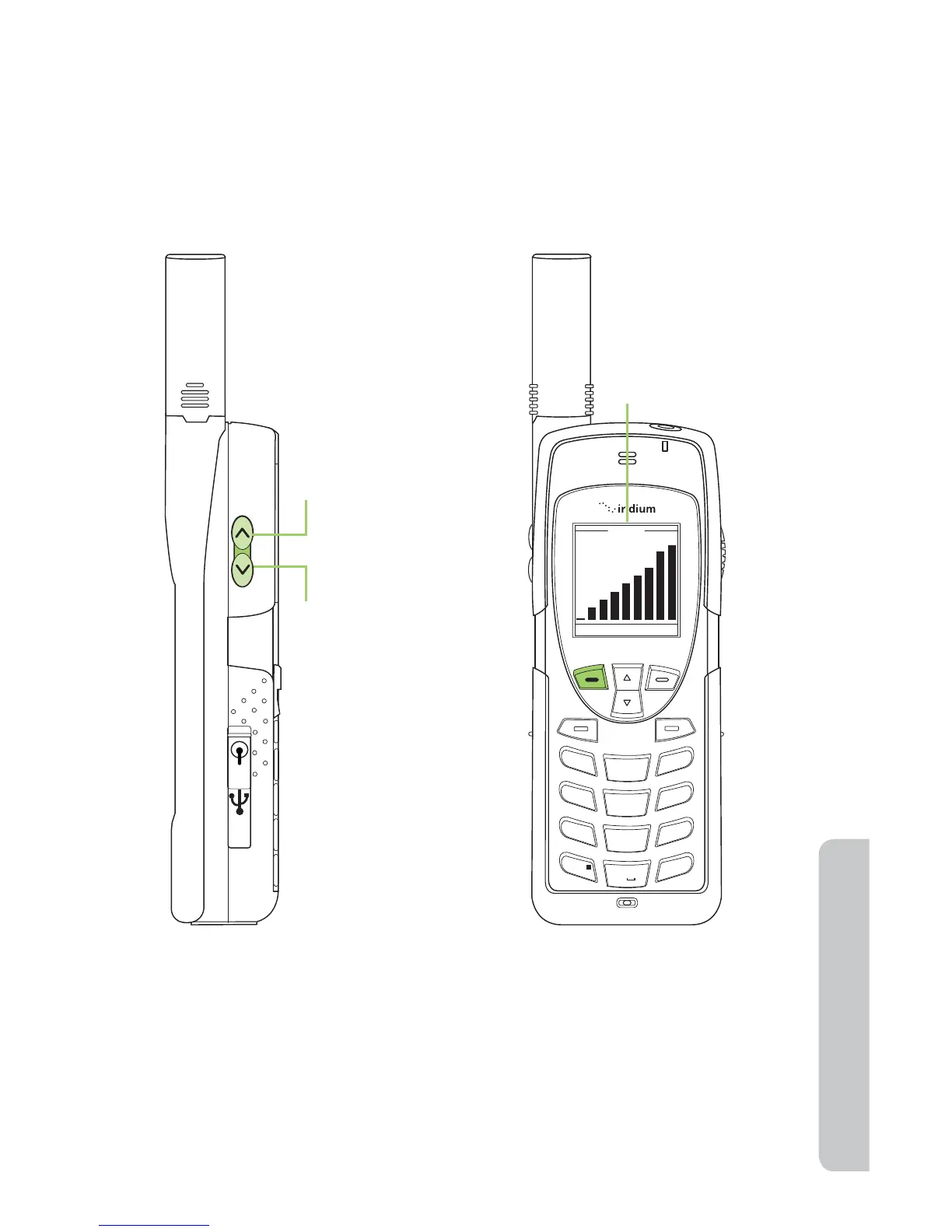
you would like to cancel the change to the volume press Back.
2. Decrease the speaker volume by pressing the lower volume control
key, during a call.
As you press the keys, you hear the new volume level. The bar graph on
the display indicates the volume level; the higher the graph, the louder the
volume.
Ringer Volume
The ringer volume may be adjusted with the Volume and Tones menu
located under the Setup menu.
• Increase the ringer volume by pressing the upper volume control key.
• Decrease the ringer volume by pressing the lower volume control key.
1
2
ABC
3
DEF
4
GHI
5 KL
6
MNO
7
PQR
8 UVW
9
XYZ
Volume
OK Back
0 +
#
*
∆
«
Upper volume
control increases
speaker volume
Lower volume
control increases
speaker volume
Bar graph for
speaker volume



 To Next Page