EasyManua.ls Logo

Iridium 9555 - Viewing Memory Status

Iridium 9555
193 pages
Print Icon
To Next Page IconTo Next Page
To Previous Page IconTo Previous Page
Loading...
Iridium 9555 Satellite Phone User Manual 81
8: Using the Phonebooks
Viewing Memory Status
My Phonebook
SIM Phonebook
Messages
Voicemail
Data Modem
Call History
Setup
Menu
Select Back
Ada Adams
Bob Smith
Cat Steven
Davy Jones
Eddy Fisher
Phonebook
Select Back
Bob Smith
Select Back
Call
SMS
Edit
Delete
New
Memory Status
Notes
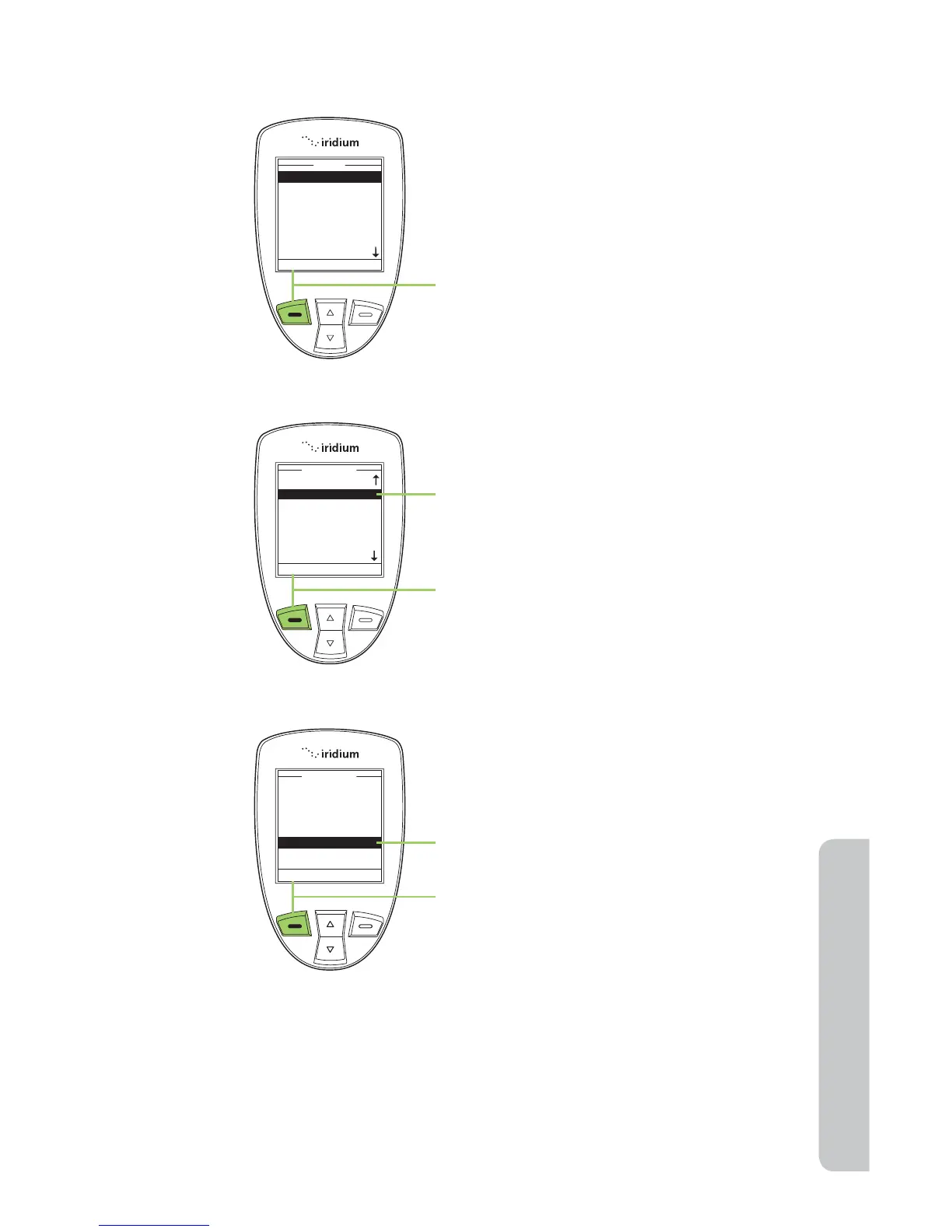
Use this capability to see how many
Phonebook memory locations are
available in the SIM card memory and
phone memory. Start at the Main Menu:
1. Press the left soft key, labeled Select.
2. The Phonebook is displayed. Use the
2-way Navi-key to scroll until the
desired entry is highlighted.
3. Press the left soft key, labeled
Options.
4. Use the 2-way Navi-key until
Memory Status is highlighted.
5. Press the left soft key, labeled Select
to proceed.


Table of Contents

Other manuals for Iridium 9555

Related product manuals