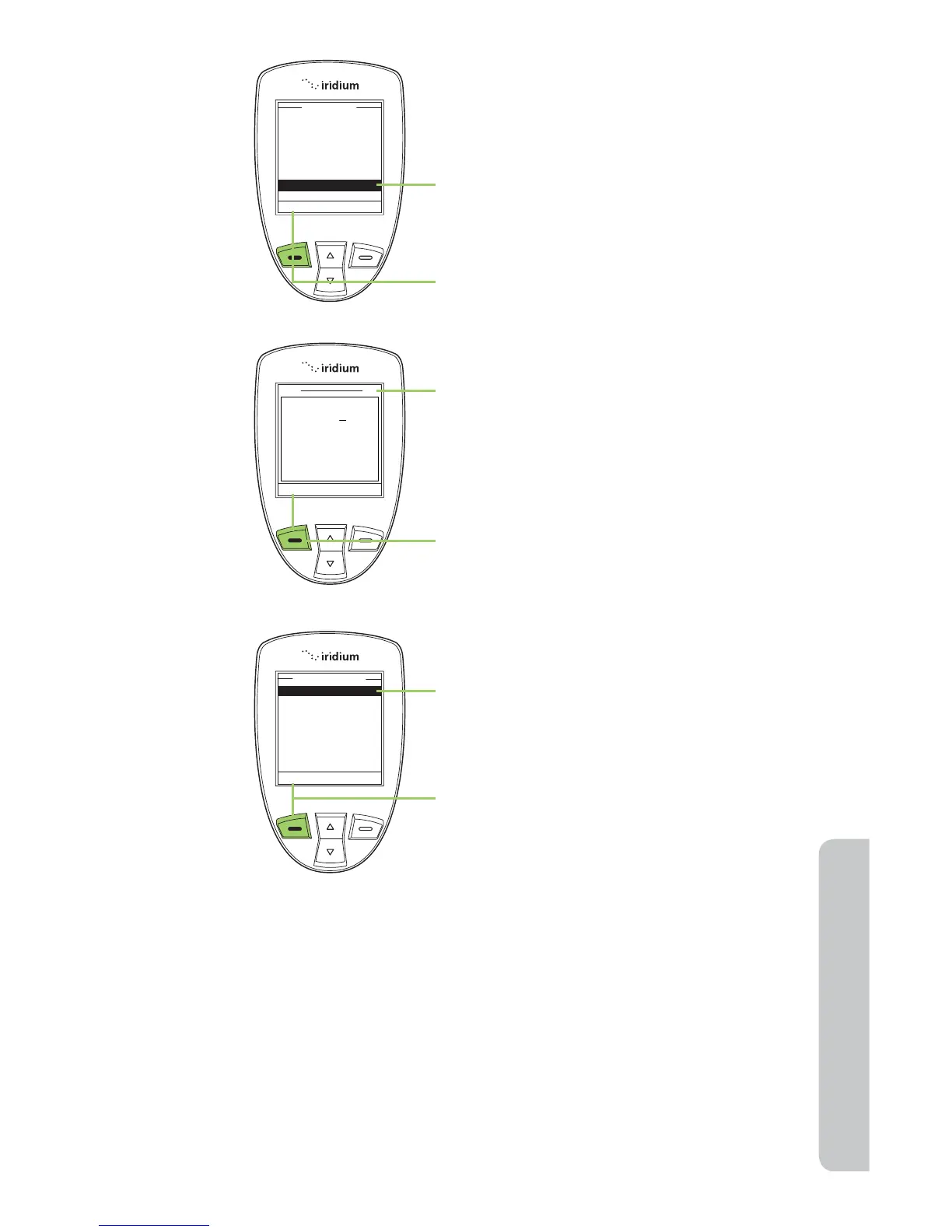
4. Use the 2-way Navi-key until Notes is
highlighted.
5. Press the left soft key, labeled Select
to proceed.
6. A text screen appears. Use the
Keypad to enter your text.
Note: you can enter up to 64 characters.
The character count in the top right
corner counts down as you enter text.
7. Press the left soft key, labeled
Options.
8. A My Phonebook screen appears with
Save highlighted.
9. Press the left soft key, labeled
Options.
Note: The text you entered is now
stored in the Note option for this entry.
Restricted Phonebook
When the Phonebook is restricted, My Phonebook and SIM Phonebook
do not appear. The main menu displays Fixed Phonebook only. The Fixed
Phonebook cannot be edited.



 To Next Page