24 Iridium 9555 Satellite Phone User Manual
4: Getting Started
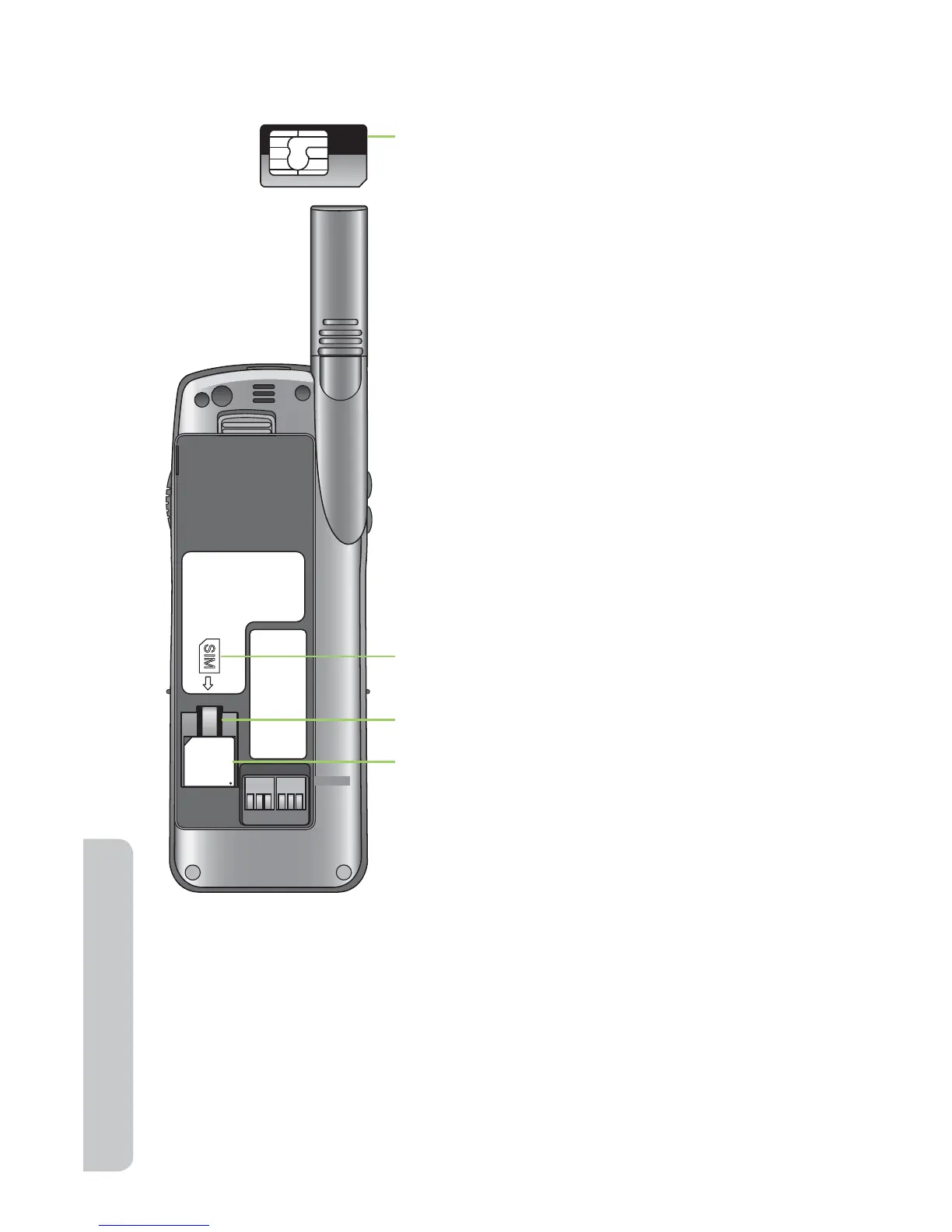
Insert the SIM Card
Remove the SIM Card
Press down on the retaining clip and slide the SIM card out of the slot.
89881
69312
00249
4528
IR
1. Remove the SIM card from the larger card.
2. Remove the battery as shown on page 27.
3. Slide the SIM card into the SIM card slot.
Follow the card orientation shown on the
decal. Be sure the gold contact is facing
down.
The card is held in place by a small retaining
clip.
SIM Card
Retaining Clip
SIM Decal



 To Next Page