EasyManua.ls Logo

Iridium 9555 - User Manual

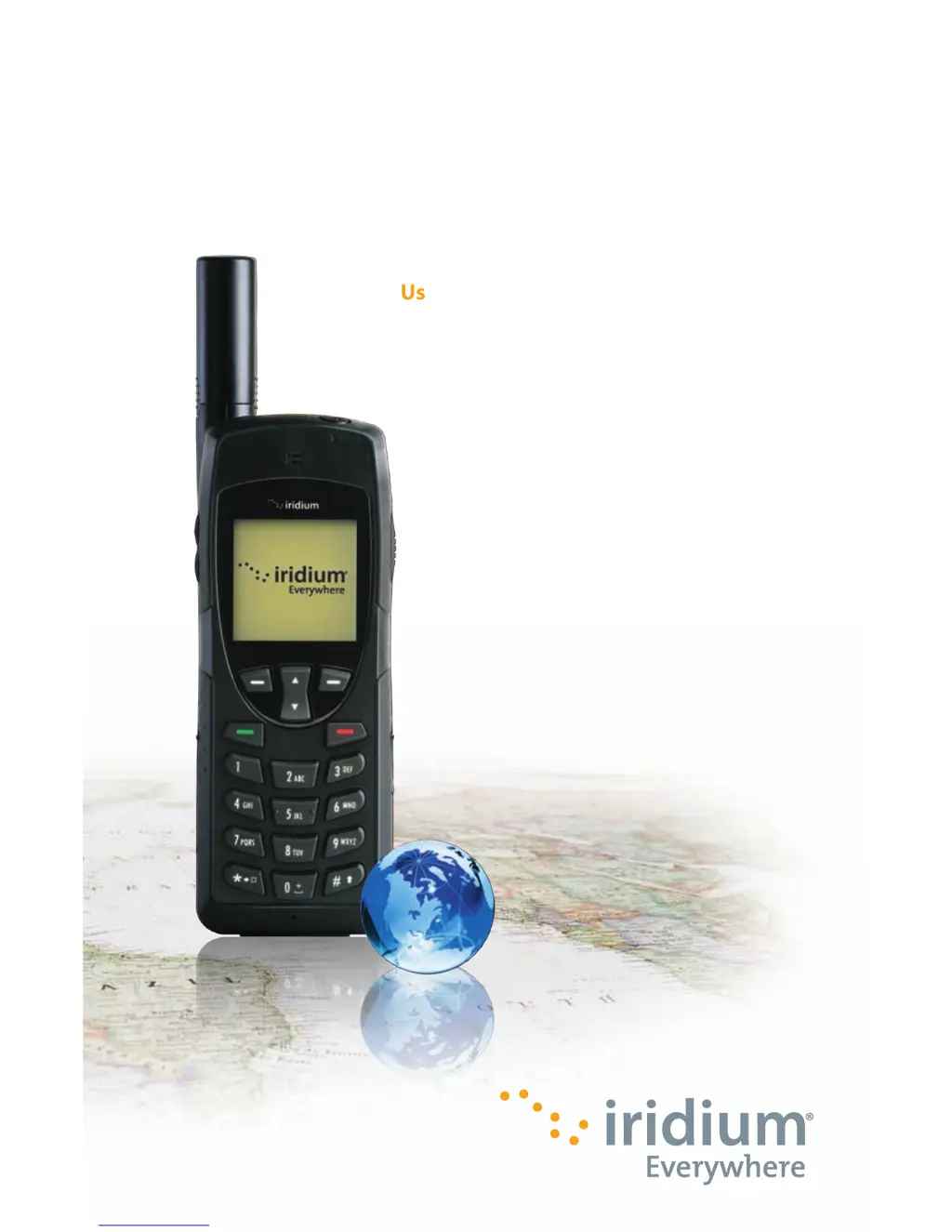
Iridium 9555
193 pages
Print Icon
To Next Page IconTo Next Page
Loading...
User Manual
User Manual
Iridium 9555
Satellite Phone
Iridium 9555 Satellite Phone
web: www.iridium.com
email: info@iridium.com
toll free: 1.866.947.4348
phone: +1.480.752.5155
H2UG1001

Table of Contents

Other manuals for Iridium 9555

Questions and Answers

  • R
    Raymond LaneSep 10, 2025
    What to do if I can’t cancel Call Forwarding or Call Barring on my Iridium Telephone?
    • F
      frazierkaitlinSep 10, 2025
      If you can’t cancel Call Forwarding or Call Barring on your Iridium Telephone, wait until you are in an area with good network coverage and try again.
  • T
    Taylor WheelerSep 9, 2025
    What does it mean if the message indicator is flashing on my Iridium Telephone?
    • S
      Susan GriffinSep 9, 2025
      If the message indicator is flashing on your Iridium Telephone, it means there is not enough memory available to store another message. Delete one or more messages using the messages menu.
  • J
    John RaySep 8, 2025
    Why is my Iridium Telephone becoming warm during use?
    • S
      Shawn WaltonSep 8, 2025
      If your Iridium Telephone becomes warm during use, especially during long calls or charging, it is normal. The heat is produced by the electronic components within the phone.
  • S
    susanclarkAug 22, 2025
    What to do if my Iridium Telephone won’t power on?
    • T
      Tyler BonillaAug 23, 2025
      If your Iridium Telephone won’t power on, ensure that you press and hold the power button for at least 3 seconds. Also, check the battery to confirm it is charged, properly fitted, and that the contacts are clean and dry.
  • J
    Joe RollinsSep 5, 2025
    What to do if my Iridium Telephone displays Check Card or Insert Card?
    • T
      Todd PorterSep 5, 2025
      If your Iridium Telephone displays 'Check Card' or 'Insert Card', verify that the SIM card has been inserted correctly. If the issue persists, turn off the phone, remove the SIM card, and gently clean the contacts with a clean cloth before reinserting the card.
  • C
    Crystal SimonSep 4, 2025
    Why I can’t make international calls with my Iridium Telephone?
    • A
      Andrew DavisSep 4, 2025
      If you can’t make international calls with your Iridium Telephone, ensure you include the relevant codes. Enter 00 or + followed by the appropriate country code and the phone number.
  • M
    Mark FullerSep 3, 2025
    What to do if my Iridium Telephone SIM card will not work?
    • N
      Natalie SheltonSep 3, 2025
      If your Iridium Telephone SIM card is not working, check if the SIM card is inserted correctly. Inspect the card for visible damage or scratches; if damaged, return it to your service provider. Also, check the SIM and card contacts and clean them with an antistatic cloth if they are dirty.
  • K
    kariwebbSep 2, 2025
    What to do if I can’t receive calls on my Iridium Telephone?
    • B
      Brian JenkinsSep 2, 2025
      If you are unable to receive calls on your Iridium Telephone, make sure that your phone is powered on. Also, check the following: * Ensure the antenna is fully extended and correctly angled with a clear unobstructed view of the sky. * Check the signal strength indicator. If the signal is weak, ensure that you have a clear line of sight to the sky without any obstructions. * Check the Call Forwarding and Call Barring settings. * Verify the Ringer setting is not off. * Check to see if your fixed dialing list is enabled.
  • K
    Kathleen SandersSep 1, 2025
    What to do if my Iridium Telephone is not responding to user controls?
    • T
      Timothy ReeseSep 1, 2025
      If your Iridium Telephone is not responding to user controls, remove the battery from the phone and then reattach it to cycle power and reset the device.
  • A
    April WilsonAug 31, 2025
    Why is my Iridium Telephone battery not charging?
    • J
      Joshua LeeAug 31, 2025
      If your Iridium Telephone battery isn’t charging, try the following: * Check that the charger is properly connected and its contacts are clean and dry. * Inspect the battery contacts to ensure they are clean and dry. * If the battery is warm, let it cool before attempting to charge it. * Consider replacing the battery if it is old, as performance declines over time. * Ensure you are using an Iridium approved battery. If you see a question mark '?' on the display near the charging icon, the battery is not approved and cannot be charged.

Summary

Important Safety Information

Safety and Warning Icons

Defines the conventions and icons used for safety warnings in the manual.

Radio Frequency Exposure and SAR

Explains exposure to RF signals and Specific Absorption Rate (SAR) data.

Battery Safety, Charging, and Disposal

Provides guidelines for safe battery handling, charging, and disposal.

Emergency Calling Procedures

Details how to make emergency calls in different regions.

9555 Satellite Phone Overview

Phone Components Overview

Details the front, side, and back views of the satellite phone.

Getting Started

SIM Card Installation and Management

Guides on inserting, removing, and caring for the SIM card.

Battery Installation, Charging, and Disposal

Instructions for battery handling, charging, disposal, and replacement.

Basic Phone Operation and Startup

Covers startup procedures, normal operation, and efficiency tips.

Making and Receiving Calls

Details on dialing, connecting, answering, muting, and using speakerphone.

Using Menus and Keys

Keypad Navigation and Functions

Explains the use of soft keys, Navi-key, and the keypad.

Predictive Text Entry

Using the Phonebooks

Managing Contacts: Adding and Editing

Guides on adding new contacts and editing existing entries.

Using the Messages Menu

Using the Voicemail Menu

Using the Call History Menu

Using the Setup Menu

Using the Security Menu

Phone and SIM Lock Management

Covers locking the phone and enabling/disabling SIM lock.

PIN Code Management

Guides on changing phone PIN, SIM PIN, and SIM PIN2 codes.

Troubleshooting

Phone Power and Call Issues

Resolves problems related to powering on, making, and receiving calls.

Unlock and SIM Card Problems

Addresses issues with phone unlocking and SIM card functionality.

Battery and Responsiveness Issues

Troubleshoots battery charging, draining, and phone responsiveness.

Iridium 9555 Specifications

General IconGeneral
BrandIridium
Model9555
CategoryMarine GPS System
LanguageEnglish

Related product manuals