EasyManua.ls Logo

Iridium 9555 - User Manual

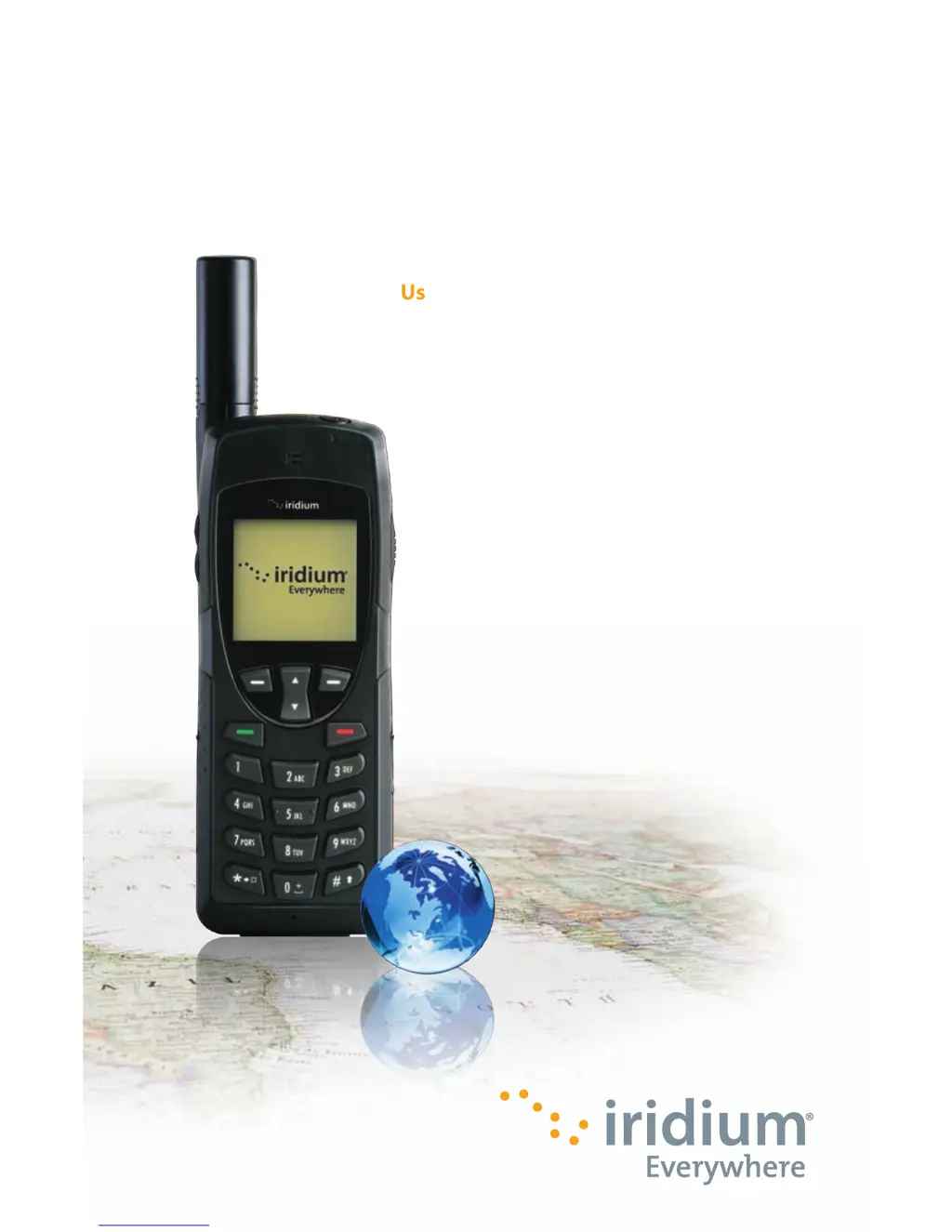
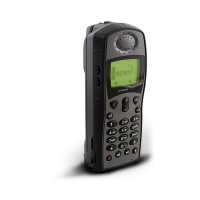
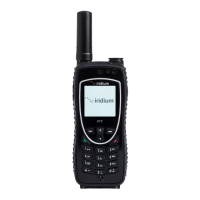
Iridium 9555
193 pages
Print Icon
To Next Page IconTo Next Page
Loading...
User Manual
User Manual
Iridium 9555
Satellite Phone
Iridium 9555 Satellite Phone
web: www.iridium.com
email: info@iridium.com
toll free: 1.866.947.4348
phone: +1.480.752.5155
H2UG1001

Table of Contents

Other manuals for Iridium 9555

Questions and Answers

  • K
    Katherine SinghAug 29, 2025
    Why does the battery drain so fast on my Iridium Telephone?
    • G
      gfoxAug 30, 2025
      Several factors can cause your Iridium Telephone battery to drain faster than normal: * Using the phone in areas with variable coverage can increase battery usage. * Ensure your antenna is fully extended and correctly angled with a clear view of the sky to conserve battery power. * New batteries may require two to three charge/discharge cycles to reach normal performance. * Old batteries decline in performance over time and may need replacement. * Allow the battery to fully discharge periodically, then charge it overnight. * Extreme temperatures can significantly reduce battery performance.
  • J
    Jacqueline MillerAug 28, 2025
    Why can't I make calls on my Iridium Telephone?
    • J
      Jeffrey MillerAug 28, 2025
      If you're unable to make calls on your Iridium Telephone, consider the following: * Ensure the antenna is fully extended and correctly angled, with a clear view of the sky. * Verify that you're entering the number in international format. * Check the signal strength indicator and move to a location with a clear line of sight to the sky. * Confirm that 'Restricted' isn't displayed, and check your Call Barring settings. * If a new SIM card has been inserted, ensure no new restrictions are in place. * Check if your fixed dialing list is enabled, as this limits calls to numbers on that list.
  • A
    Amanda HallAug 27, 2025
    What to do if the battery won’t charge on my Iridium Telephone?
    • J
      James WellsAug 27, 2025
      If the battery won’t charge on your Iridium Telephone, check if the charger is properly connected and its contacts are clean and dry. Also, inspect the battery contacts to ensure they are clean and dry. If the battery is warm, let it cool before charging. If it is an old battery, consider replacing it. Ensure you have an Iridium approved battery installed; an 'Invalid Batt' display indicates it won't charge.
  • B
    brooksashleyAug 26, 2025
    Why I can't make calls on my Iridium Telephone?
    • G
      gabriellerobinsonAug 27, 2025
      If you're unable to make calls on your Iridium Telephone, consider the following: * Ensure the antenna is fully extended and correctly angled, with a clear view of the sky. * Verify that you've entered the number in international format. * Check the signal strength indicator; a weak signal requires a clear line of sight to the sky, free from obstructions. * If 'Restricted' is displayed, check the Call Barring setting. * If a new SIM card has been inserted, ensure no new restrictions have been imposed. * Check if your fixed dialing list is enabled, as this limits calls to numbers on the list.
  • T
    Tammy SkinnerAug 25, 2025
    How to make international calls with Iridium Telephone?
    • S
      sperezAug 26, 2025
      To make international calls with your Iridium Telephone, ensure you include the relevant codes. Enter '00' or '+' followed by the appropriate country code and the phone number.
  • C
    Carmen CurtisAug 25, 2025
    Why does my Iridium Telephone say 'Check Card' or 'Insert Card'?
    • C
      cbowenAug 25, 2025
      If your Iridium Telephone displays 'Check Card', 'Insert Card', or 'Blocked': * Ensure the SIM card is correctly inserted. * Clean the SIM card contacts with a clean cloth. * If 'Blocked' is displayed, enter the PIN unblocking key or contact your service provider.

Summary

Important Safety Information

Safety and Warning Icons

Defines the conventions and icons used for safety warnings in the manual.

Radio Frequency Exposure and SAR

Explains exposure to RF signals and Specific Absorption Rate (SAR) data.

Battery Safety, Charging, and Disposal

Provides guidelines for safe battery handling, charging, and disposal.

Emergency Calling Procedures

Details how to make emergency calls in different regions.

9555 Satellite Phone Overview

Phone Components Overview

Details the front, side, and back views of the satellite phone.

Getting Started

SIM Card Installation and Management

Guides on inserting, removing, and caring for the SIM card.

Battery Installation, Charging, and Disposal

Instructions for battery handling, charging, disposal, and replacement.

Basic Phone Operation and Startup

Covers startup procedures, normal operation, and efficiency tips.

Making and Receiving Calls

Details on dialing, connecting, answering, muting, and using speakerphone.

Using Menus and Keys

Keypad Navigation and Functions

Explains the use of soft keys, Navi-key, and the keypad.

Predictive Text Entry

Using the Phonebooks

Managing Contacts: Adding and Editing

Guides on adding new contacts and editing existing entries.

Using the Messages Menu

Using the Voicemail Menu

Using the Call History Menu

Using the Setup Menu

Using the Security Menu

Phone and SIM Lock Management

Covers locking the phone and enabling/disabling SIM lock.

PIN Code Management

Guides on changing phone PIN, SIM PIN, and SIM PIN2 codes.

Troubleshooting

Phone Power and Call Issues

Resolves problems related to powering on, making, and receiving calls.

Unlock and SIM Card Problems

Addresses issues with phone unlocking and SIM card functionality.

Battery and Responsiveness Issues

Troubleshoots battery charging, draining, and phone responsiveness.

Iridium 9555 Specifications

General IconGeneral
BrandIridium
Model9555
CategoryMarine GPS System
LanguageEnglish

Related product manuals