www.explorersatellite.com
+1-954-763-8650
Iridium 9555
Quick Connect Guide
Please go outside.
Satphone antenna must have a clear view of
the sky.
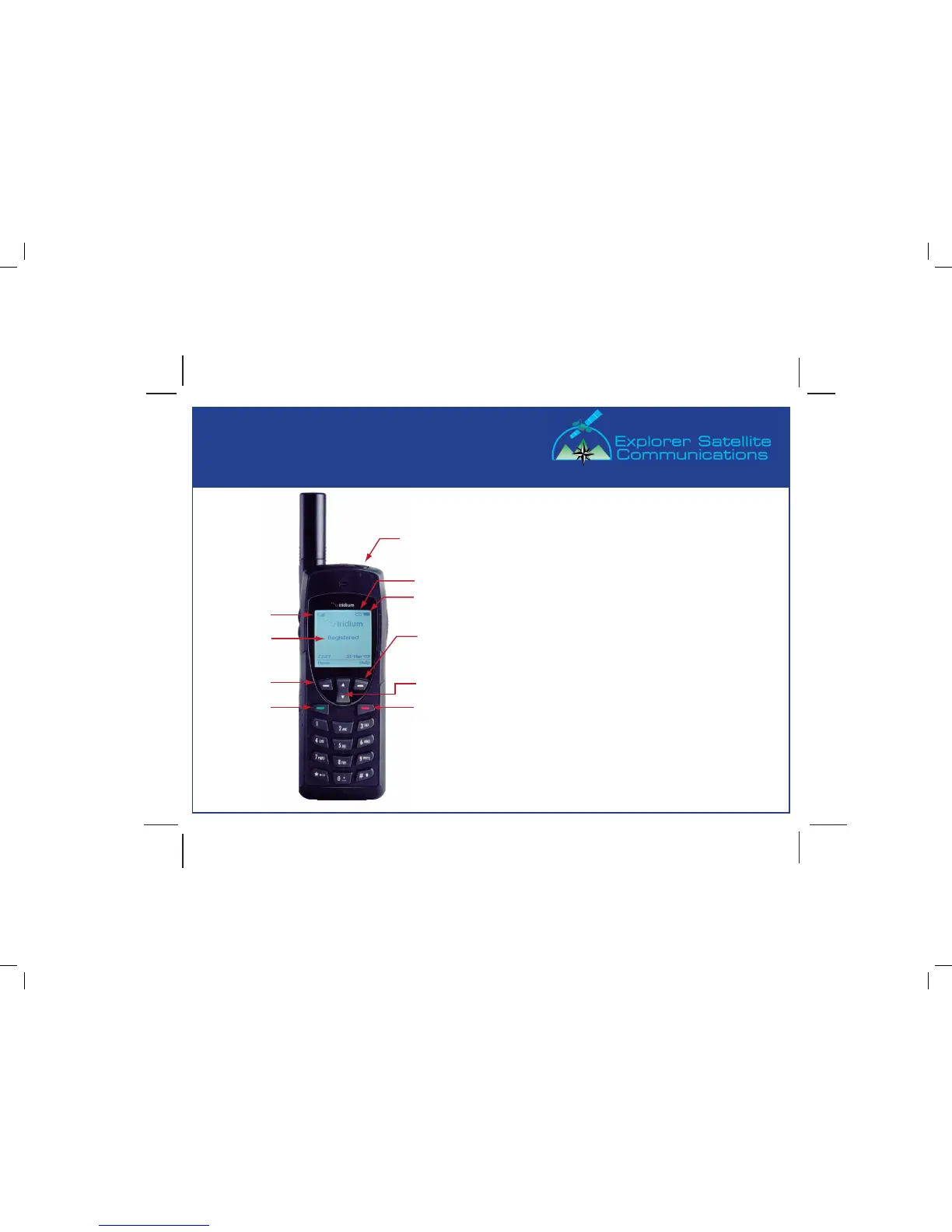
Power on satphone.
Press round power button on top.
Antenna must be locked into place.
Extend and rotate antenna 45 degrees to the top
of the satphone.
Proper positioning is the “10 o’clock” or
“2 o’clock” position.
Important: Antenna may be stowed in the
“up” position only.
Wait for satphone to register.
Display will indicate “Registered”.
Do not attempt to place a call if the satphone
does not register and have signal bars.
Optimal signal strength is 3 bars or more,
shown in the upper left corner of the display.
Signal Strength
Registration
Left Soft Key
Send
Power Button
Battery Strength
Message “Envelope” Icon
Right Soft Key
Scroll Up/Down
End
06/09 - Copyright 2009 Explorer Satellite Communication All Rights Reserved








 To Next Page