English
6
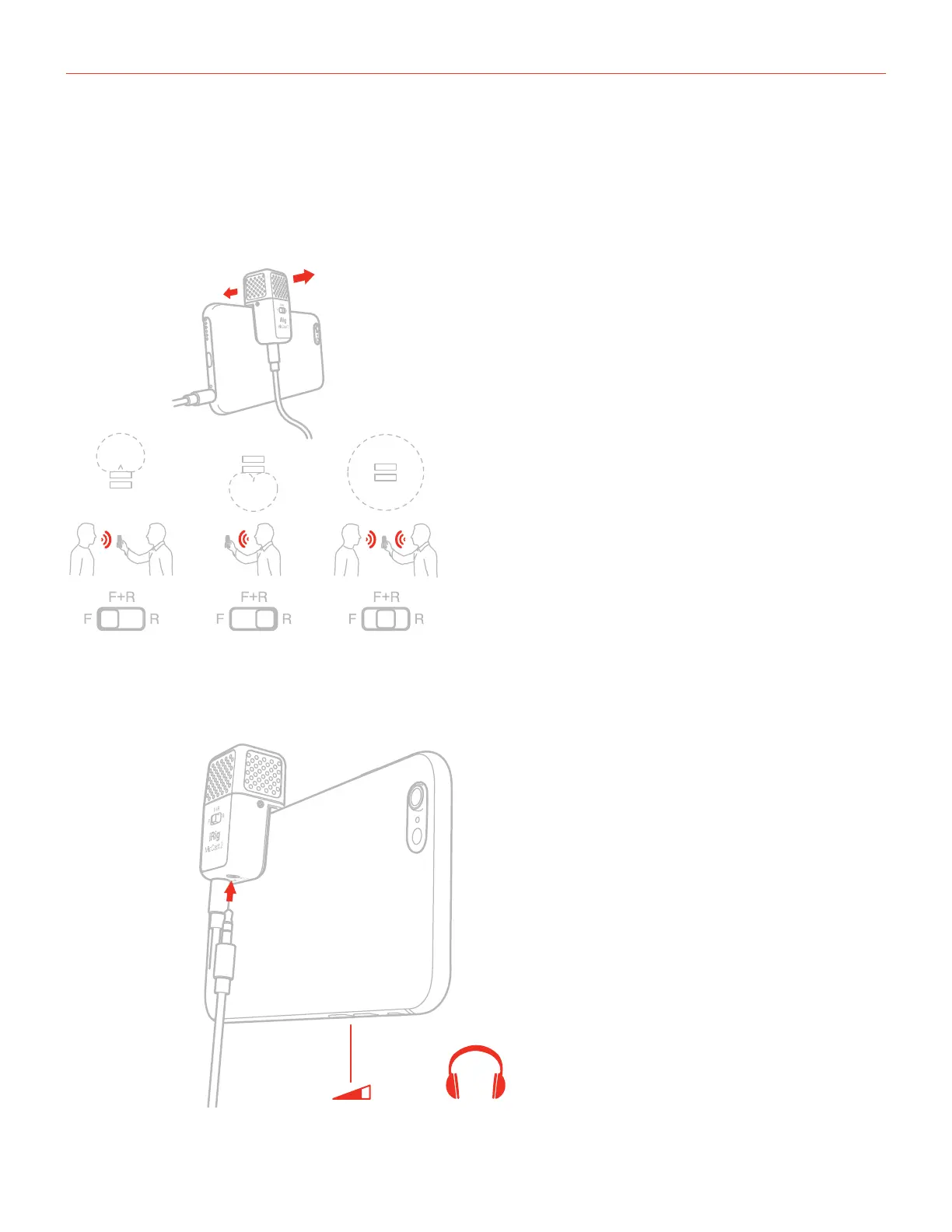
6. The front 3-position switch allows you to choose between:
• Single capsule cardioid (F, front capsule): ideal for interviews or lectures;
• Single capsule cardioid (R, rear capsule): ideal for podcasts or voice memos;
• Dual capsules (F+R, two capsules combined to form an omnidirectional pattern): ideal for Q&A interviews
and every situation that requires to record audio source coming from all around.
F
R
7. Connect your headphones to the headphones out on iRig Mic Cast 2. You can control its volume with the
device’s volume buttons.
- +



 To Next Page