English
4
Register your iRig Micro Amp
By registering, you can access technical support, activate your warranty and receive free JamPoints™ which will
be added to your account. JamPoints™ allow you to obtain discounts on future IK purchases! Registering also
keeps you informed of all the latest software updates and IK products.
Register at: www.ikmultimedia.com/registration
1 Installation and setup
iRig Micro Amp can work as a stand-alone practice amp, or connected via USB to an iOS device or a MAC/
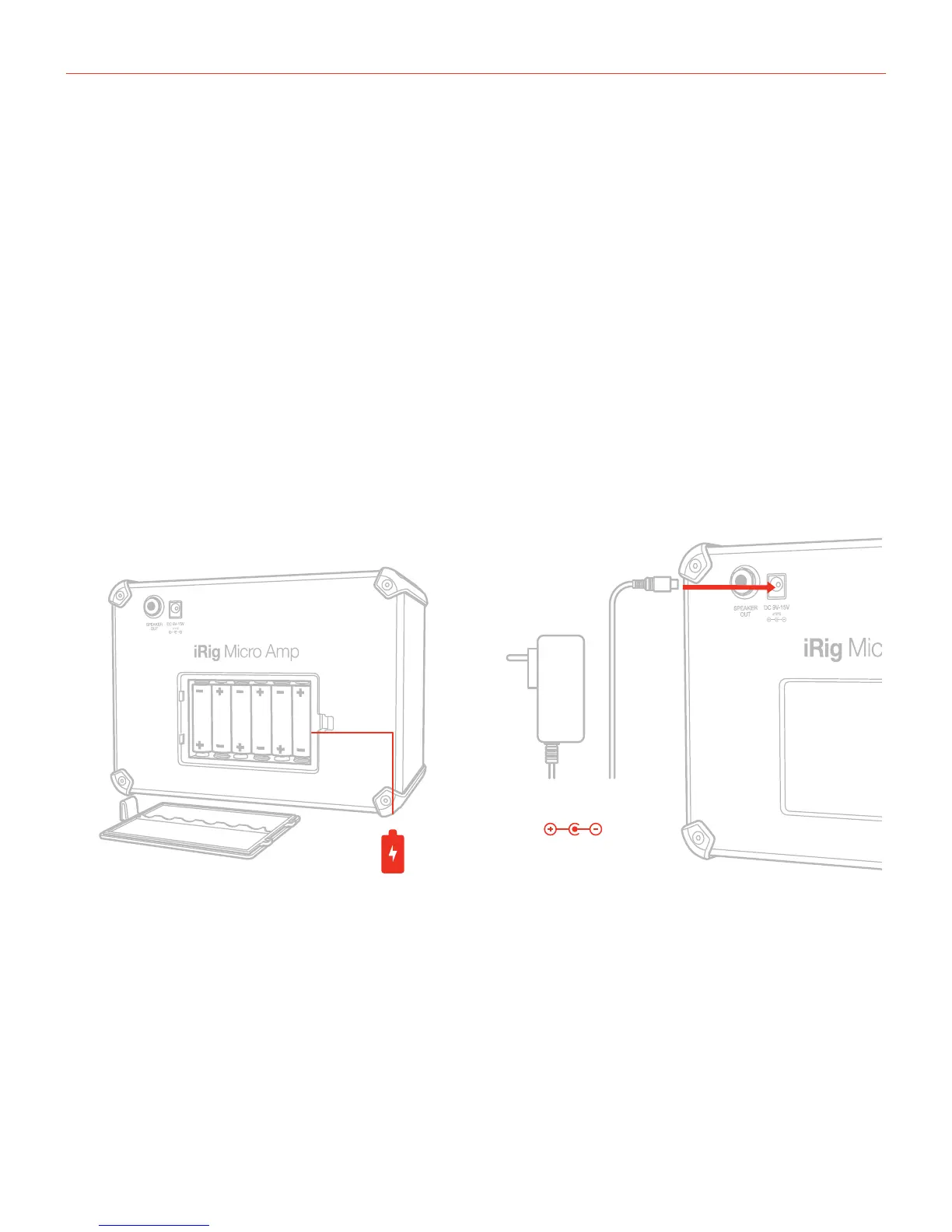
PC computer. The required power supply is guaranteed by 6xAA batteries or with the (optional) PSU. When the
iRig Micro Amp is battery powered, it is capable of 7.5W RMS; when powered with the PSU its capable of 15W
RMS.
1.1 Stand-alone
1. Insert the AA batteries in the battery compartment or connect the (optional) PSU.
*
DC 9V - 15V


 To Next Page