18
Step 4: Connecting the Display Unit to
the Headset
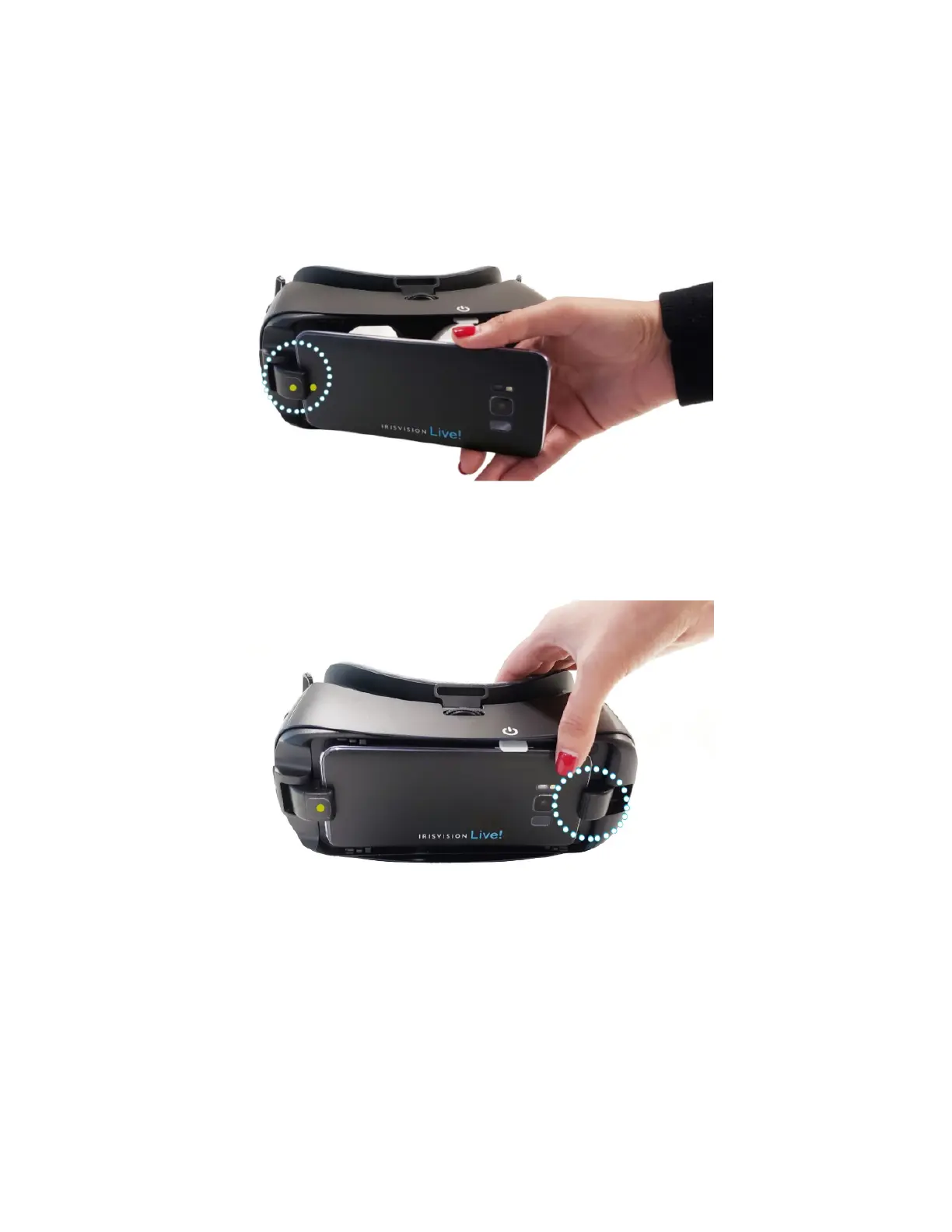
1. Insert the Display Unit into the headset by matching the
yellow dots as shown below.
2. Securely lock the Display Unit into the headset by
pushing the Display Unit against the spring lock, as
shown below.
NOTE: When the Display Unit is connected correctly to the
headset, it will say “Device inserted correctly.” If there is
no verbal confirmation, the Display Unit is not connected
correctly and the headset controls will not work. Ensure that
the device speaks before you close it securely into the
headset.



 To Next Page