32
Using IrisVision: Step 5 – Zoom In and
Zoom Out
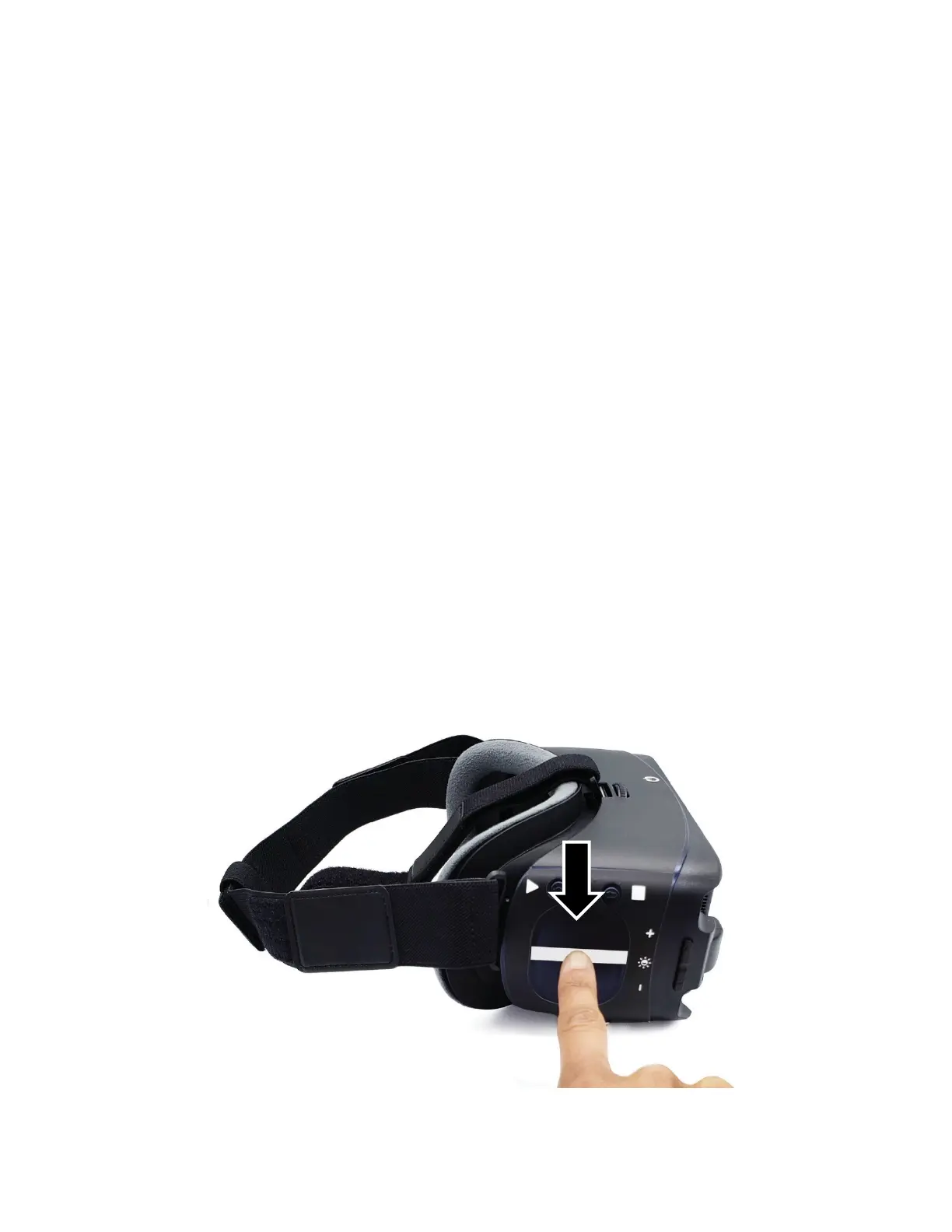
IrisVision allows you to magnify your live view.
1. Locate the touchpad. The touchpad is located on the
right side of the headset under the Mode and Snapshot
buttons.
2. Place your right index finger on the touchpad. We
recommend putting your hand in a fist with your index
finger pointed out to steady your hand on the touchpad.
3. To zoom in, use your index finger to make a slow
swiping motion on the touchpad straight towards your
ear to increase magnification.
Important! You must take your finger off the touchpad
between each swipe.
4. To zoom out (decrease magnification), use your index
finger to swipe slowly on the touchpad straight away
from your ear.



 To Next Page