EasyManua.ls Logo

IRiver E10 - Page 12

IRiver E10
38 pages
Print Icon
To Next Page IconTo Next Page
To Previous Page IconTo Previous Page
Loading...
Adding
Contents
to
E10
Using
iriver
plus
2
*
Use
iriver
plus
2
to
transfer
music
and
picture
files
to
E10.
Configuring
the
Sync
Option
1.
Right-click
on
the
icon
of
the
E10
in
the
Media
Library,
and
select
[Sync
Option].
2.
Select
the
sync
option
you
want,
and
click
[OK]
button.
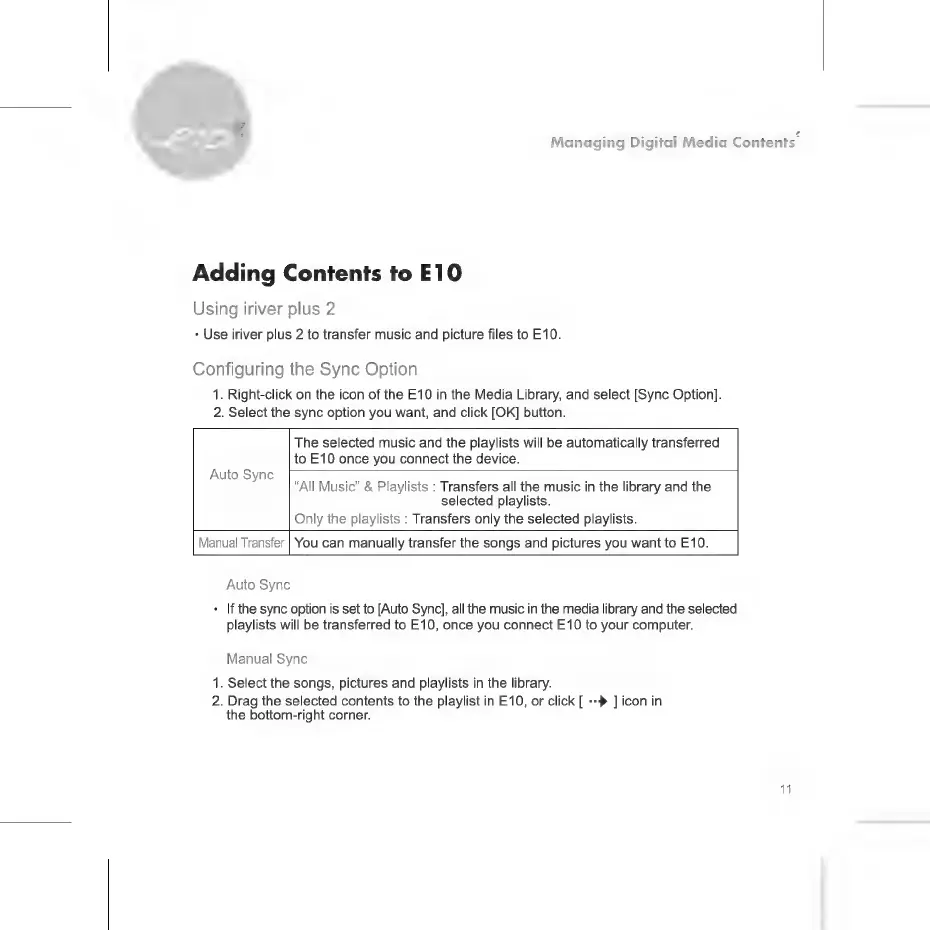
The
selected
music
and
the
playlists
will
be
automatically
transferred
to
E10
once
you
connect
the
device.
Auto
Sync
"All
Music"
&
Playlists
:
Transfers
all
the
music
in
the
library
and
the
selected
playlists.
Only
the
playlists
:
Transfers
only
the
selected
playlists.
Manual
Transfer
You
can
manually
transfer
the
songs
and
pictures
you
want
to
E10.
Auto
Sync
+
|f
the
sync
option
is
set
to
[Auto
Sync],
all
the
music
in
the
media
library
and
the
selected
playlists
will
be
transferred
to
E10,
once
you
connect
E10
to
your
computer.
Manual
Sync
1.
Select
the
songs,
pictures
and
playlists
in
the
library.
2.
Drag
the
selected
contents
to
the
playlist
in
E10,
or
click
[
=}
]
icon
in
the
bottom-right
corner.

Related product manuals