EasyManua.ls Logo

IRiver E10 - Page 13

IRiver E10
38 pages
Print Icon
To Next Page IconTo Next Page
To Previous Page IconTo Previous Page
Loading...
A
Using
Windows
Explorer
*
Use
Windows
Explorer
to
transfer
video,
text
and
Macromedia
Flash
files
to
E10.
1.
Connect
E10
to
your
computer,
and
execute
Windows
Explorer.
2.
In
the
Windows
Explorer,
drag
the
media
files
to
the
corresponding
folder
in
E10.
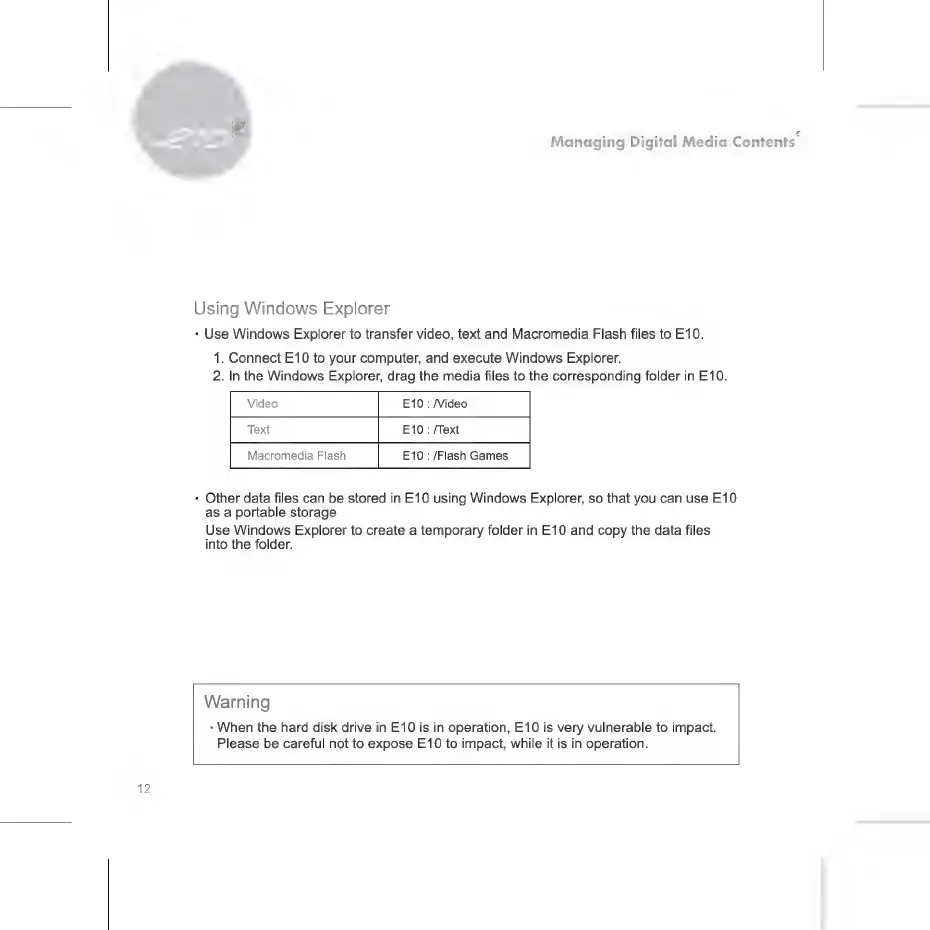
Video
E10
:
Video
Text
E10
:
/Text
Macromedia
Flash
E10
:
/Flash
Games
+
Other
data
files
can
be
stored
in
E10
using
Windows
Explorer,
so
that
you
can use
E10
as
a
portable
storage.
Use
Windows
Explorer
to
create
a
temporary
folder
in
E10
and
copy
the
data
files
into
the
folder.
Warning
*
When
the
hard
disk
drive
in
E10
is
in
operation,
E10
is
very
vulnerable
to
impact.
Please
be
careful
not
to
expose
E10
to
impact,
while
it
is in
operation.

Related product manuals