EasyManua.ls Logo

IRiver E10 - Page 8

IRiver E10
38 pages
Print Icon
To Next Page IconTo Next Page
To Previous Page IconTo Previous Page
Loading...
n
Quick
Start
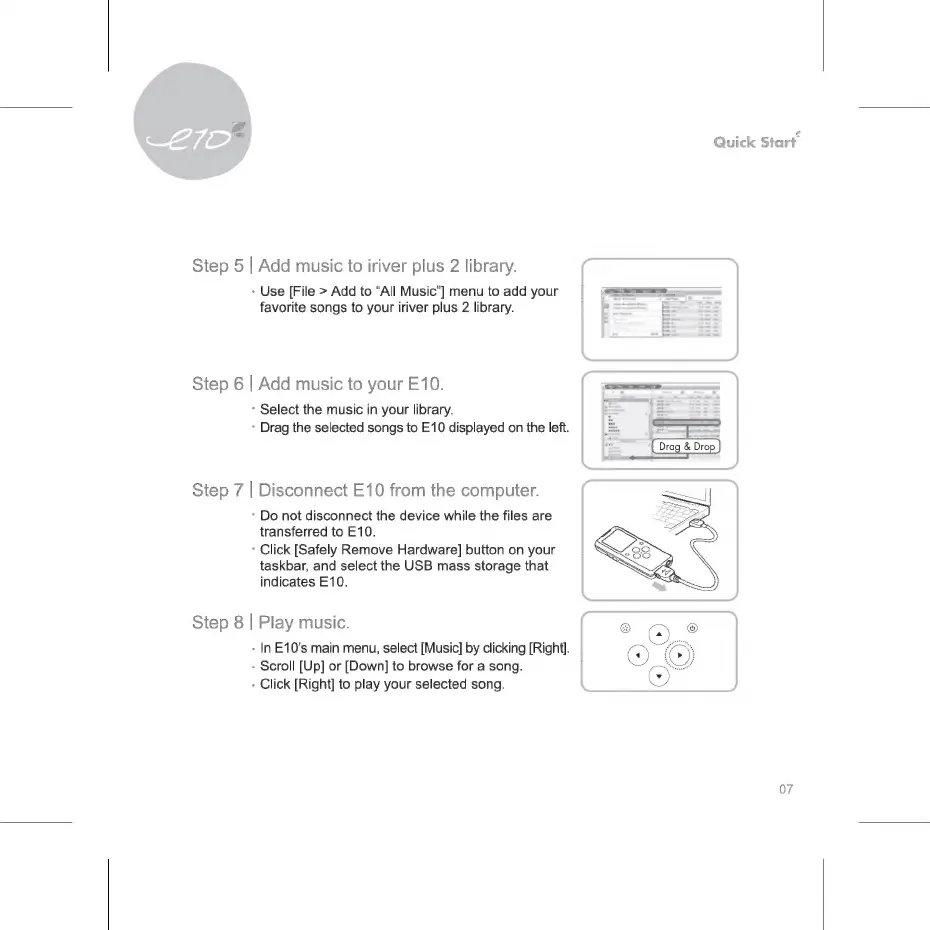
Step
5
|
Add
music
to
iriver
plus
2
library.
:
Use
[File
>
Add
to
"All
Music"]
menu
to
add
your
===>
favorite
songs
to
your
iriver
plus
2
library.
P
E
Step
6
|
Add
music
to
your
E10.
*
Select
the
music
in
your
library.
*
Drag
the
selected
songs
to
E10
displayed
on
the
left.
Step
7
|
Disconnect
E10
from
the
computer.
*
Do
not
disconnect
the
device
while
the
files
are
transferred
to
E10.
*
Click
[Safely
Remove
Hardware]
button
on
your
taskbar,
and
select
the
USB
mass
storage
that
indicates
E10.
Step
8
|
Play
music.
-
In
E10’s
main
menu,
select
[Music]
by
clicking
[Right].
-
Scroll
[Up]
ог
[Down]
to
browse
for
a
song.
-
Click
[Right]
to
play
your
selected
song.
07

Related product manuals