EasyManua.ls Logo

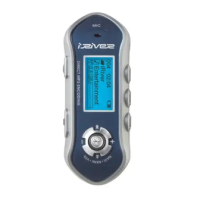
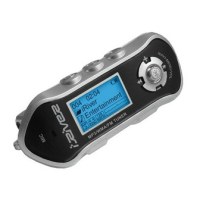
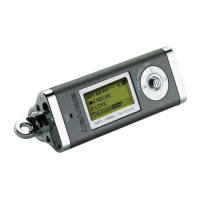
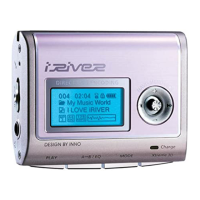
IRiver iFP-380T - User Manual

IRiver iFP-380T
34 pages
Print Icon
To Next Page IconTo Next Page
Loading...
2 3
URL : http://www.iRiver.com
Provides information on our company, products, and email addresses for
support.
Unique feature of “Firmware (system software) Upgrade” is available for
download on our site. The Firmware provides new features as well as
enhancements to current features. New CODECS that will be introduced in
the future will be supported via Firmware Upgrade.
Provides FAQ as well as a User’s Forum.
Register your iRiver product online so that our Customer Service is able to
provide support as efficiently as possible.
iRiver Limited does not assume any responsibility for errors or omissions in
this document or make any commitment to update the information contained
herein.
iRiver is a registered trademark of iRiver Limited in the Republic of Korea and
/or other countries and is used under license. Microsoft Windows Media and the
Windows Logo are trademarks or registered trademarks of Microsoft
Corporation in the United States and /or other countries.
All other brand and product names are trademarks of their respective
companies or organization. All other product names may be trademarks of the
companies with which they are associated.
1999-2003 iRiver Limited. All right reserved.
Unique Design
Multi-Codec Player
: Supports MP3, WMA, ASF formats.
Firmware Upgrade
: Provides the latest updated features via firmware upgrade.
Player features such as add on, modification, and continuous improvement of
player are always provided.
Graphic LCD supporting Multiple Languages
: iFP-300 Series comes with graphic LCD which can support multiple languages
FM Function
You can easily listen to FM stations and set your favorite stations by using Auto
Preset and Frequency Memory functions.
6 Preset EQ :
Normal, Rock, Jazz, Classic, U Bass, Metal
5 Band User EQ
GUI(Graphic User Interface) MENU SUPPORTING
Easy Navigation
Support MP3 Direct Encoding:
8KHz ~ 44.1KHz, 8Kbps ~ 320Kbps
Question and Answer IconNeed help?

Do you have a question about the IRiver iFP-380T and is the answer not in the manual?

Summary

UNIQUE FEATURES

LOCATING THE CONTROLS

BASIC OPERATION

File and Folder Deletion

Provides instructions for deleting individual files and entire folders from the player.

BASIC OPERATION EXPLANATION

PLAYER & FILE TRANSFERING

Downloading Files to Player

Instructions on transferring music files from the computer to the player.

Uploading Files from Player

Guides on transferring files from the player back to the computer.

ADDITIONAL FUNCTIONS

Firmware Upgrade Process

Detailed guide on downloading and installing the latest firmware for the player.

Player Formatting

Instructions on how to format the player, erasing all stored files.

LISTENING TO MUSIC

Music Playback and Volume Control

Explains buttons for play, stop, next, previous track, and volume adjustment.

OPERATING THE FM TUNER

FM Channel Memory Management

Guide on saving, deleting, and auto-managing FM channels in memory.

RECORDING FUNCTIONS

FM Radio Recording

Steps to record FM radio, play recordings, and temporarily stop.

Voice Recording Setup

Instructions for setting up and starting voice recording.

NAVIGATION AND SEARCHING

NAVIGATION MODES

PROGRAM MODE

EQ MODE

MENU

General Settings Configuration

Detailed configuration options for general settings like beep volume and language.

Display Settings Configuration

Options for adjusting display settings such as backlight, contrast, and visualization.

Timer and Control Settings

Settings for auto power off, scan speed, sound balance, EQ limit, and voice recording.

Recording Mode Settings

Configuration options for tuner, line-in, and voice recording quality and levels.

MENU(MODE)

TROUBLESHOOTING AND SAFETY

Common Troubleshooting Issues

Solutions for common problems like no power, sound issues, and LCD errors.

General Safety Guidelines

Important safety rules regarding device use, liquids, and environment.

Headphone Use and Hearing Safety

Safety advice on headphone usage, road safety, and preventing hearing damage.

ACCESSORIES AND SPECIFICATIONS

Product Specifications Overview

Details on memory, model, FM/audio, file support, LCD, recording, and playtime.

IRiver iFP-380T Specifications

General IconGeneral
BrandIRiver
ModeliFP-380T
CategoryMP3 Player
LanguageEnglish

Related product manuals