24. DASH BOARD (OPTIONAL)
Dash Board
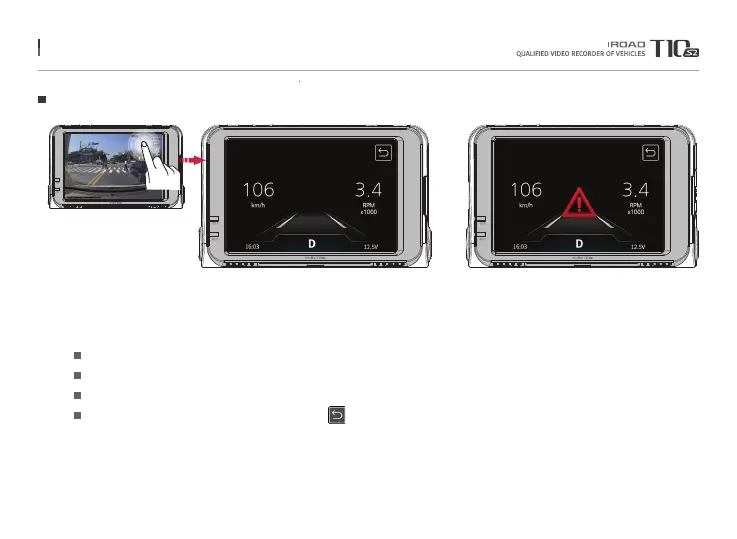
Press the dash board button to convert to OBD dash board mode.
※When OBD-II cable is installed, dash board button is activated.
Show speed and RPM
Current Time, Gear Position (P-Parking, R-Reverse, N-Neutral, D-Driving), Current Voltage
LDWS / FCWS / FVDW
Press return button to return to main screen
Current speed / RPM
Time / Transmission / Voltage
ADAS
Previous
※ Information of OBD dash board may have some restrictions on the support functions depending on the vehicle manufacturer or vehicle type.
For more information, please refer to the supported vehicles and items on the IROAD website.
Menu and function can be changed without prior notice by sudden firmware upgrade or product enhancement.



 To Next Page