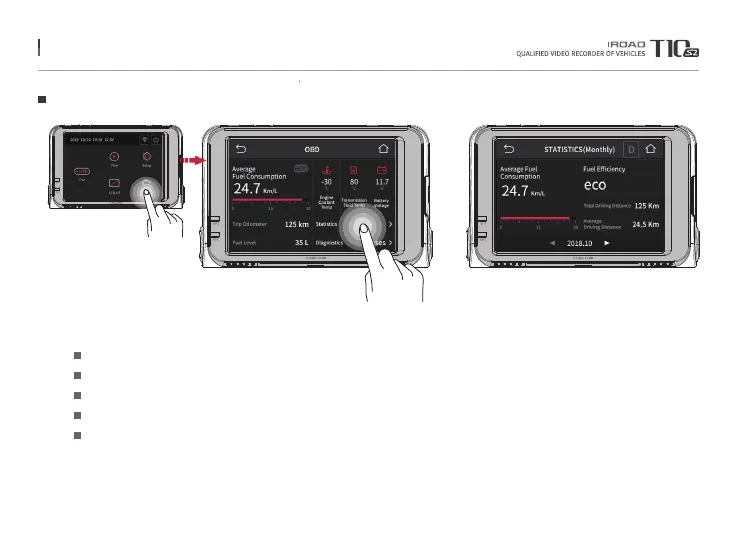
26. OBD(OPTIONAL)
OBD 1
Identify vehicle information by pressing OBD button on main screen.
※When OBD-II cable is installed, dash board button is activated.
Calculate fuel consumption and display mileage per liter.
Display Mileage Per Liter / Fuel level
Display current engine coolant temperature, transmission oil temperature, battery voltage,
Identify driving statistics and list of vehicle diagnostic
Identify daily / monthly driving statistics
Average Fuel Consumption
Trip Odometer / Fuel Level
Engine Coolant / Transmission Fluid / Battery
Statistics / Diagnostics
Statistics (Daily / Monthly)
※Please enter the same vehicle information as the information on your vehicle registration card. If you have entered information
that is different from the actual vehicle information,you will not be able to verify the exact vehicle status and information.
Menu and function can be changed without prior notice by sudden firmware upgrade or product enhancement.



 To Next Page