40. LCD
Calibration
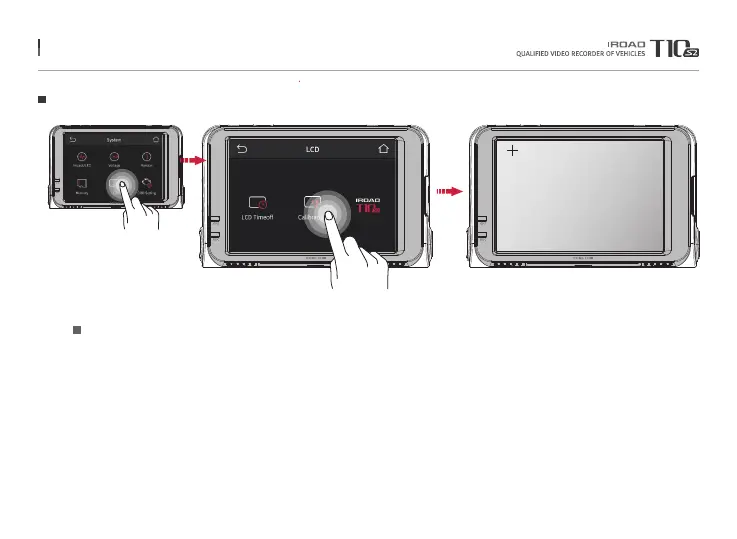
To start the touch calibration.
Touch the center of cross.
Run touch correction when select on the screen if the touch screen is not smooth.
Follow the instruction shown on the screen.
Calibration
Tap on Calibration button to adjust touch correction
Menu and function can be changed without prior notice by sudden firmware upgrade or product enhancement.



 To Next Page