11 For more information, visit global.irobot.com
EN
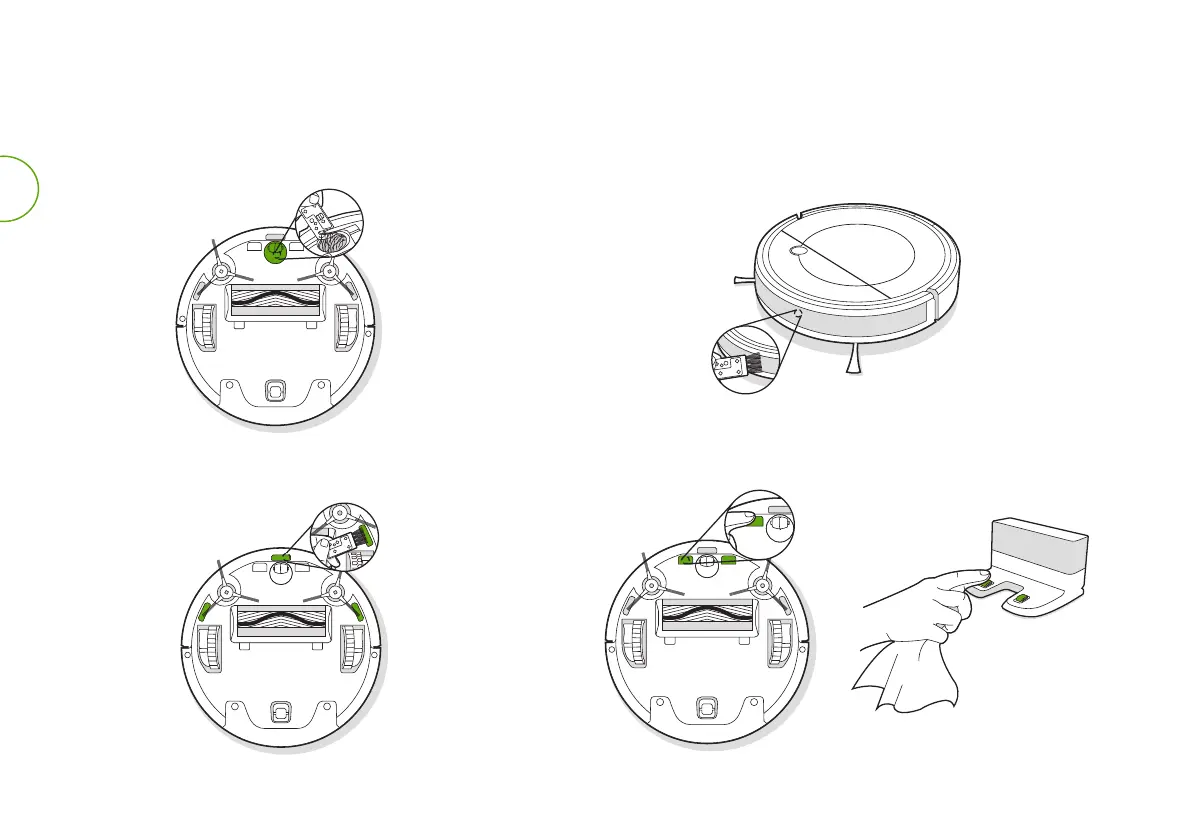
Wipe the bumper with the brush on the multi-function cleaning tool.
Wipe the cli sensors with the brush on the multi-function
cleaning tool to maintain their eectiveness.
Other Components
Use the multi-function cleaning tool to cut o and remove
any hair tangled around the caster wheel.
Wipe the robot’s and charging station’s charging contacts with a dry
cloth to maintain their eectiveness.


 To Next Page