17Roomba Combo® 10 Max + AutoWash dock Owner’s Guide
EN
Starting a vacuum and mop cleaning job from your dock
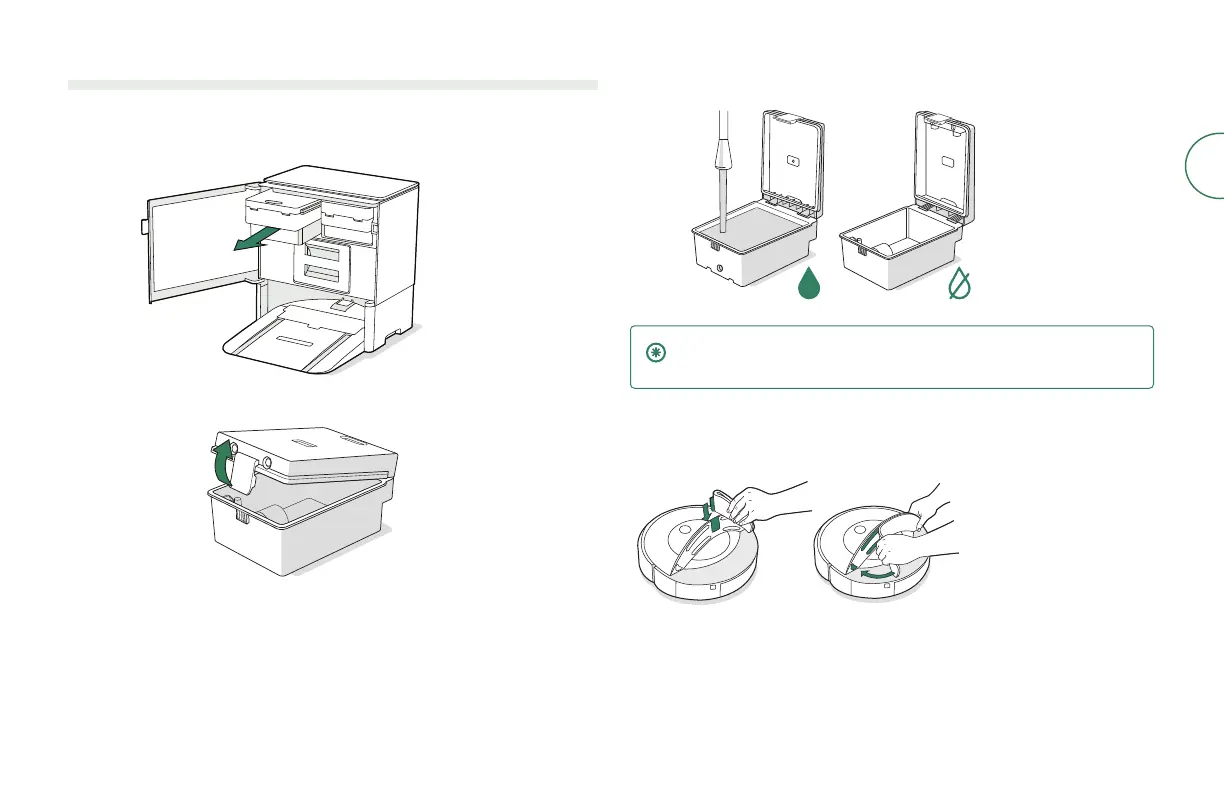
If the Clean Tank or Dirty Tank LED Indicators are on:
1
Use pull tab to open door. Remove the tank that requires maintenance.
2
Lift the latch on the tank to open.
3
Fill the Clean Tank with water.Empty the Dirty Tank.
IMPORTANT: Ensure the latch is properly closed on the tank before
reinstalling.
4
Place tanks back in the dock and close the door, making sure it is
completely closed.
5
Attach mopping pad to robot.
6
Return the robot to the AutoWash dock and press the Clean button on
your robot.



 To Next Page