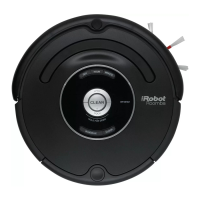
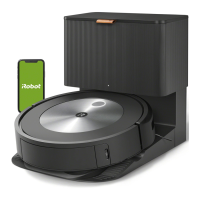
The iRobot Roomba 600 Series is a robotic vacuum cleaner designed for automated floor cleaning. It operates autonomously, navigating various floor types to pick up dirt, dust, and debris. The robot is intended for indoor use and can be scheduled to clean at specific times.
Function Description:
The Roomba 600 Series is a circular robotic vacuum cleaner equipped with a range of sensors and cleaning mechanisms. Its primary function is to clean floors by moving across surfaces, using brushes to agitate and lift debris, and a vacuum to suction it into a dust bin. The robot is designed to detect and avoid obstacles, navigate around furniture, and prevent falls down stairs using cliff sensors. It automatically returns to its Home Base to recharge when its battery is low or after completing a cleaning cycle.
Usage Features:
The Roomba 600 Series offers several user-friendly features for convenient operation.
- Activation and Charging: To activate the robot, users must remove a battery pull tab and place the Roomba on its Home Base. For the initial cleaning cycle, it's recommended to charge the battery for 3 hours to ensure a full charge, although the robot ships with a partial charge. The Home Base should be placed in an open, uncluttered area, maintaining specific distances from walls, stairs, and Virtual Wall Barriers to ensure optimal navigation and charging. Indicator lights on the Home Base and robot provide feedback on charging status.
- Cleaning Modes:
- Standard Cleaning: Users can manually wake the Roomba by pressing the "CLEAN" button once, then press it again to start a cleaning cycle. The robot will autonomously clean the designated area.
- Spot Cleaning: For localized debris, the Roomba can be placed on top of the area, and the "SPOT" button pressed. The robot will then clean the area by spiraling outward approximately 3 feet (1 meter) in diameter and then spiraling inward to its starting point.
- Pausing and Resuming: A cleaning cycle can be paused by pressing the "CLEAN" button and resumed by pressing it again.
- Ending a Cleaning Cycle: To end a cleaning cycle and put the Roomba in standby mode, users press and hold the "CLEAN" button until the indicators turn off.
- Returning to Home Base: The robot can be sent back to its Home Base during a cleaning cycle by pressing the "DOCK" button, which will also end the current cleaning cycle.
- Scheduling (Select Models): On select models, the Roomba can be scheduled to clean once per day, up to seven times a week. The clock must be set before scheduling. To set the clock, users press and hold the "CLOCK" button, then use the "DAY," "HOUR," and "MINUTE" buttons to adjust the time. Releasing "CLOCK" confirms the setting. To set a cleaning schedule, users press and hold the "SCHEDULE" button, use the "DAY," "HOUR," and "MINUTE" buttons to set the desired time, and then release "SCHEDULE." To delete a scheduled time, users press and hold "SCHEDULE," cycle through scheduled times using the "DAY" button, and then press and hold "DAY" for five seconds when the desired time is displayed. Releasing "SCHEDULE" confirms the deletion.
- Virtual Wall Barrier (Optional Accessory): The Dual Mode Virtual Wall Barrier helps contain the Roomba to specific areas or block it from entering others. It has two modes:
- Virtual Wall Mode: In the "up" position, it creates an invisible, cone-shaped barrier up to 10 feet (3 meters) wide, preventing the Roomba from crossing.
- Halo Mode: In the "down" position, it creates a protective zone approximately 24 inches (60 centimeters) from its center, preventing the Roomba from bumping into delicate items like pet bowls or vases. Batteries for the Virtual Wall typically last 8-10 months under normal use.
Maintenance Features:
Regular maintenance is crucial to keep the Roomba 600 Series operating at peak performance.
- Dust Bin and Filter: The dust bin should be emptied after each use. The filter should be cleaned by tapping it against a rubbish container to remove debris and replaced every two months. For homes with pets, cleaning the filter once per week is recommended.
- Brushes: The brushes should be cleaned once per week, or twice per week in homes with pets. To clean, open the brush guard by lifting both tabs, remove the flexible and main brushes, and clear any hair or debris. The brush bearings should also be cleaned. Brushes should be replaced every 6-12 months.
- Front Caster Wheel: The front caster wheel should be cleaned once per month. To do this, pull the wheel firmly to remove it from the assembly, remove debris from the wheel cavity, and spin the wheel by hand to check for restriction. If restricted, remove the wheel from its housing, push the axle firmly to remove it, and clear any wrapped debris or hair. Reinstall all parts, ensuring the wheel clicks back into place. A clogged front wheel can lead to floor damage.
- Side Brush: The side brush should be cleaned once per month. Use a small screwdriver to remove the screw, pull off the side brush, remove any hair or debris, and then reinstall it.
- Cliff Sensors and Charging Contacts: The cliff sensors and charging contacts on both the robot and the Home Base should be wiped with a clean, dry cloth once per month to ensure proper function and charging.
Troubleshooting:
The Roomba provides indicators and audible messages for troubleshooting.
- Low Battery: The Battery Indicator will illuminate red when the battery is low, signaling that the robot needs to be placed on the Home Base for charging.
- Cleaning Errors: If the Roomba encounters an error during cleaning, the Troubleshooting Indicator or "CLEAN" button will blink rapidly, and audible instructions will be provided. Pressing "CLEAN" can repeat the message.
- Charging Errors: If an error occurs during charging, the Troubleshooting Indicator will blink, and an audible error message will be heard. Users should check the charging contacts on the robot and Home Base for cleanliness and debris.
- Lithium Ion Battery (Select Models): For models with lithium-ion batteries, specific transportation regulations apply. If shipping the product (with the battery included) for service or travel, the battery must be removed, its metal charging contacts taped, and then reinstalled with the tape. The product should be packaged in its original packaging or secure alternative and shipped via ground transportation only.
For further support, users can visit the iRobot website or contact Customer Care.

 Need help?
 General
 Weight and Dimensions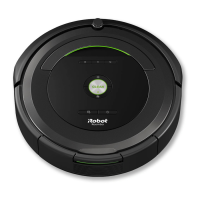

 To Next Page