6
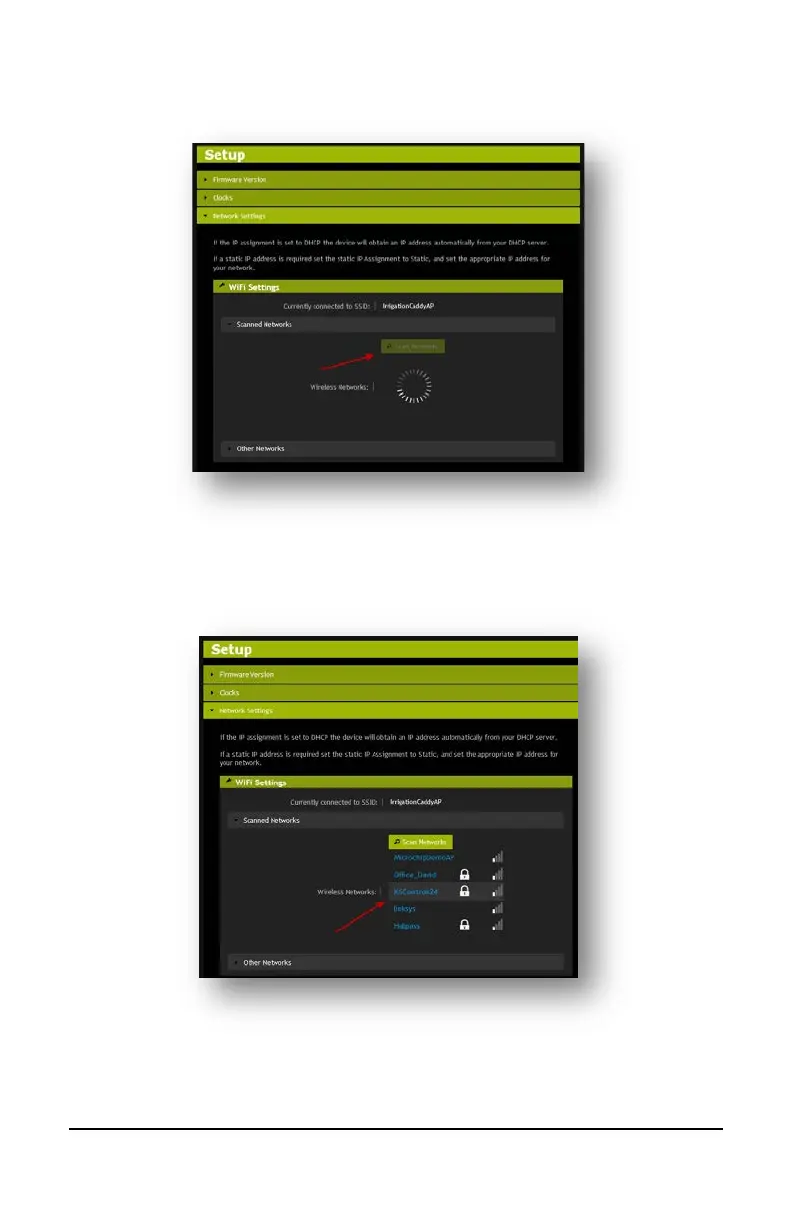
5. Open “Network Settings”, and click on the “Scan Networks” button.
6. When the scan finishes, it will display a list of available networks. Click on your
preferred network to connect to it.
7. If the network is protected, you will be prompted to enter a passphrase. Enter the
passphrase and click on “Connect to Network”.



 To Next Page